How-to Connect CCTV Camera to TV without DVR for Live View
Here is a solution for customers that want to connect a CCTV camera to a TV without a DVR for a real-time live view. Watch the above video demo to see how it works. We have been successfully supplying these live view TV camera display kits for many years because they are so easy to setup.

Although we have some TV models available, most customers supply their own TV so they can choose the exact brand and size that they like. These kits will work with any standard HD TV that supports 1080p resolution — almost all modern TVs do. These kits are plug and play – you just connect everything, power the devices on, and it just works. This is how it is setup.
BNC to HDMI Converter
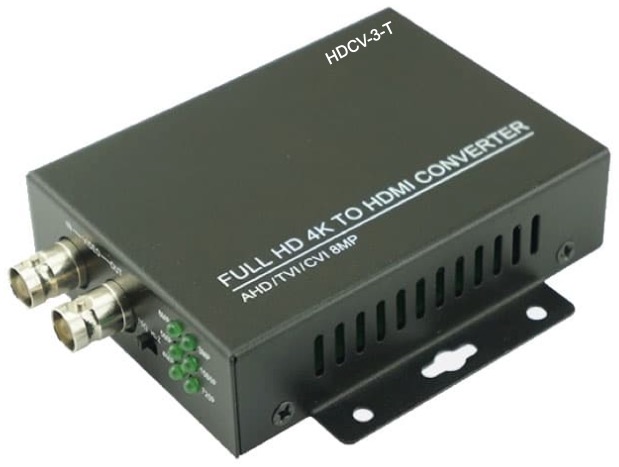
The HDCV-3-T BNC to HDMI converter is what enables you to connect any of our Viewtron CCTV cameras to the HDMI input of a standard television or computer monitor. It converts the CCTV video surveillance format to standard HDMI video.
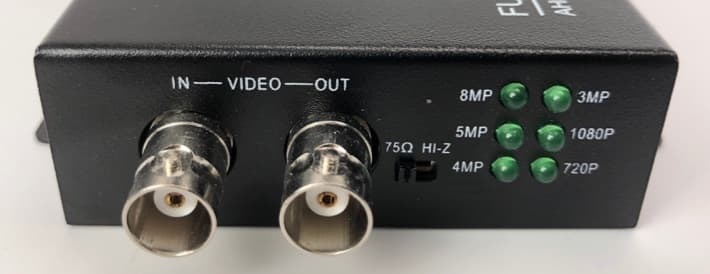
The HDMI converter has a standard BNC CCTV video input that accepts all CCTV camera video formats and resolutions. This adapter works with 720p / 1mp, 1080p / 2mp, 3mp, 4mp, 5mp and 8mp / 4K BNC security cameras. AHD, HD-TVI, and HD-CVI video formats are all supported. There is also a BNC loop output incase you want to send the video stream to another device such as a second HDMI converter or a security DVR for recording. Use of the BNC loop output is optional and not needed for a simple CCTV camera to TV live display.
Please note that although the converter can accept any BNC security camera resolution input, the HDMI output of the converter is 1080p resolution. That is why CCTV Camera Pros recommends using a 1080p CCTV camera with it. You will not get the benefit of higher resolution cameras because the HDMI output is always 1080p, regardless of the resolution of the camera.
Siamese CCTV Cable
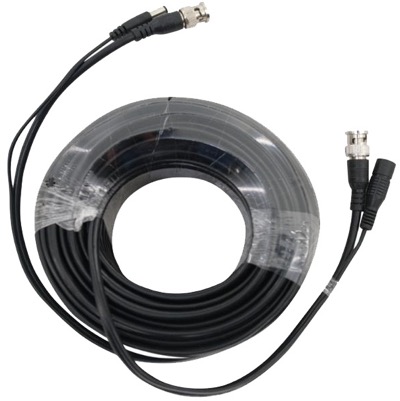
The 100ft Siamese CCTV cable that is included with these kits allows you to run both video and power connections to the camera. Please note that we have additional cable lengths available in these pre-made Siamese cables. Please refer to the below video if you are not familiar with Siamese security camera cables.
How-to Wire a CCTV Camera with Pre-made Siamese CCTV Cable
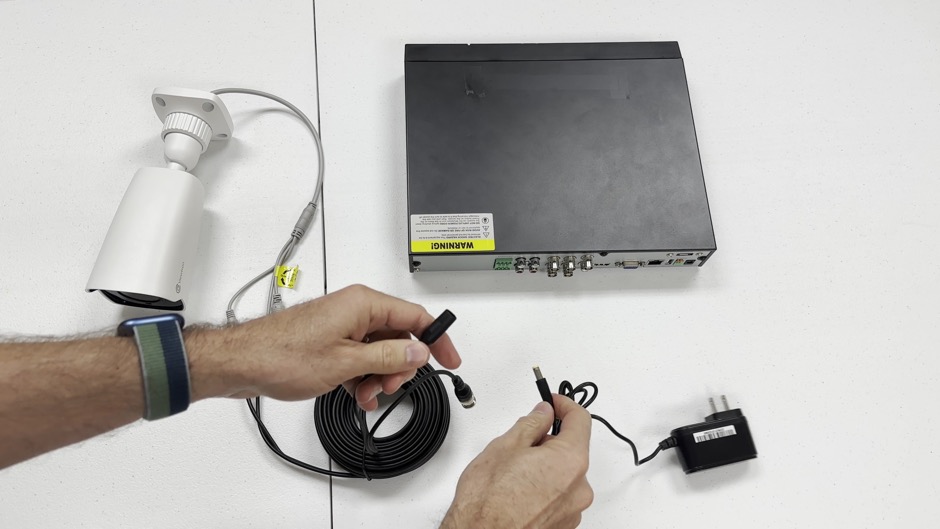
Here is a video that I made to show customers how easy it is to wire a CCTV camera with pre-made Siamese cables. I am connecting the camera to a DVR in the video but the setup is the same to connect the BNC output of the cable to the HDMI converter included with our live TV display kits. The important takeaway is that the power supply for the camera can be located where your TV is installed instead of where the camera is installed.
CCTV Camera to TV for Live View Wiring Diagram
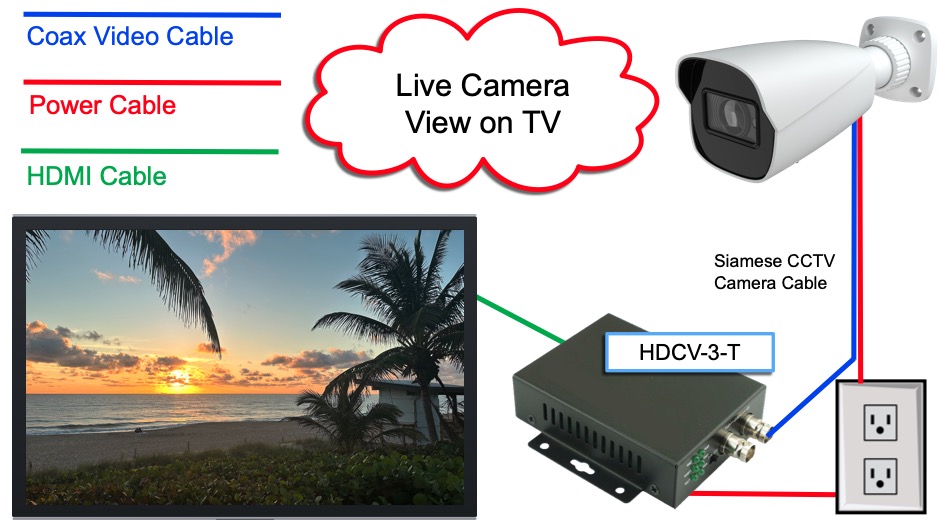
Here is a wiring diagram for the whole system.
- The coax side of the pre-made Siamese camera cable (blue line above) connects the BNC video output of the camera to the BNC video input of the BNC to HDMI converter.
- The power cable side into the Siamese cable (red line from the camera) is connected to the power adapter that is included with the camera.
- The other end power cable connects to the 12v DC power supply that is included with the camera. The power supply plugs into a standard power outlet near your TV.
- The BNC to HDMI converter also includes a power supply that will connect to the power outlet near your TV.
- The HDMI cable that is included with the system connects the HDMI output of the converter with the HDMI video input of your TV monitor.
That is all! Plug and play easy setup with no manual configuration. Everything is just detected and the live view of your camera is displayed on your TV.
Connect Multiple Cameras to TV for Live View
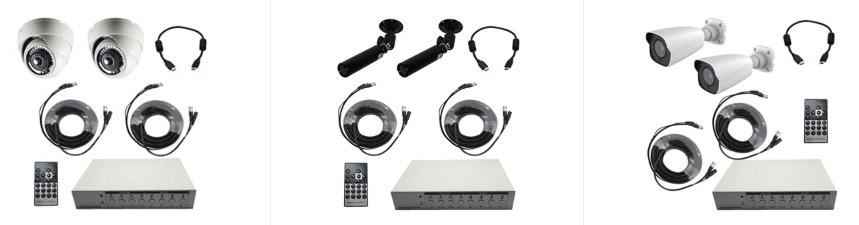
CCTV Camera Pros also has live view TV display kits for multiple cameras available. These kits let you display a live view of multiple security cameras on a TV without a DVR. We have 4ch, 8ch, and 16ch CCTV video multiplexers available for this. You can control the display using the wireless remote control that is included. It allows you to switch between a single camera and multi live view.
Multiple CCTV Cameras to TV Live View Video Demo
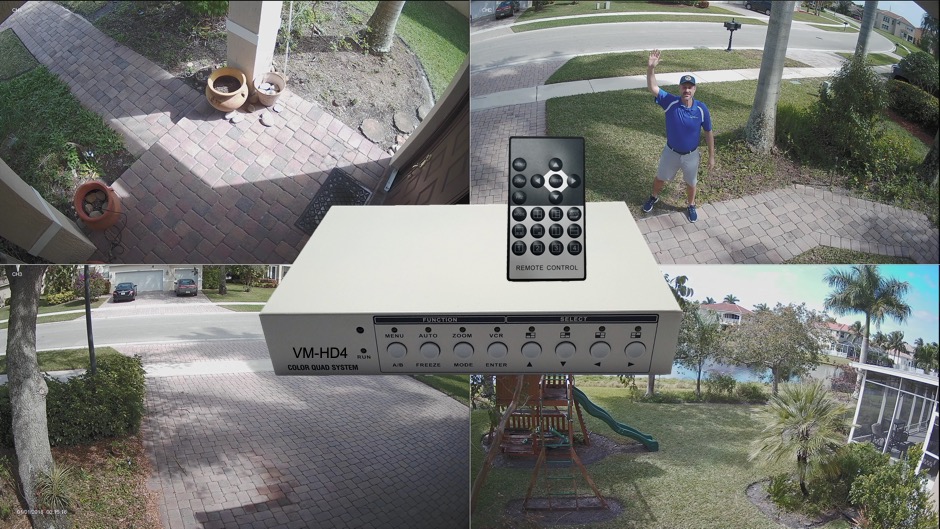
Watch this video to see a demo of this 4ch CCTV multiplexer used in a multi-camera live TV display system.
CCTV Camera to TV Live View System FAQ
Here are some frequently asked questions that we receive related to our live view CCTV camera kits.
- Do these systems work with analog cameras?
You can connect legacy low definition analog cameras (CVBS) directly to a TV using a standard RCA video input without any converter. These systems are for HD analog cameras which provide much better video quality. For example 1080p resolution of 4x the resolution of legacy analog CCTV cameras. The industry moved to HD analog (HD-TVI, AHD, HD-CVI) many years ago. - Can I use my TV remote to switch to the camera feed?
Yes. You will use an HDMI input on your TV with a standard HDMI cable. You can switch to the HDMI input of your live camera feed with your TV remote. - Do these systems work with wireless cameras?
No. These systems all use hard wired HD CCTV cameras. Wireless cameras are not supported. - Can I watch multiple video feeds?
Yes. You can use one of our multi-camera systems that support up to 16 video camera feeds at the same time. - Can I display the live video of my CCTV camera on multiple TVs in different rooms?
Yes. You can use a single TV screen with one HDI converter, or add additional HDMI converters by connecting them using the BNC loop output to chain multiple converters together for live display on multiple TVs. - Do these kits work with PoE cameras?
No. These are only for BNC security cameras that use coax cable.IP cameras / PoE cameras are not supported.
Have Questions / Need Help?
If you have any questions about how to connect a camera to your TV for a live view, please email me at mike@cctvcamerapros.net anytime. Me and the team can also provide with with a free consultation and custom quote. In addition to the simple live display systems above, we can custom design systems with and without video recording. You can also text or call 1-561-433-8488.





