How to Connect IP Camera to TV with or without a DVR
CCTV Camera Pros can design simple single camera and multi-camera / multi-monitor live display solutions.
Continue readingSecurity Camera & Video Surveillance Blog
Security Camera, Video Surveillance System, CCTV Articles & Videos
Learn how-to setup a live view of security cameras on a TV using our BNC to HDMI converters, CCTV video multiplexers, IP security camera to HDMI TV decoders, and HDMI over Ethernet encoders. Whether you’re working with analog CCTV cameras, analog HD cameras, IP cameras, or all three, the videos below cover real installations and configuration walkthroughs for each product line.
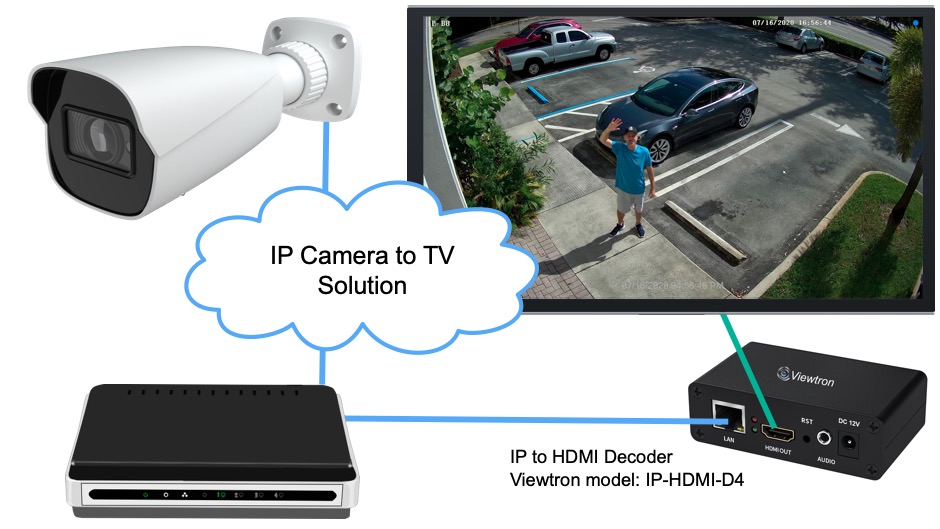
CCTV Camera Pros can design simple single camera and multi-camera / multi-monitor live display solutions.
Continue reading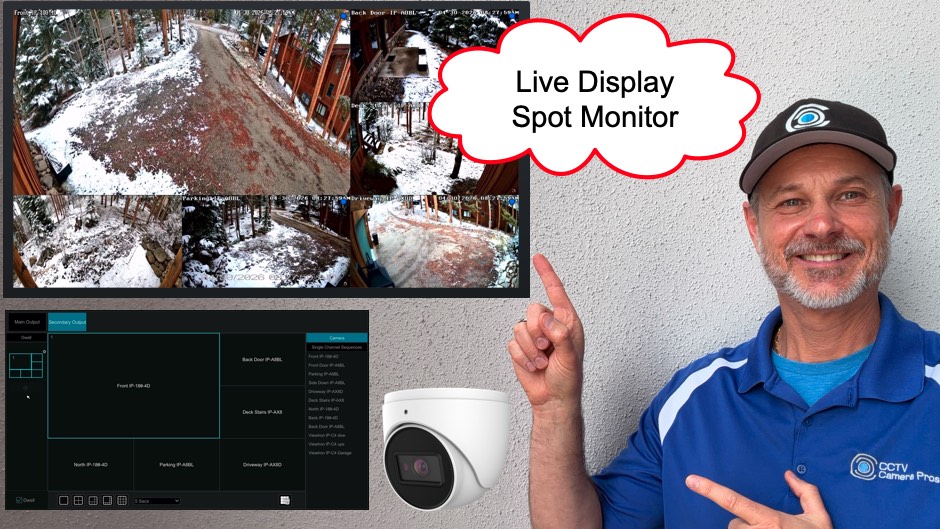
A spot monitor display is a dedicated live security camera view that is independent of the DVR’s main display.
Continue reading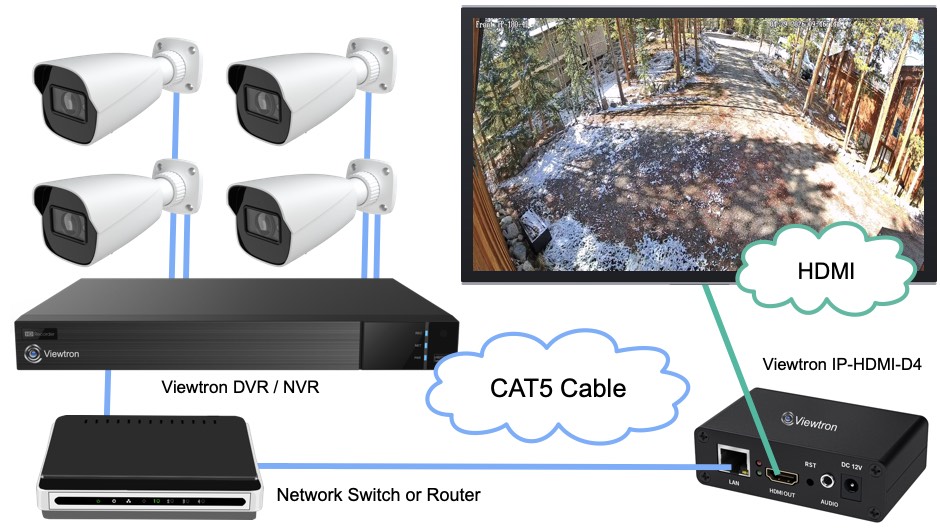
The Viewtron RTSP to HDMI Decoder is an excellent Security Camera to TV Live View solution.
Continue reading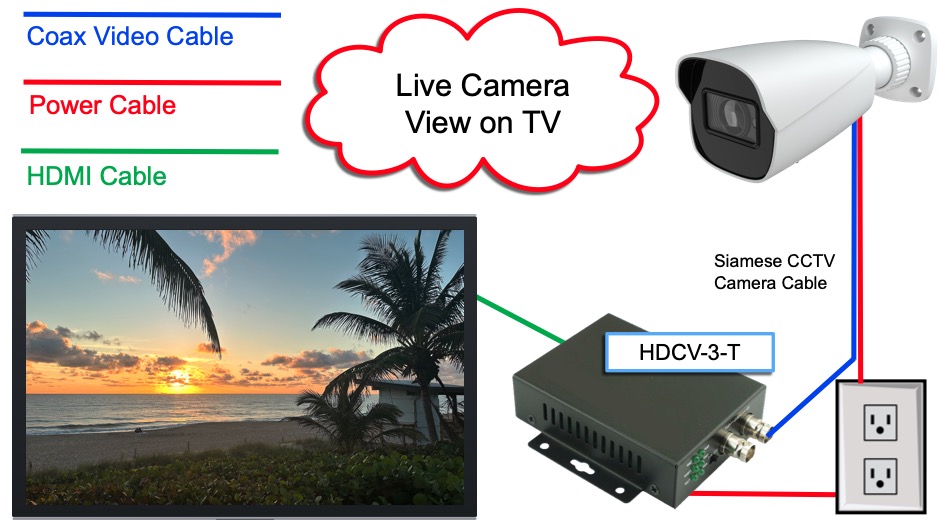
Using security cameras for live display.
Continue reading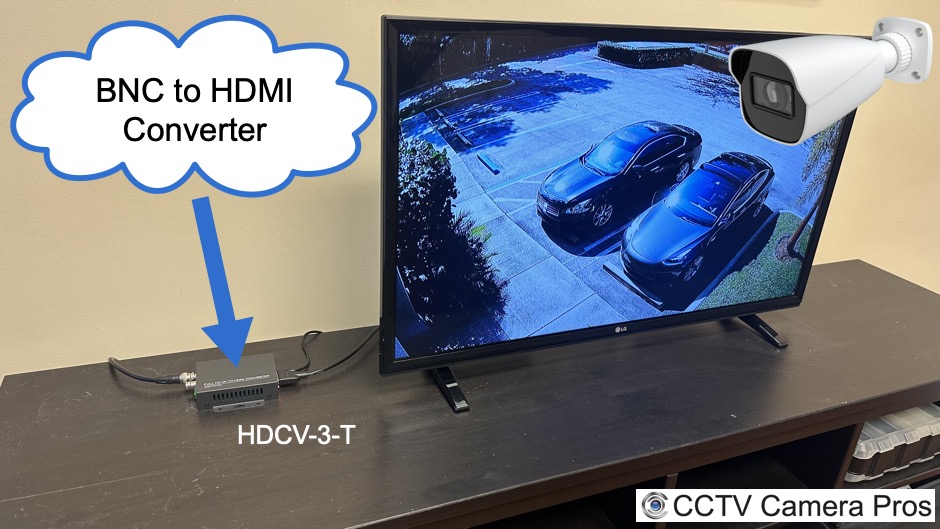
This is how-to use any CCTV camera as an HDMI security camera that connects directly to a TV monitor.
Continue reading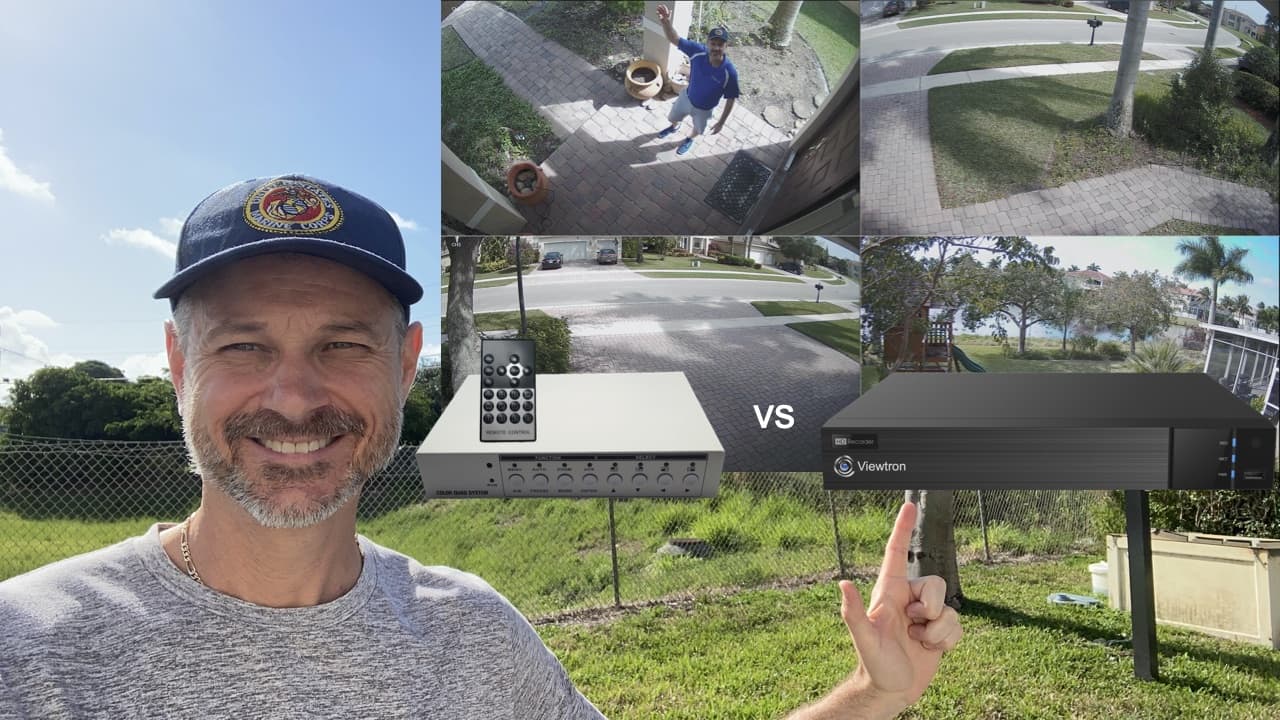
CCTV Video Multiplexers and DVRs are both great solutions for displaying multiple security cameras on a single TV monitor.
Continue reading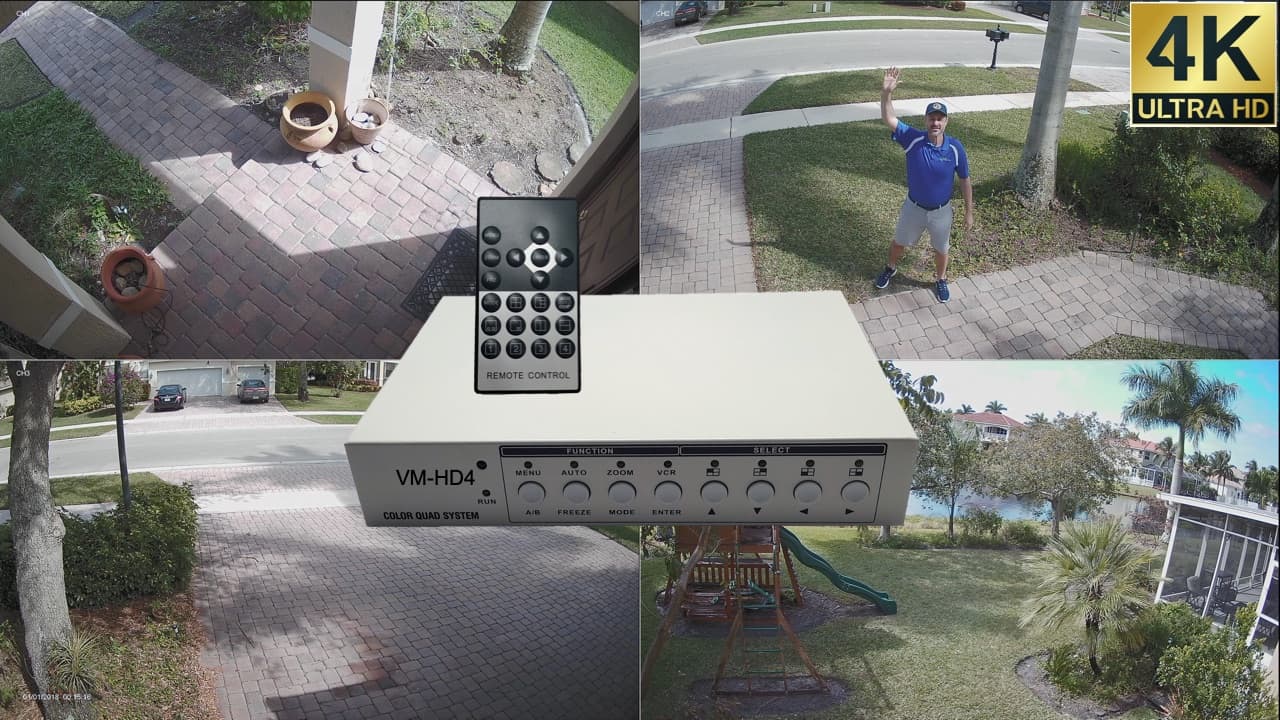
The latest VM-HD4 CCTV multiplexer supports live display video from multiple 4K security cameras on a single TV monitor. Watch this 4K video to see the VM-HD4 connected to the 4 surveillance cameras installed at my house in South Florida.
Continue reading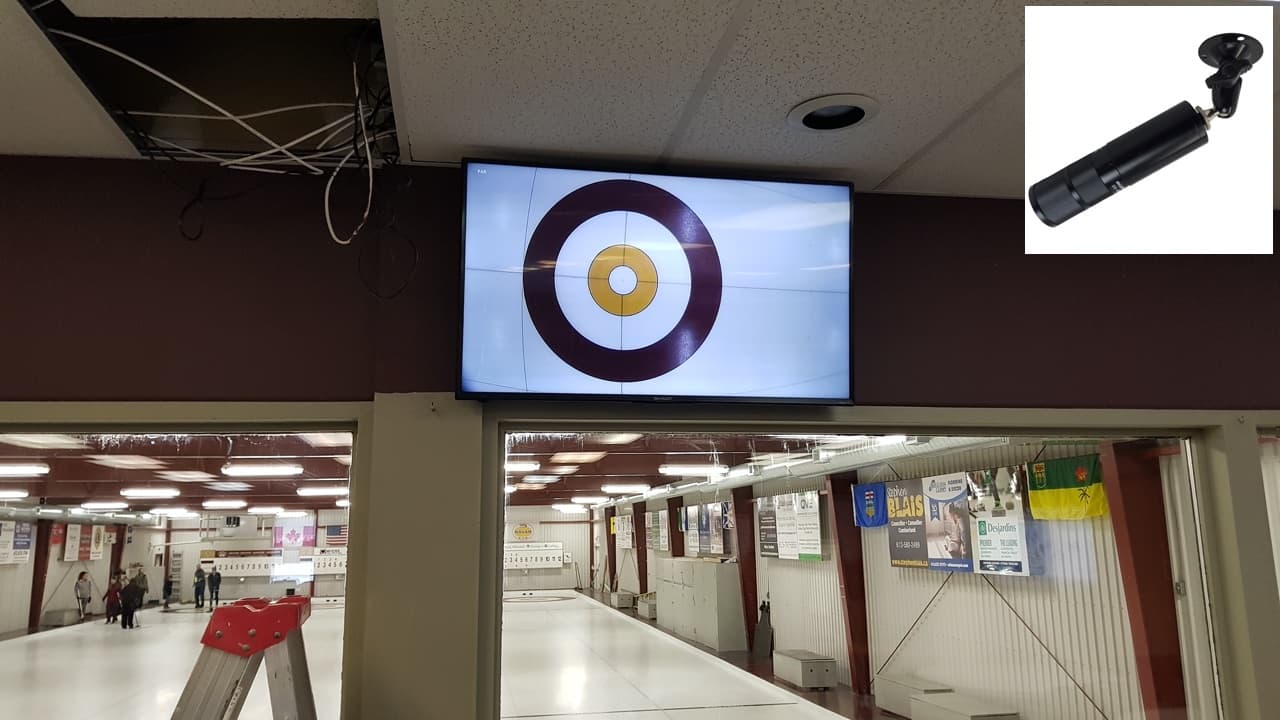
CCTV Camera Pros recently designed a live camera TV display system for The Navan Curling Club in Ontario, Canada.
Continue reading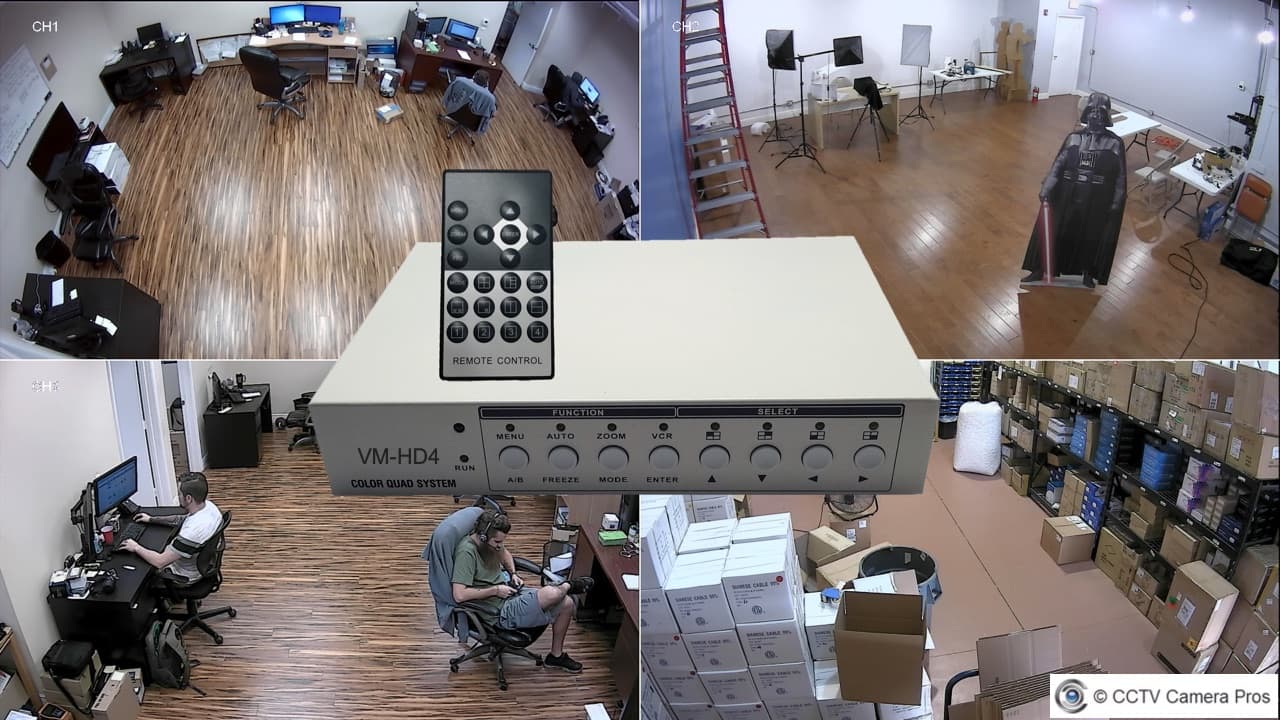
Watch this video demo to see the VM-HD4 4 channel CCTV multiplexer operate with four HD security cameras connected to it.
Continue reading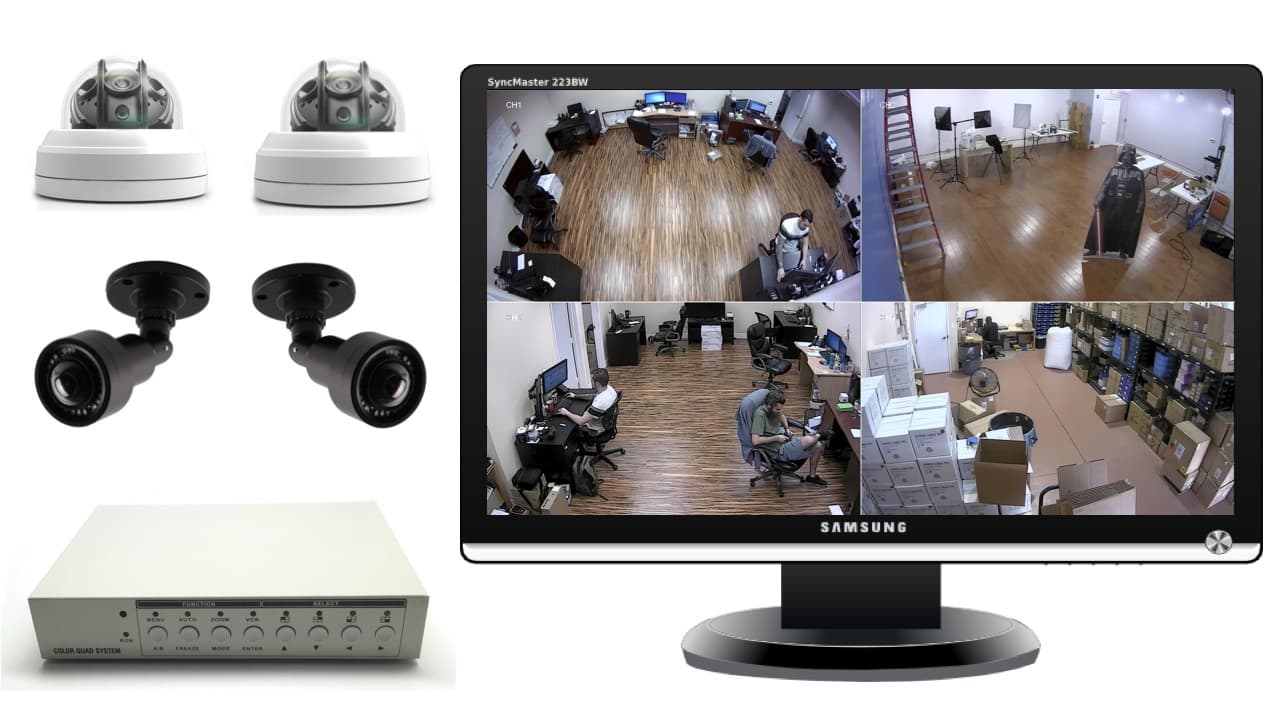
If you are looking for a security camera with monitor to display live video, here are 4 of the best
Continue reading
Here are 5 great BNC to HDMI converter solutions for security cameras that I highly recommend to customers at CCTV Camera Pros.
Continue reading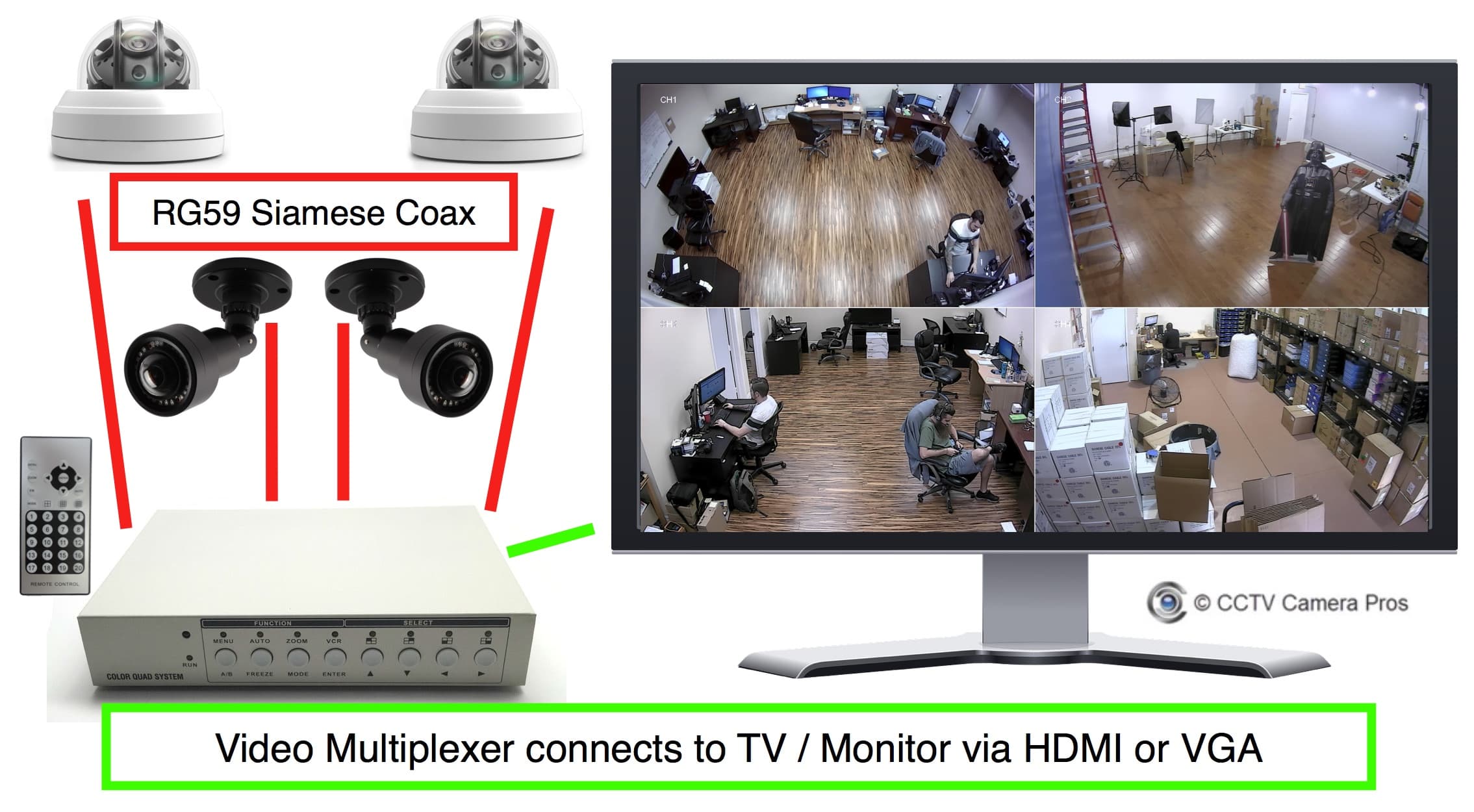
Here is a solution for how to display live video from multiple security cameras on one TV using a CCTV video multiplexer.
Continue reading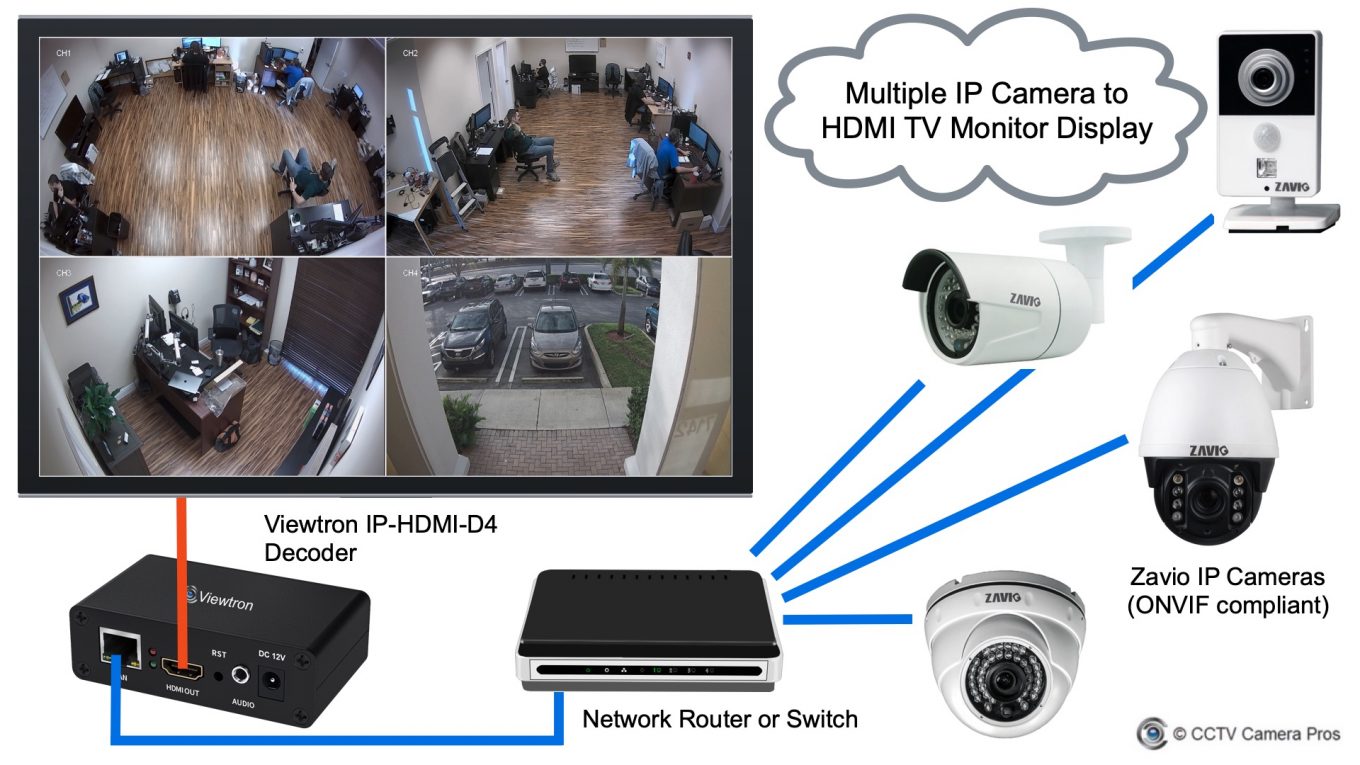
Here is a solution that supports displaying live video from multiple IP cameras on a TV monitor via HDMI. Users searching for “IP camera to HDMI” or “IP camera to VGA” solutions will be interested in this article.
Continue reading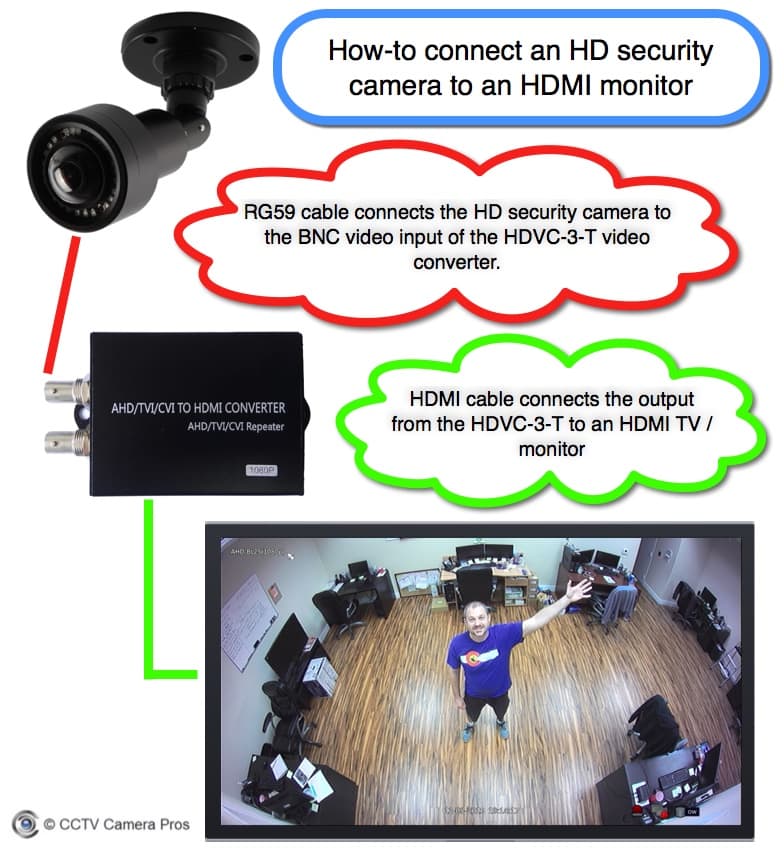
This BNC to HDMI converter is a great security camera to TV (CCTV spot monitor) solution.
Continue reading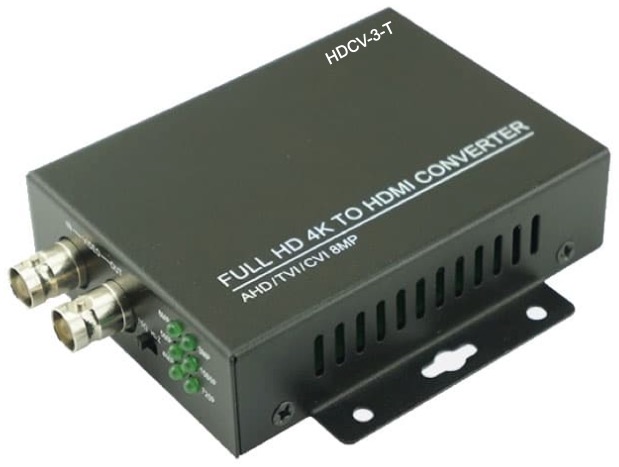 If you have a single BNC security camera and want to display it on a TV, a BNC to HDMI converter is the simplest solution. It plugs into the camera's coax cable and outputs HDMI to any TV. No DVR or NVR required. Works with all modern BNC formats: AHD, HD-TVI, HD-CVI, and standard CVBS analog.
This is the right choice for retail entrance displays, residential front-door cameras, and any situation where you only need to see one camera on one TV. Our most popular converter supports 1080p HDMI output and works with cameras up to 4K (downscaled).
If you have a single BNC security camera and want to display it on a TV, a BNC to HDMI converter is the simplest solution. It plugs into the camera's coax cable and outputs HDMI to any TV. No DVR or NVR required. Works with all modern BNC formats: AHD, HD-TVI, HD-CVI, and standard CVBS analog.
This is the right choice for retail entrance displays, residential front-door cameras, and any situation where you only need to see one camera on one TV. Our most popular converter supports 1080p HDMI output and works with cameras up to 4K (downscaled).
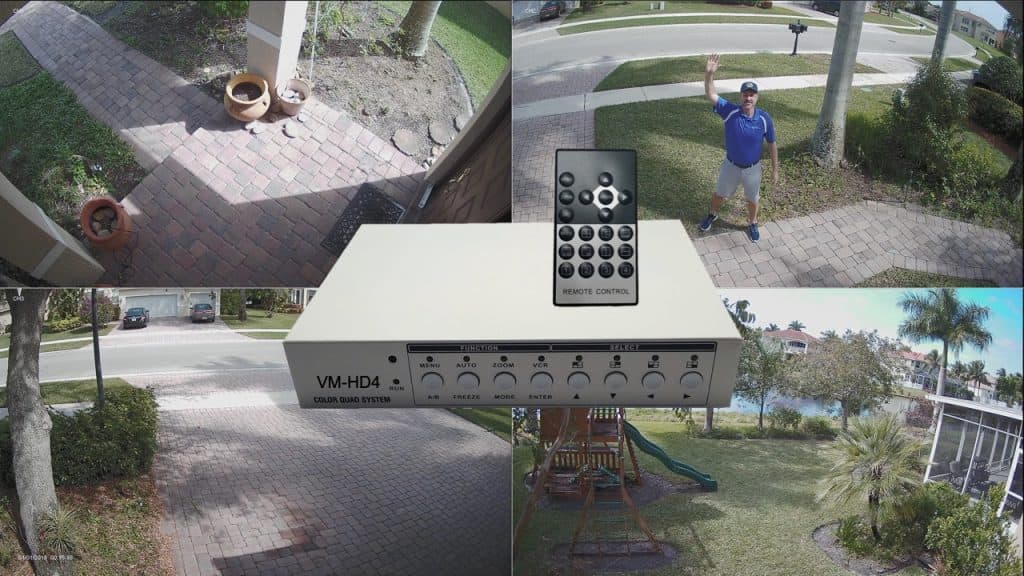 When you want to display 4 or 16 BNC cameras in a grid view on one TV, you need a CCTV multiplexer. Sometimes called a quad processor or quad splitter, the multiplexer combines multiple camera feeds into a single HDMI output with split-screen layouts.
Our 4-channel VM-HD4 multiplexer is our best-selling live display product. It's especially popular with dance studios showing classes on lobby TVs, restaurants displaying open-kitchen cameras to the dining room, and retail stores using a visible deterrent display at the entrance. The 16-channel version is for larger installations like manufacturing floors or multi-camera storefront displays.
When you want to display 4 or 16 BNC cameras in a grid view on one TV, you need a CCTV multiplexer. Sometimes called a quad processor or quad splitter, the multiplexer combines multiple camera feeds into a single HDMI output with split-screen layouts.
Our 4-channel VM-HD4 multiplexer is our best-selling live display product. It's especially popular with dance studios showing classes on lobby TVs, restaurants displaying open-kitchen cameras to the dining room, and retail stores using a visible deterrent display at the entrance. The 16-channel version is for larger installations like manufacturing floors or multi-camera storefront displays.
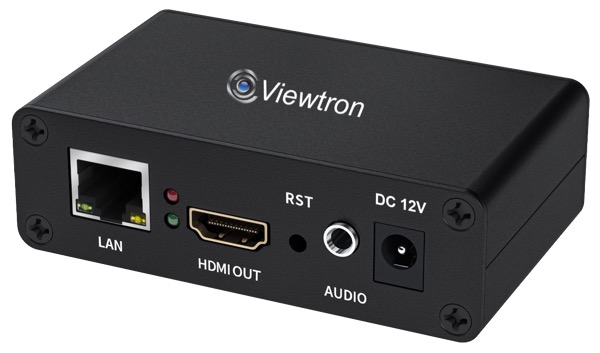 For IP camera systems, the IP-HDMI-D4 IP camera to HDMI TV decoder pulls RTSP video streams over the network and outputs HDMI to any TV. You can connect it directly to up to 4 IP cameras, or have it pull individual camera streams from a Viewtron NVR or a hybrid DVR over the network.
The decoder works with any ONVIF compatible IP camera — our Viewtron IP cameras as well as most third-party brands. Because it pulls streams over the network, you can place the TV anywhere there's a network connection. No new coax runs required.
If you want the same IP camera displayed on multiple TVs around a building, just add another decoder at each TV — each one independently pulls the same RTSP stream over the network. You can also configure each decoder
to show different cameras, so different TVs can run different views.
For IP camera systems, the IP-HDMI-D4 IP camera to HDMI TV decoder pulls RTSP video streams over the network and outputs HDMI to any TV. You can connect it directly to up to 4 IP cameras, or have it pull individual camera streams from a Viewtron NVR or a hybrid DVR over the network.
The decoder works with any ONVIF compatible IP camera — our Viewtron IP cameras as well as most third-party brands. Because it pulls streams over the network, you can place the TV anywhere there's a network connection. No new coax runs required.
If you want the same IP camera displayed on multiple TVs around a building, just add another decoder at each TV — each one independently pulls the same RTSP stream over the network. You can also configure each decoder
to show different cameras, so different TVs can run different views.
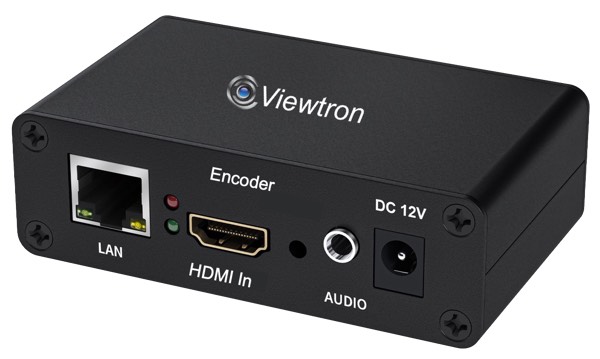 The IP-HDMI-E1 HDMI to RTSP encoder takes the entire HDMI output of a DVR or NVR and converts it into a network video stream. Pair it with the IP-HDMI-D4 decoder at the remote location, and you can display your full recorder output on a TV anywhere on the network — including across buildings or across town with a VPN or port forwarding.
This is the right setup for security offices viewing branch cameras, corporate HQs monitoring remote sites, and any installation where the TV is too far from the recorder to run an HDMI cable directly.
The IP-HDMI-E1 HDMI to RTSP encoder takes the entire HDMI output of a DVR or NVR and converts it into a network video stream. Pair it with the IP-HDMI-D4 decoder at the remote location, and you can display your full recorder output on a TV anywhere on the network — including across buildings or across town with a VPN or port forwarding.
This is the right setup for security offices viewing branch cameras, corporate HQs monitoring remote sites, and any installation where the TV is too far from the recorder to run an HDMI cable directly.
| Your Situation | Recommended Product |
|---|---|
| 1 BNC camera on 1 TV | BNC to HDMI converter |
| 4 BNC cameras in a grid on 1 TV | 4-channel CCTV multiplexer |
| 16 BNC cameras on 1 TV | 16-channel CCTV multiplexer |
| 1 to 4 IP cameras on 1 TV | IP camera to HDMI decoder |
| Display existing NVR/DVR output on a remote TV | HDMI to IP encoder + decoder pair |
| 1 BNC camera on multiple TVs | HD video splitter / distribution amplifier |
| 1 IP camera on multiple TVs | Multiple IP camera to HDMI decoders (one per TV) |
Click below to request a free consultation or just to ask a question. You can also call or text us at 1-561-433-8488 anytime.


Looking for the best mobile apps and desktop software to remotely view your security cameras? Please take a look at these apps for Viewtron CCTV DVRs, Viewtron IP camera NVRs, and Viewtron network IP cameras. These apps support live security camera viewing as well as recorded video surveillance playback from remotely over the Internet.

Check out this demo of the Viewtron surveillance DVR. The user interface is so simple to use. You can watch more Viewtron video demos here.
 Check out this demo using on of our new Viewtron AI security cameras. These IP cameras have built-in artificial intelligence functions for car detection, people detection, face match detection, facial recognition, license plate recognition (LPR), and automatic number plate recognition, ANPR) .
You can watch more videos using Viewtron AI security cameras here.

You can read all of our blog posts, watch video demos, and access our installer tools in the FREE CCTV Camera Pros Mobile App.