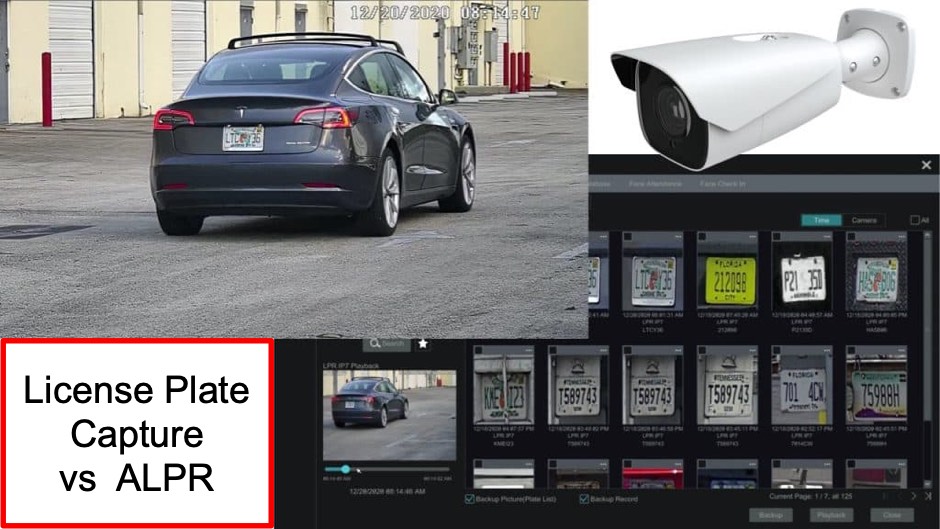
License Plate Capture vs ALPR: Which LPR Camera Do You Need?
Shopping for an LPR camera can be confusing. You’ll see terms like license plate capture (LPC), LPR, automatic license plate recognition (ALPR), and ANPR thrown around sometimes interchangeably. Understanding the difference will help you choose the right solution.
The short version: We recommend Viewtron ALPR cameras for most customers because of the automation features especially the ability to instantly find any license plate in your recorded footage. However, if you have existing coax cabling and a DVR you want to keep, an analog HD LPR camera can still capture plates clearly.
This guide explains both options so you can make the right choice.
Understanding the Terminology
| Term | What It Means | What It Does |
|---|---|---|
| LPC (License Plate Capture) | Clear recordings | Records plates clearly for human review |
| LPR (License Plate Recognition) | General category | Umbrella term for all plate cameras |
| ALPR (Automatic License Plate Recognition) | AI-powered recognition | Software reads plate characters automatically |
| ANPR (Automatic Number Plate Recognition) | Same as ALPR | UK/international term for ALPR |
The key distinction: LPC cameras produce clear footage that a human can review. ALPR cameras produce clear footage AND automatically read the plate characters using AI software which means the system can bookmark every plate detection, alert you to specific vehicles, let you search recordings by plate number, and even integrate with gates and other access control systems.
For a deeper dive into terminology, watch this video:
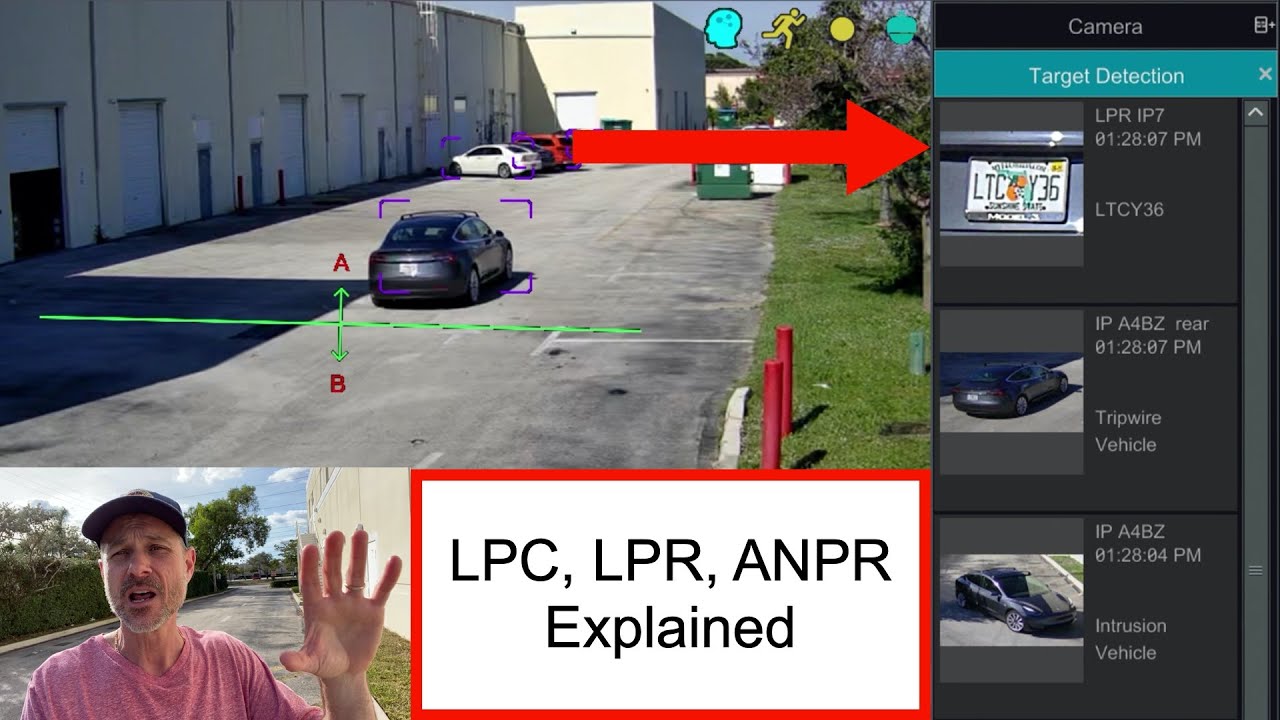
Why We Recommend ALPR: Finding Plate Events Is Easy
The biggest advantage of Viewtron ALPR cameras isn’t just that they read plates automatically—it’s how easy they make it to find any license plate in your recordings.
With ALPR, every plate detection is bookmarked. Instead of scrubbing through hours of footage, you simply:
- Search by plate number (full or partial)
- Filter by date/time range
- Browse a visual log of all detected plates with thumbnails
This is similar to how other Viewtron AI cameras bookmark human and vehicle detection events. The AI does the work of cataloging events so you can find what you need in seconds.
Watch how easy it is to search license plate recognition events on a Viewtron system:
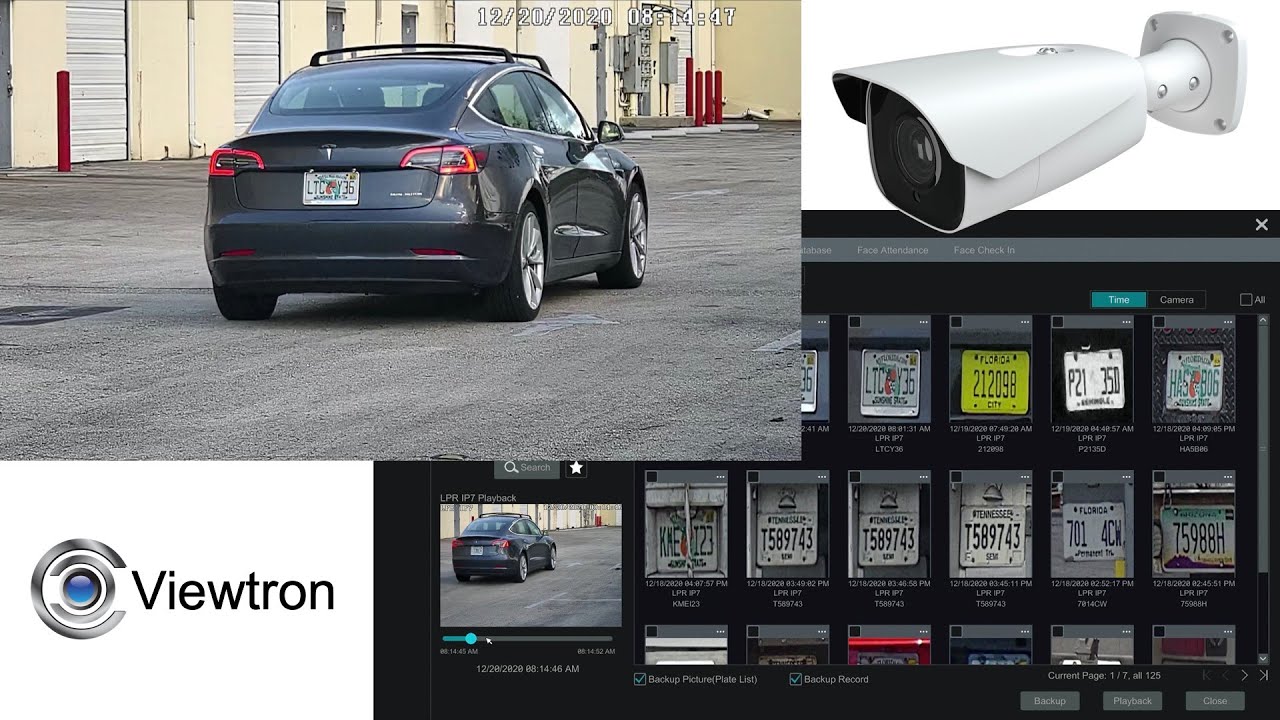
With an LPC camera that does not have AI software, you do not get this feature. You have clearly recorded video surveillance footage, but finding a specific license plate means manually reviewing recordings until you spot it. For a busy driveway or parking lot, this can take hours or days.
ALPR: Our Recommended Solution
Viewtron ALPR cameras run AI software directly on the camera to automatically read license plate characters. This enables features that simply aren’t possible with basic plate capture.
How ALPR Works:
- Camera captures the plate image
- AI software on the camera reads the characters in real-time
- Each plate detection is logged with timestamp and thumbnail
- Software can trigger alerts, open gates, or flag specific vehicles
- You search recordings by license plate detection event or by specific number instead of reviewing footage manually
Key ALPR Features:
| Feature | What It Does |
|---|---|
| Searchable Database | Find any plate in your recorded history instantly |
| License Plate Detection | Detects plate presence even if characters aren’t 100% readable. Search for all detection events |
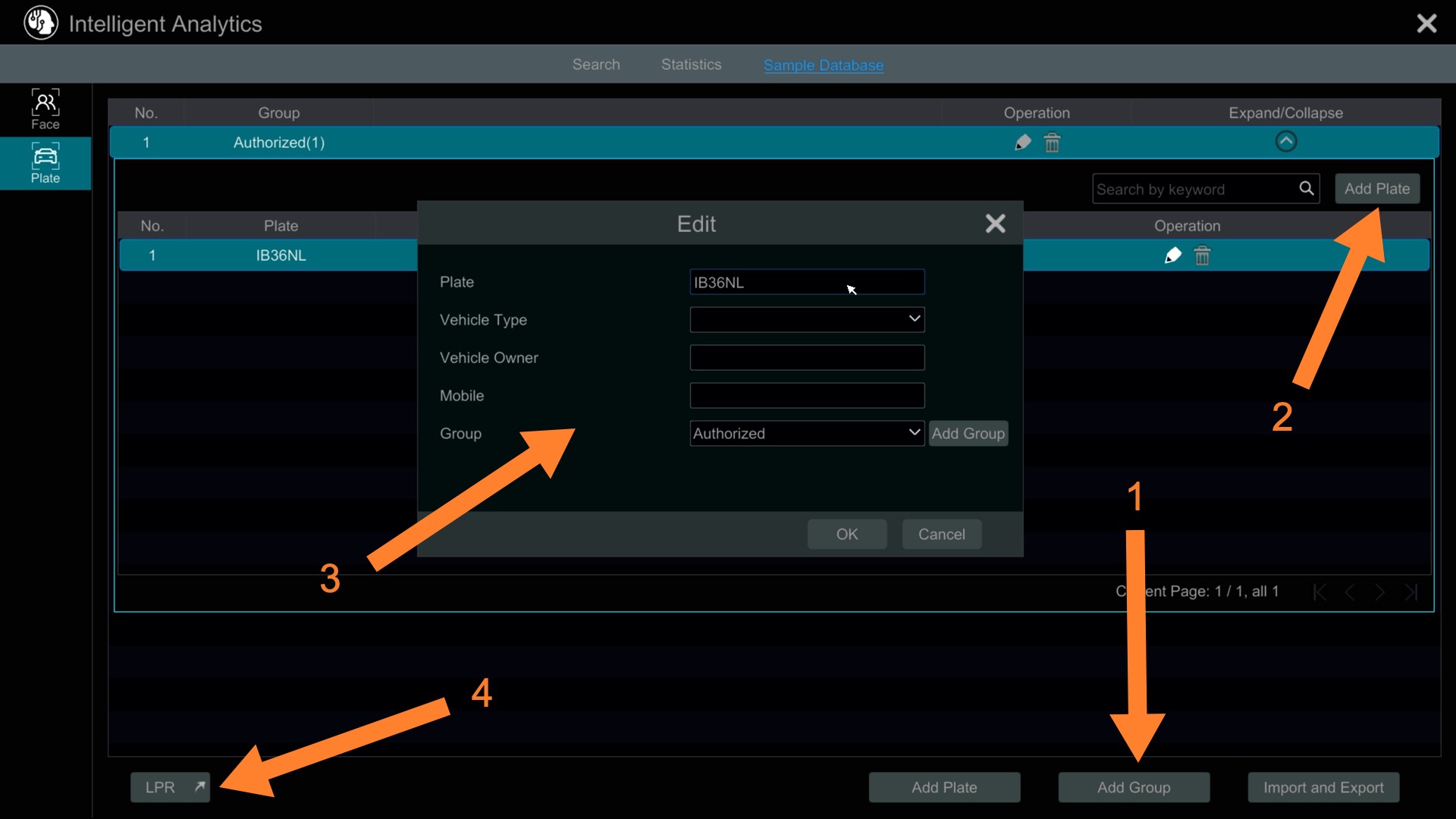
| Authorized Database | Maintain lists of approved plates for alerts or gate access, access control integration |
| Instant Alerts | Push notifications when specific plates are detected |
| Gate Integration | Trigger relays to open gates for approved plates |
| No Licensing Fees | Viewtron ALPR software has no ongoing subscription costs |
License Plate Detection as a failsafe: Even when lighting or angles aren’t perfect, the camera still detects a plate was present and bookmarks the event. This means you can browse “plate detected” events to review footage quickly, even if the system didn’t capture every character.
Watch the authorized database and alert features in action:
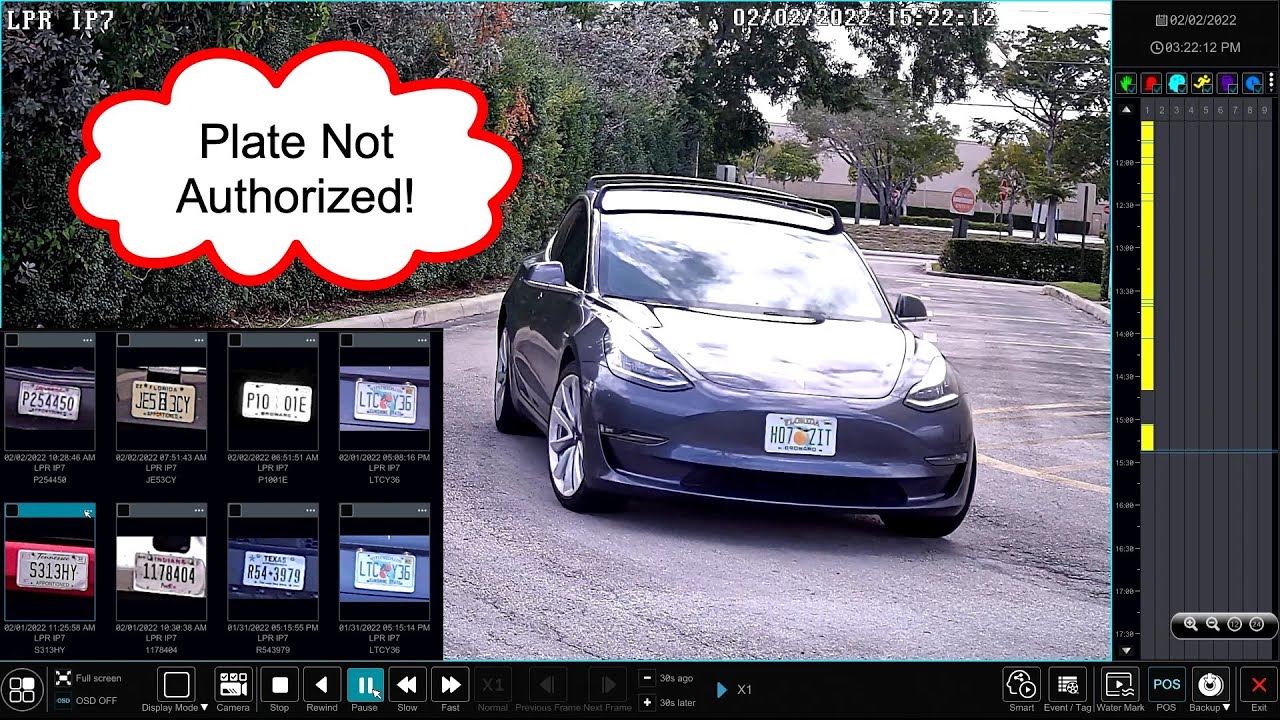
Best For:
- Home driveways where you want searchable records
- Gated communities and HOA entrances
- Parking garages with access control
- Business security with authorized vehicle lists
- Any application where finding specific plates matters
Recommended Products:
The Viewtron LPR-IP4 is our top-selling LPR camera. It’s a 4MP IP camera with ALPR software built in, featuring:
- 8-32mm motorized zoom lens
- 20-90 foot effective range
- AI inference directly on camera
- Day and night performance with IR
For a complete system, the VT-LPR-S4 includes the LPR-IP4 camera, Viewtron NVR, and cabling—everything you need.
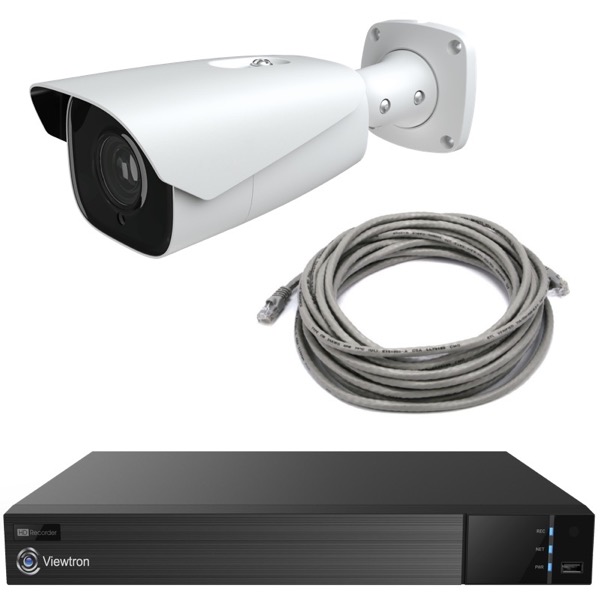
For applications where you also want an overview camera to capture the full vehicle and surroundings, the VT-LPR-S8 adds a 4MP AI camera with people and vehicle detection. The overview camera acts as a backup if the LPR camera misses a plate, the vehicle detection on the overview camera still bookmarks the vehicle detection event.
Gate Access Control with ALPR
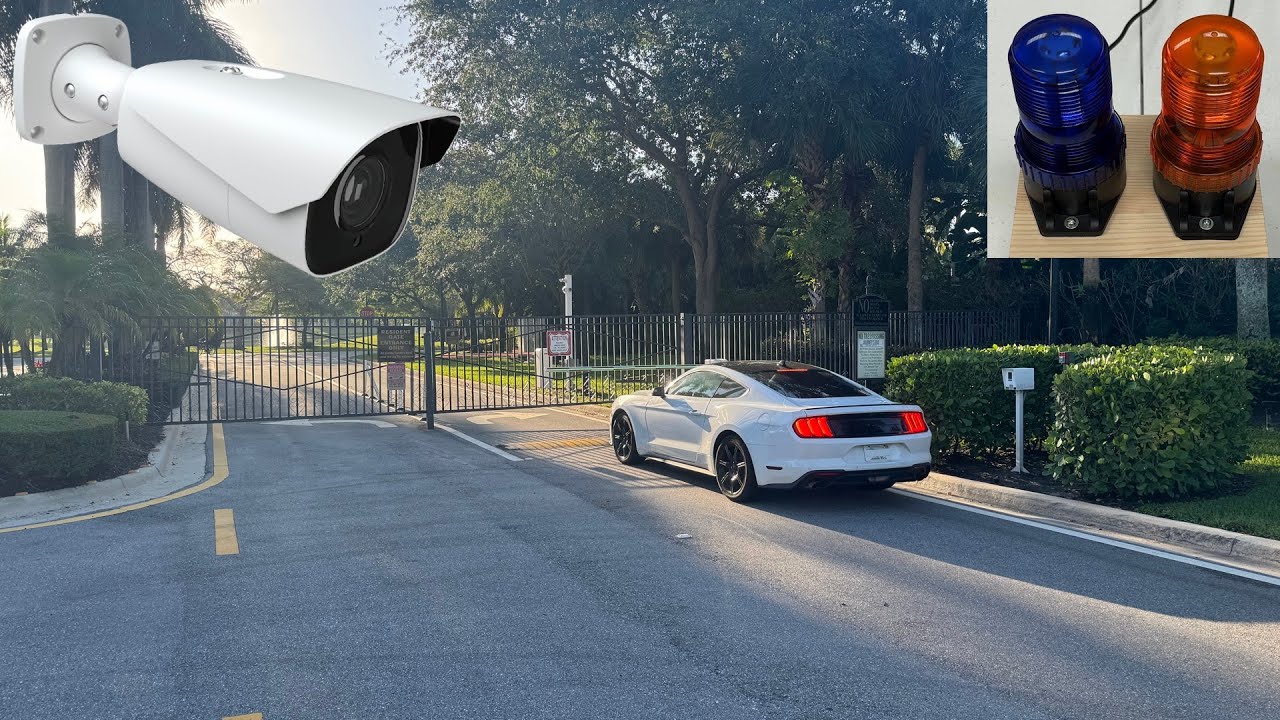
One of the most popular ALPR applications is automated gate access. The system maintains a database of authorized plates and can trigger a relay output to open a gate when an approved vehicle arrives.
Watch how this works:
How gate integration works:
- ALPR camera reads incoming plate
- System checks against authorized database
- If approved: triggers relay output to open gate
- If not approved: logs the plate and can send an alert
- All events recorded with plate image for review
Here’s a look at setting up the authorized plate list on the NVR:
And here’s how the NVR connects to your gate controller via relay outputs, Wiegand, or RS-485:

For more details, see our LPR Camera Systems for Gate Security category.
Night Performance
Both ALPR and analog LPR cameras are designed for 24/7 license plate capture. The built-in IR illumination and headlight compensation handle challenging nighttime conditions.
Watch the LPR-IP4’s night performance:
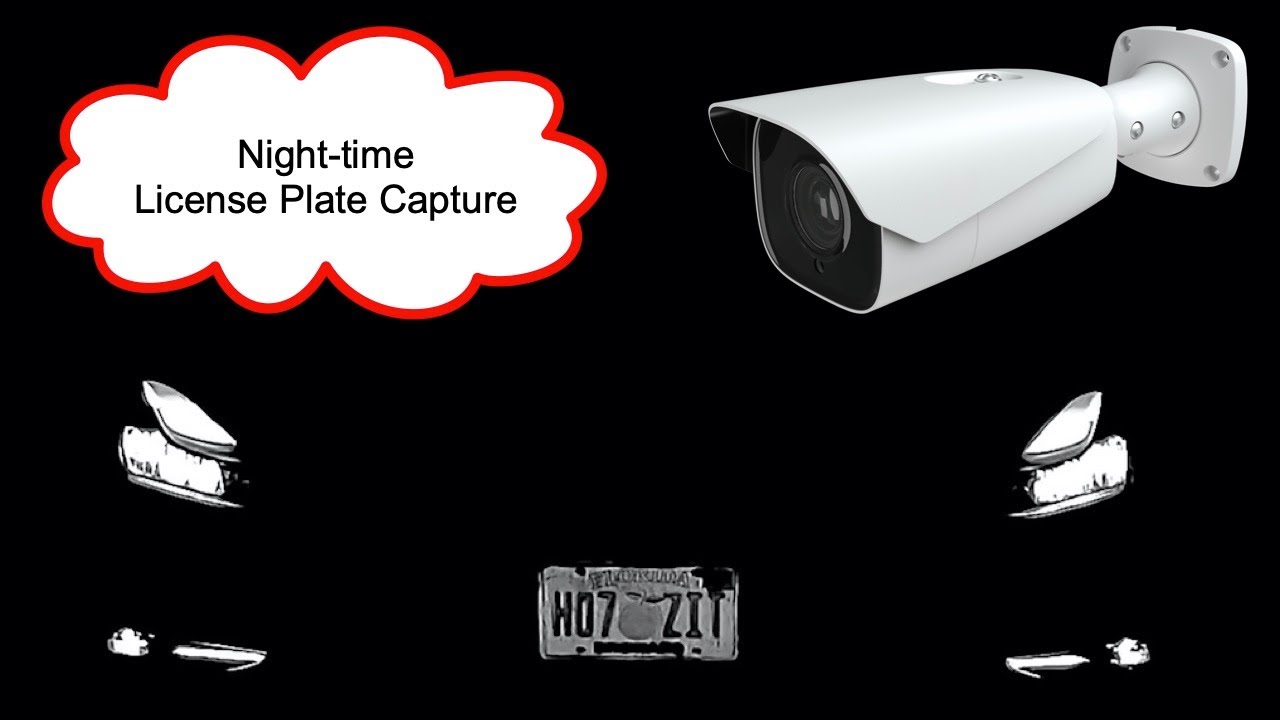
Here’s a real-world example showing daytime capture vs nighttime capture from a home installation:
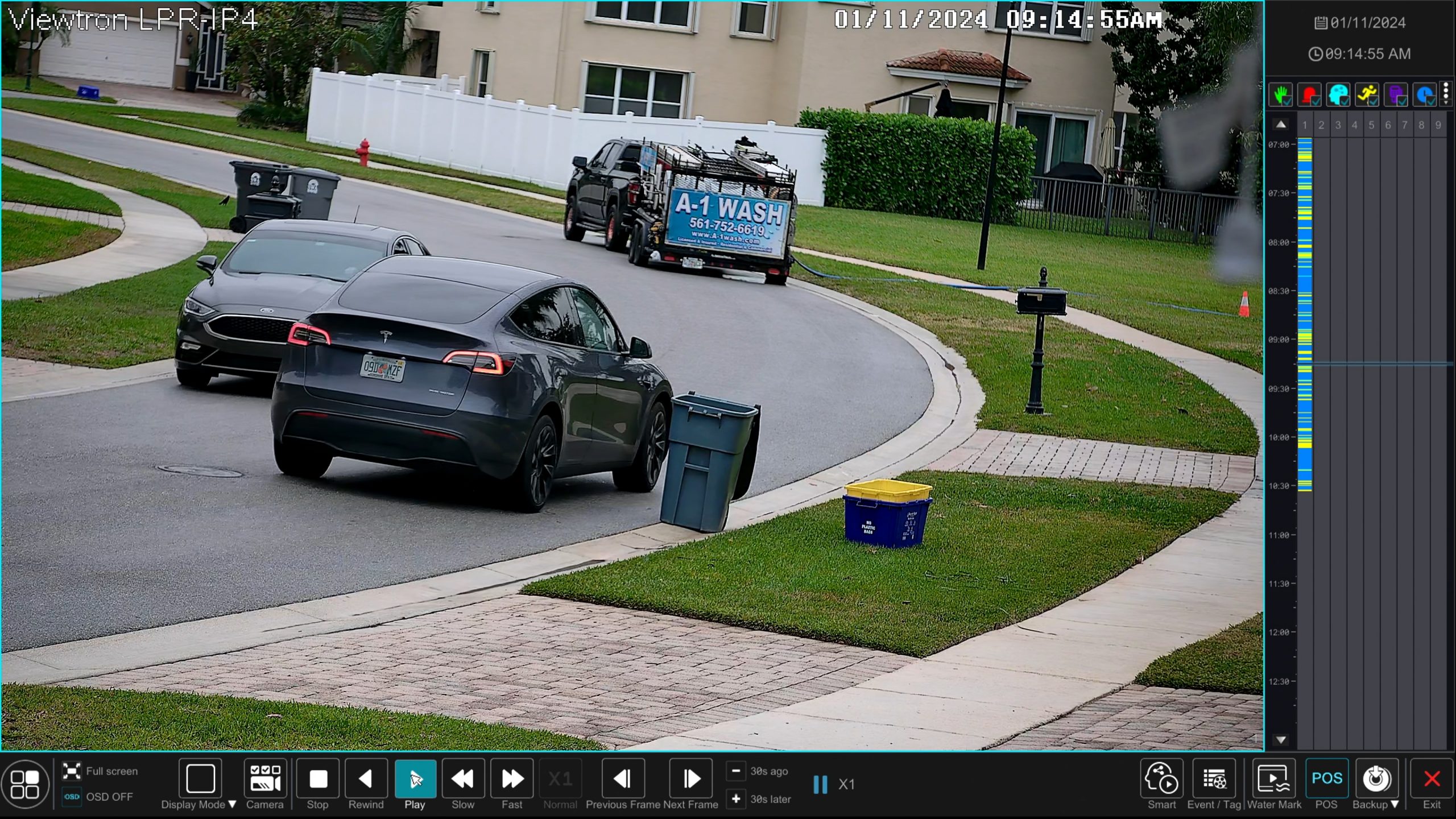
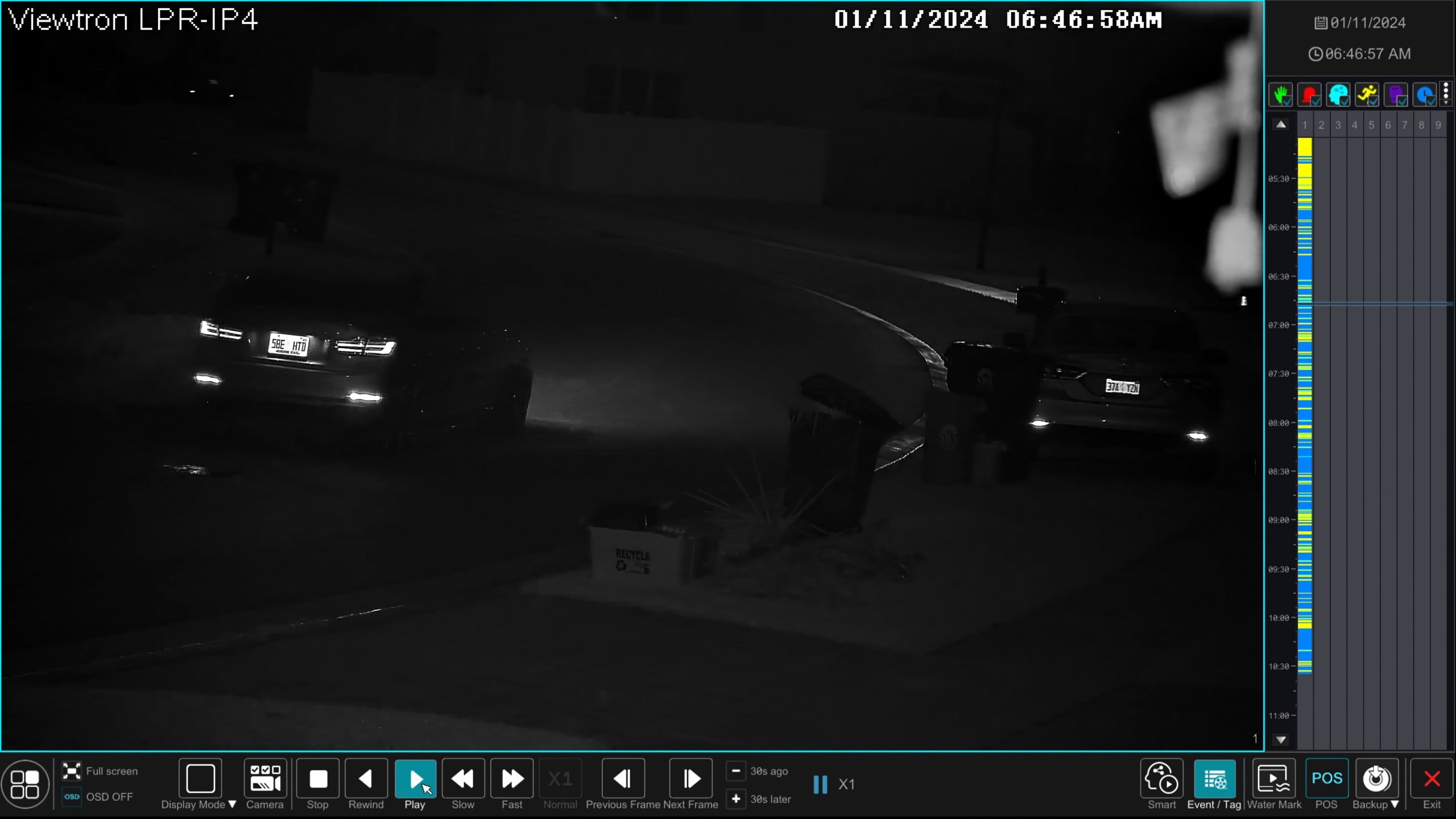
Note: LPR camera footage at night intentionally looks dark except for the plate area. This is by design—the camera exposes for the plate, not the surroundings. If you want a wider view of the vehicle and scene, add an overview camera like in the VT-LPR-S8 system.
License Plate Capture: When You Have Existing Coax
If you already have coax cabling in place and a working DVR system, the analog HD LPR camera can add license plate capture without rewiring.
How LPC Works:
- Camera is optimized for capturing plates on moving vehicles
- Special lens and IR handle headlights and various speeds
- Footage is recorded to your existing DVR
- When you need to find a plate, you review the footage manually
What You Give Up:
- No automatic plate reading
- No searchable plate database
- No automated alerts
- No gate access integration
- Manual footage review required
Recommended Product:
The HD LPR Camera (LPR-AHD5) connects via coax cable and works with:
- Viewtron Hybrid DVRs
- Most existing BNC/coax DVR systems
- HD-TVI, AHD, and HD-CVI recorders
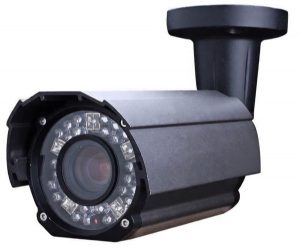
This camera produces clear plate captures but does not include ALPR software. It’s the right choice if keeping your existing DVR is a priority and you’re comfortable with manual review.
Side-by-Side Comparison – ALPR vs License Plate Capture
| Feature | ALPR (Viewtron IP) | LPC (Analog HD) |
|---|---|---|
| Clear plate capture | Yes | Yes |
| Automatic character reading | Yes | No |
| Searchable plate database | Yes | No |
| Automated alerts | Yes | No |
| Gate/access control integration | Yes | No |
| License plate detection (failsafe) | Yes | No |
| Works with existing coax DVR | No – requires Viewtron NVR | Yes |
| Cable type | CAT5E/CAT6 (PoE) | Coax |
| Ongoing software fees | None | None |
Which Should You Choose?
Go with ALPR (our recommendation) if:
- You want to find specific plates quickly without reviewing footage
- You need automation (alerts, gate control, searchable database)
- You’re installing new cabling anyway
- Time savings from automated search matters
- You have specific plates you need to track
Go with LPC only if:
- You have existing coax cabling you want to use
- You’re adding to an existing analog DVR system
- Manual review is acceptable for your use case
Still not sure? Most customers who think they only need LPC end up appreciating ALPR features once they see them in action. The ability to search by plate number alone saves hours of footage review—and you’ll use it more often than you expect.
Installation Considerations
Both LPC and ALPR cameras have specific installation requirements for reliable plate capture:
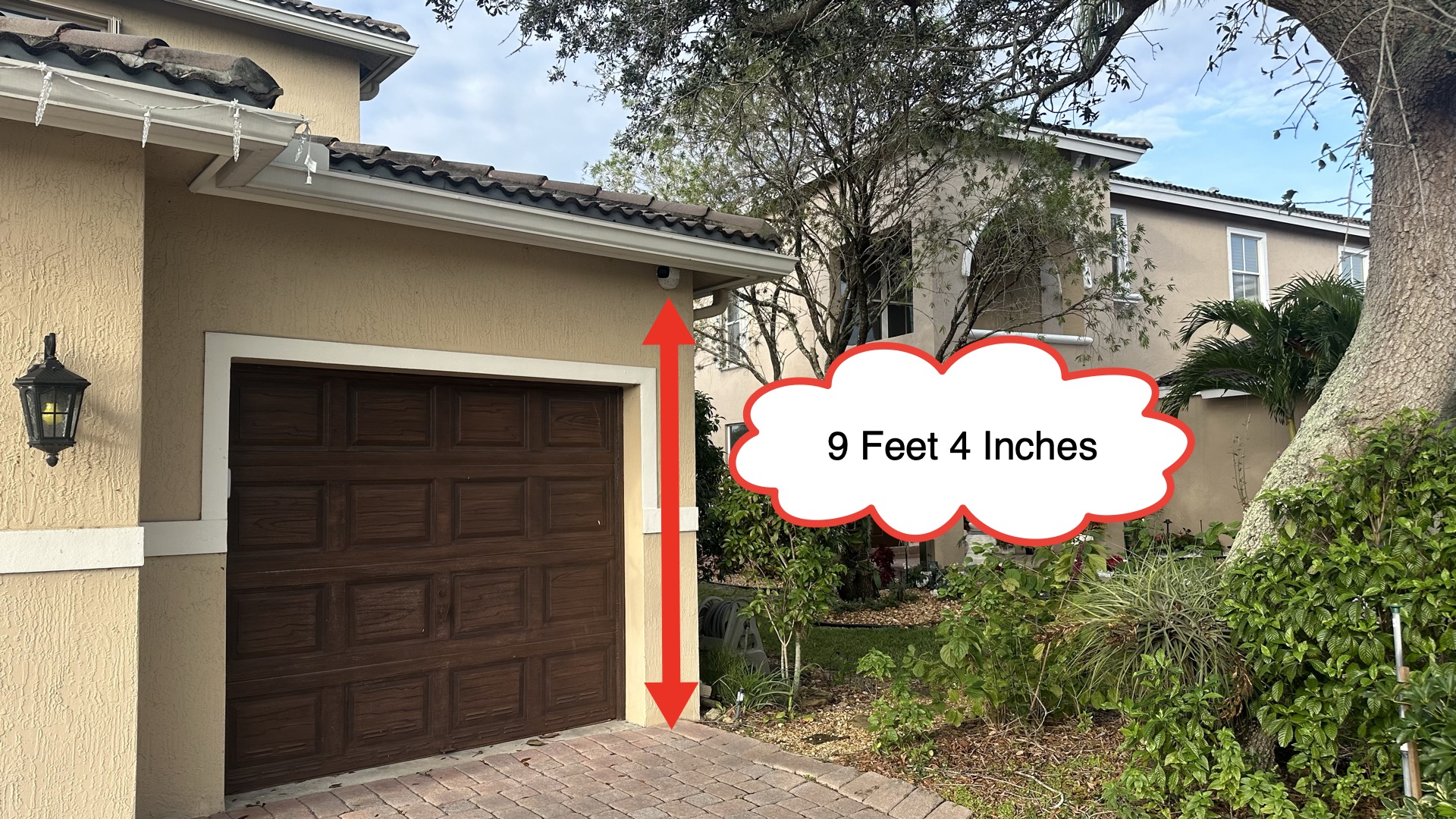
- Mounting height: 6-10 feet typical
- Horizontal angle: Maximum 30° from lane direction
- Vertical angle: Maximum 15°
- Distance: Effective range varies by camera (20-90 feet for LPR-IP4)
- One camera per lane: Each camera covers one traffic lane
Here’s an example of a home LPR camera installation:
And setting up the license plate detection zone on the NVR:
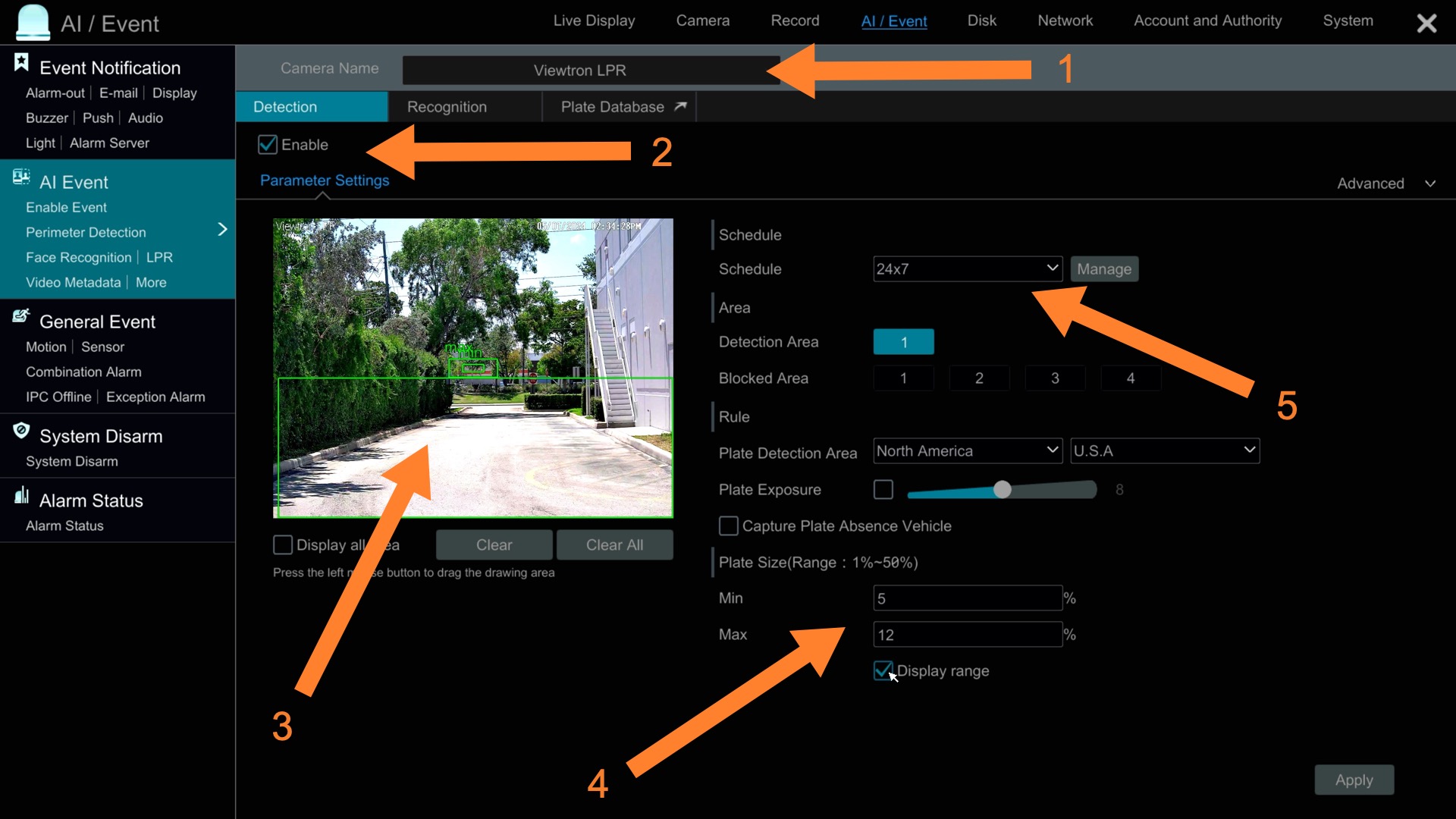
See our LPR Camera Installation Guide for detailed positioning requirements.
More License Plate Capture and ALPR Camera Videos
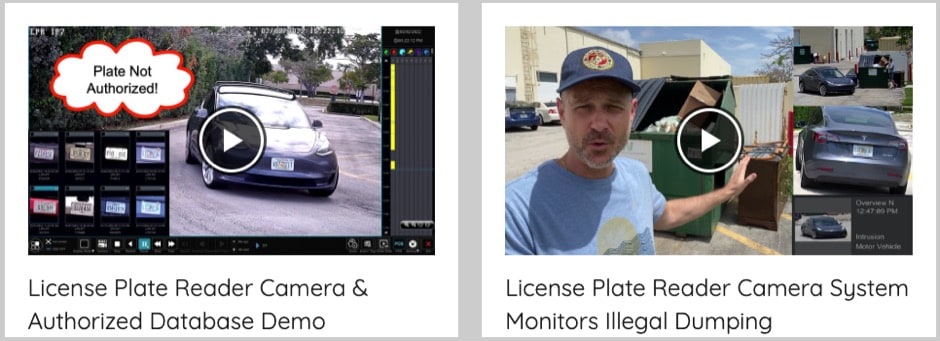
Want to see more? Browse all of our LPR camera video demos including home installations, gate access setups, night performance tests, and software tutorials.
Questions? We’re Here to Help
Not sure which solution fits your application? Contact us for a free consultation:
- Email: mike@cctvcamerapros.net
- Phone: Call the number at the top of this page
We’ve helped thousands of customers from homeowners to gated communities to commercial facilities choose the right LPR solution.
Browse all LPR cameras and systems: License Plate Capture Cameras





