License Plate Recognition Camera: Mobile App Video Playback
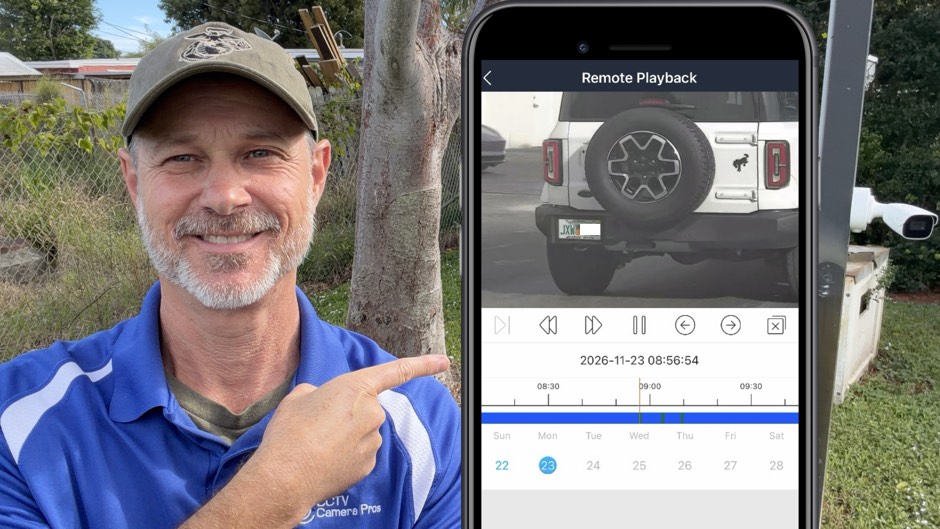
Watch this video to see how easy it is to search and play back recorded license plate recognition events with the Viewtron mobile app for iPhone and Android. In this video, I remotely connect to the Viewtron IP camera NVR at the CCTV Camera Pros warehouse. Our NVR has a Viewtron LPR camera and 14 other Viewtron IP cameras connected to it.
One of the many features of the mobile app is the intelligent search function that lets you search the NVR for any of the recorded events that were triggered by a Viewtron camera’s AI software. The Viewtron LPR-IP4 has automatic license plate recognition software built into it. When a license plate is detected, the event is bookmarked on the NVR so it can easily be found for video playback.
License Plate Recognition Event Search
Users can follow these instructions to search for LPR camera events on their Viewtron NVR.
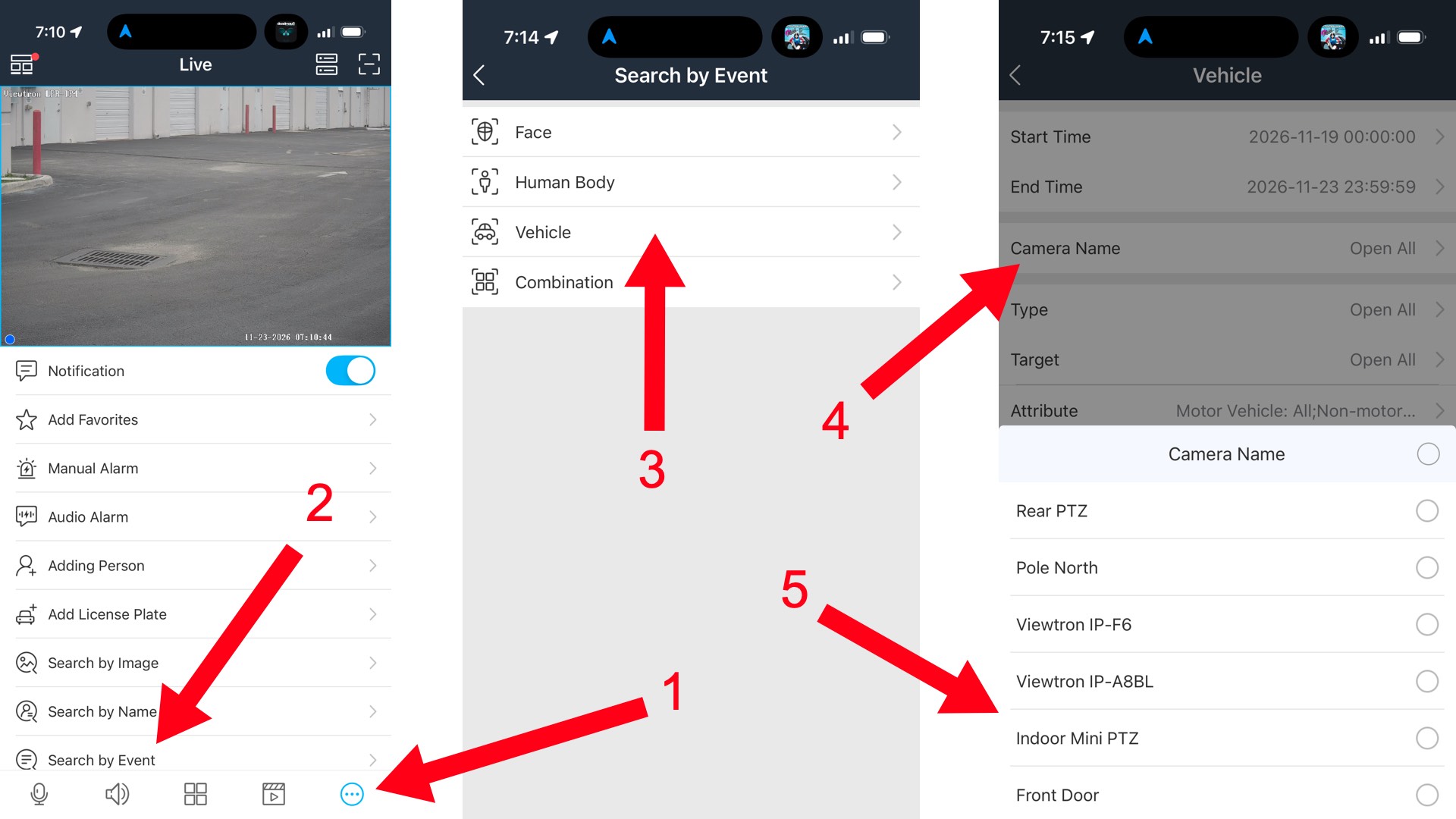
From the live security camera view in the mobile app, do the following.
- Tap on the icon with 3 dots in the lower right.
- Tap Search by Event.
- Tap Vehicle on the Search by Event screen.
- Tap Camera Name on the Vehicle event type screen.
- Tap to select your Viewtron LPR camera from the camera list.
- Tap OK when done.
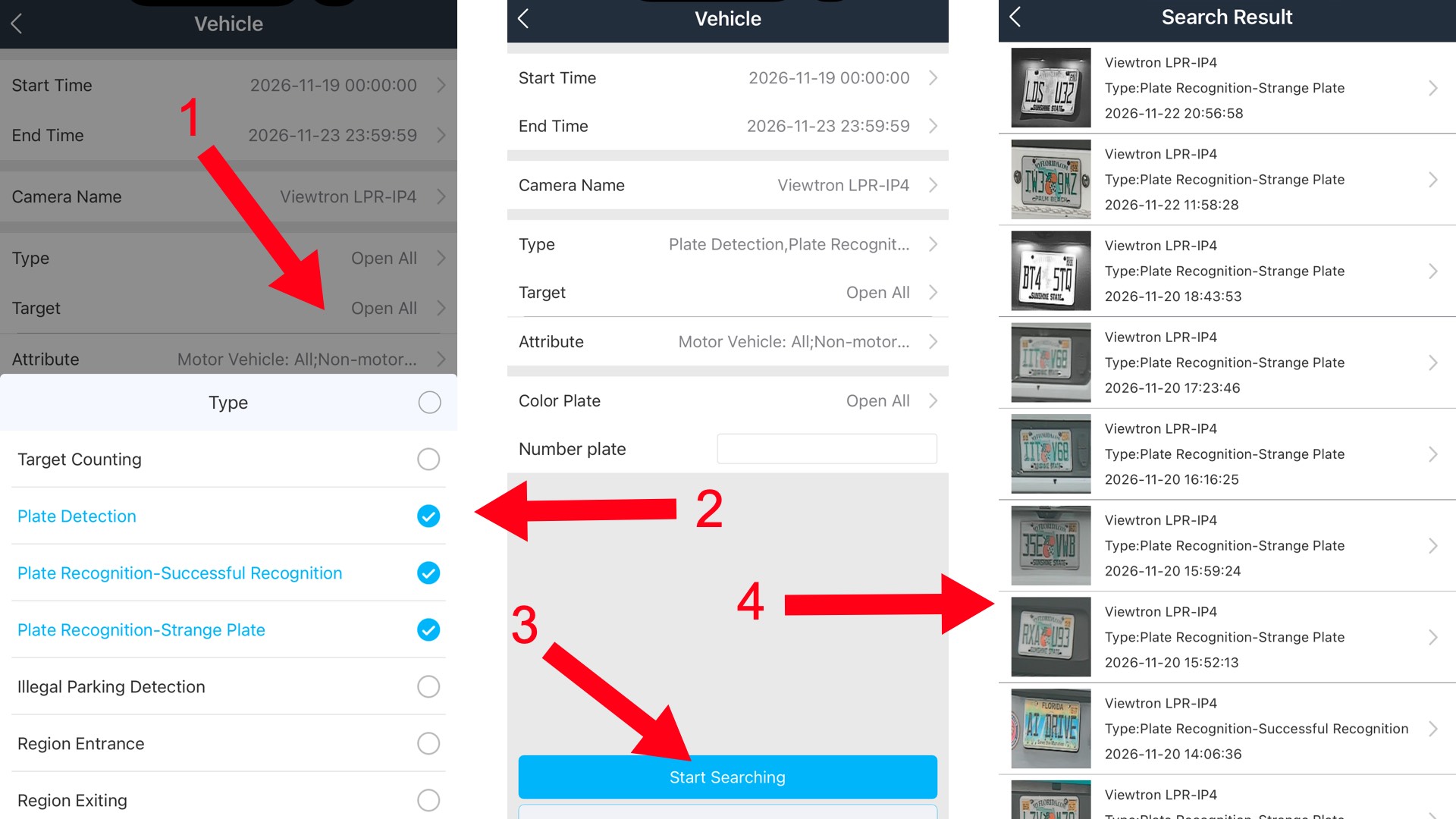
On the Vehicle search screen do the following.
- Tap on Target.
- Select the Plate Detection, Plate Recognition – Successful Recognition, and Plate Recognition – Strange Plate types. Then tap OK.
- If you want to limit the date / time range of the search, tap on the Start Time and End Time options.
- Tap Start Searching.
- On the search results, you will see license plate thumbnails of all of the events found by the search. Tap on any of the event results.
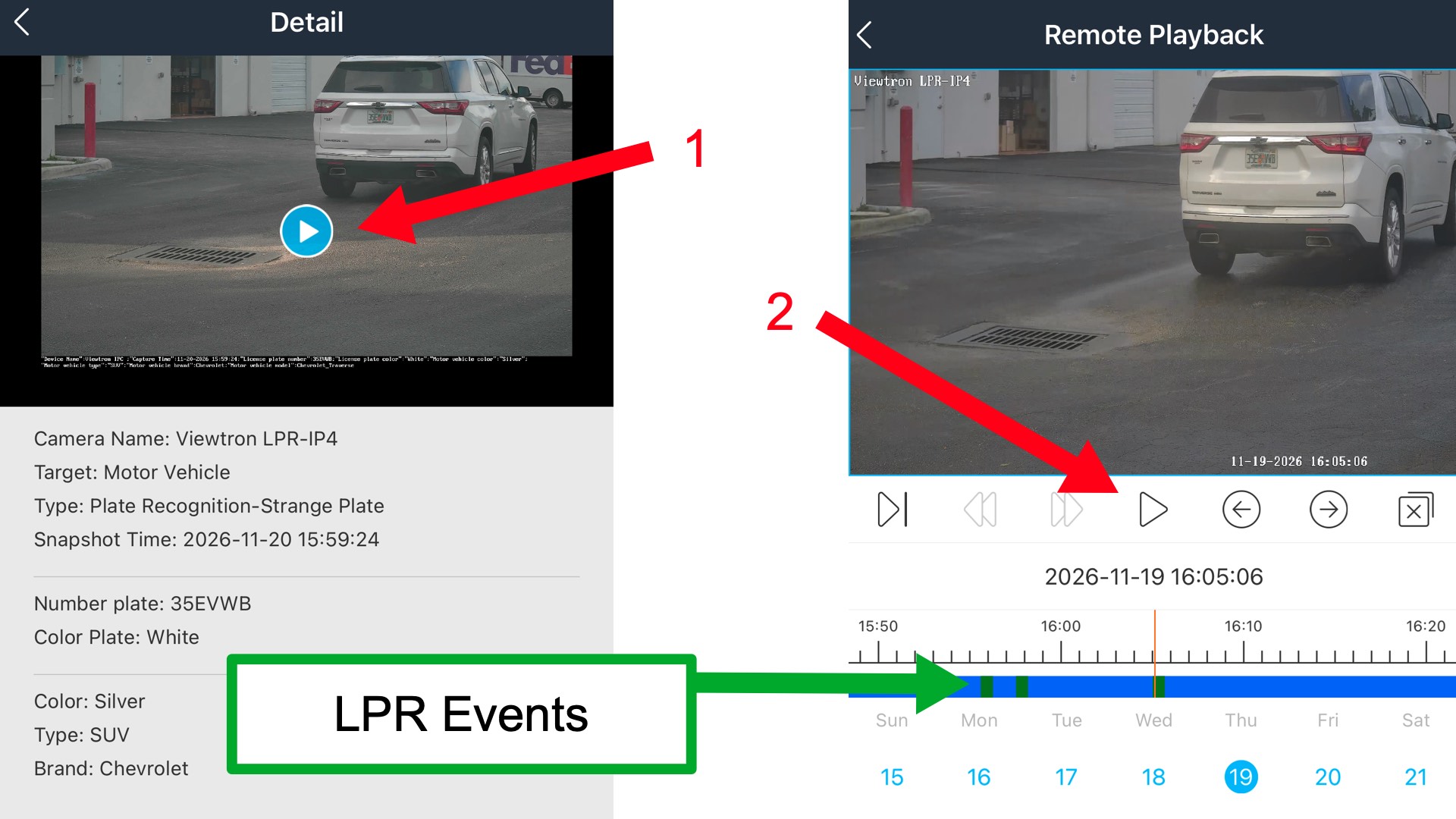
After you tap on one of the plate detection events, do the following.
- Tap on the play button to begin recorded video playback.
- Use the video player controls to pause and play the video.
You can see that all of the license plate recognition / license plate detection events are annotated in green on the video player timeline.
LPR Camera iPhone App Landscape View
You can rotate the mobile app to landscape view during video playback and set the resolution higher so that you can see the license plates better.
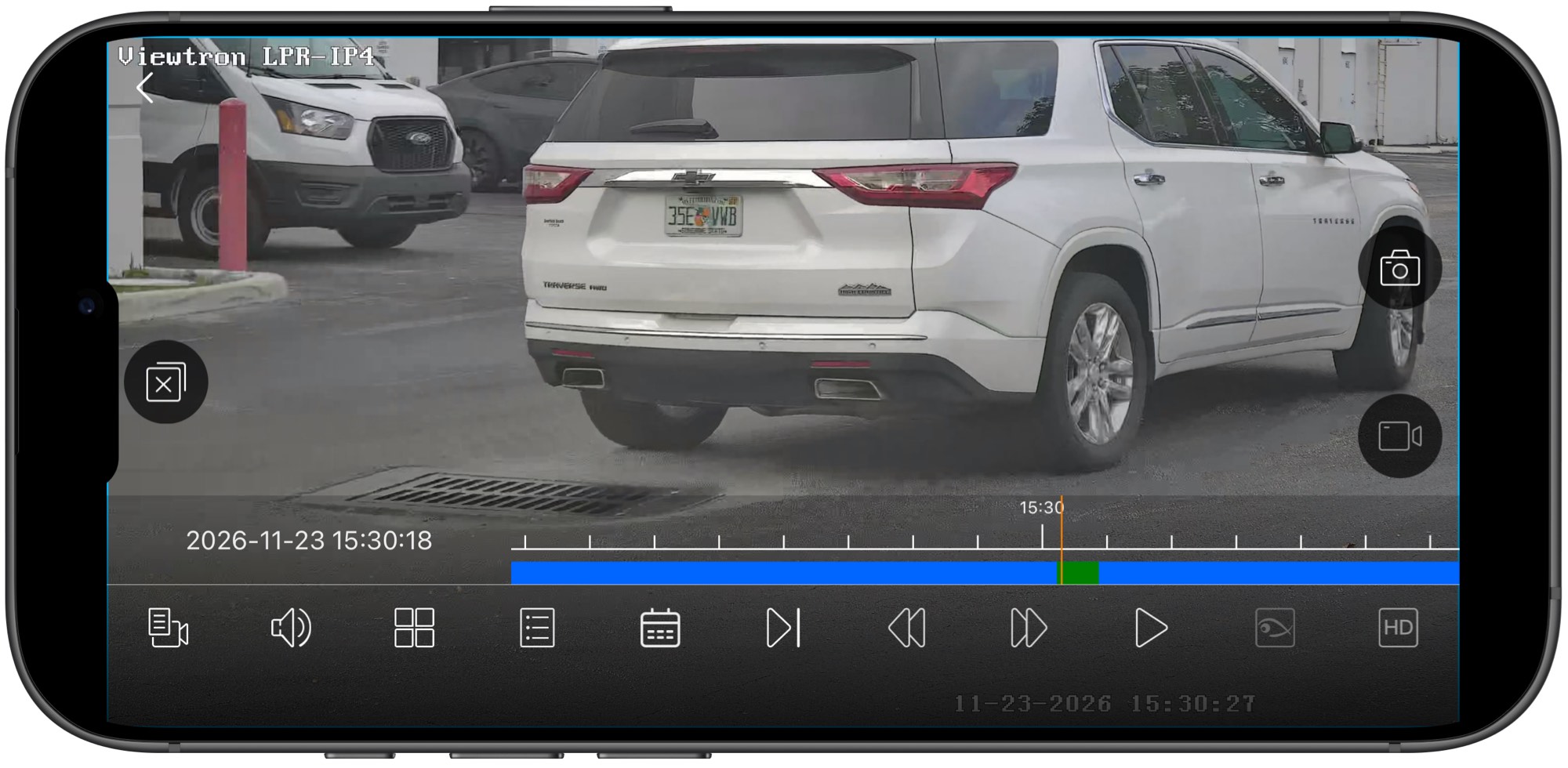
In the above screenshot, you can see the video playback with the iPhone app in landscape mode. You can see the license plate recognition events are annotated on the timeline in green, just like in portrait mode.
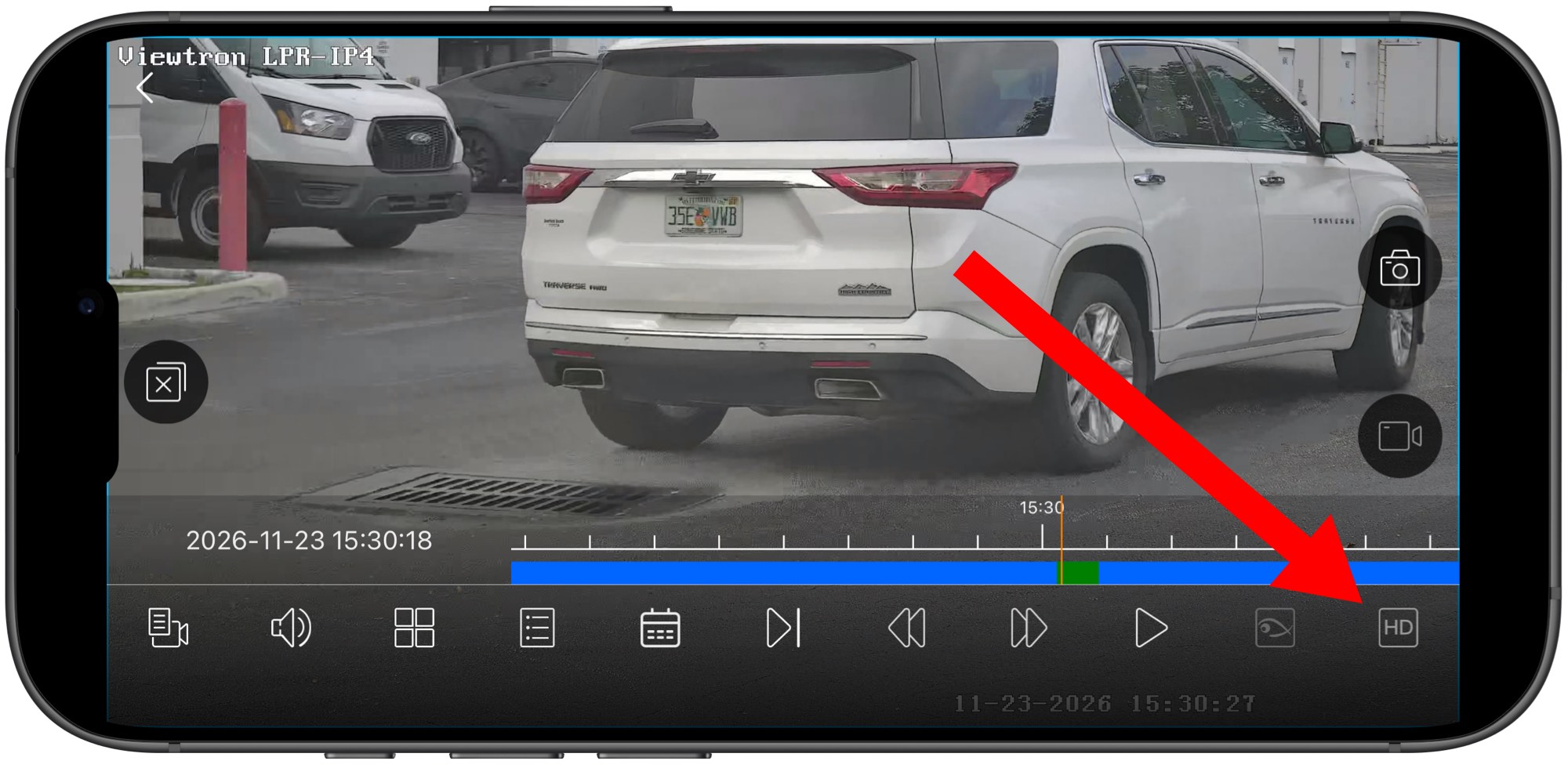
When playing back video in landscape mode, you can enable HD video by tapping the HD icon in the lower right.
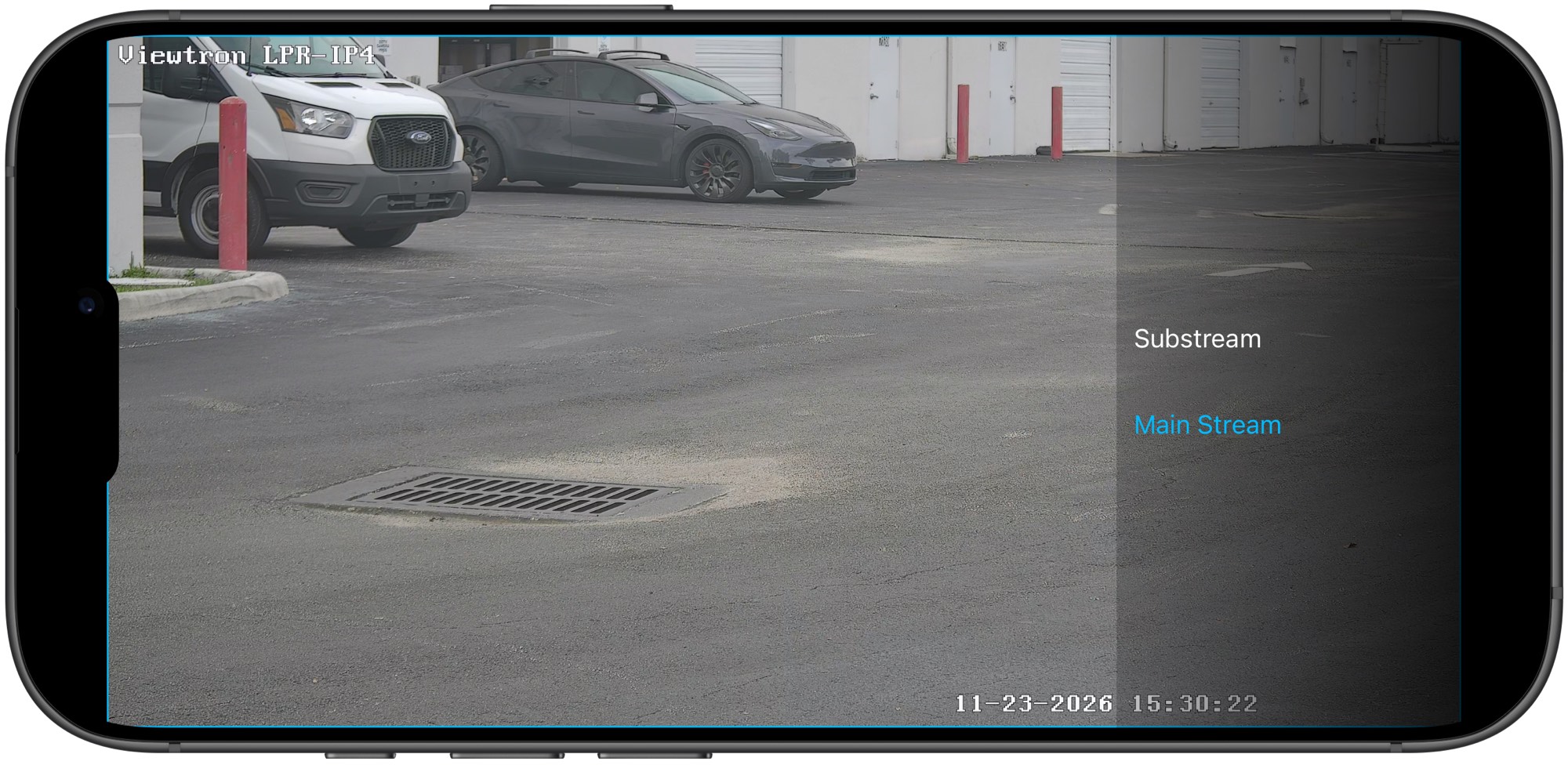
After, tap Main Stream text link.
Digital Zoom the View into License Plates
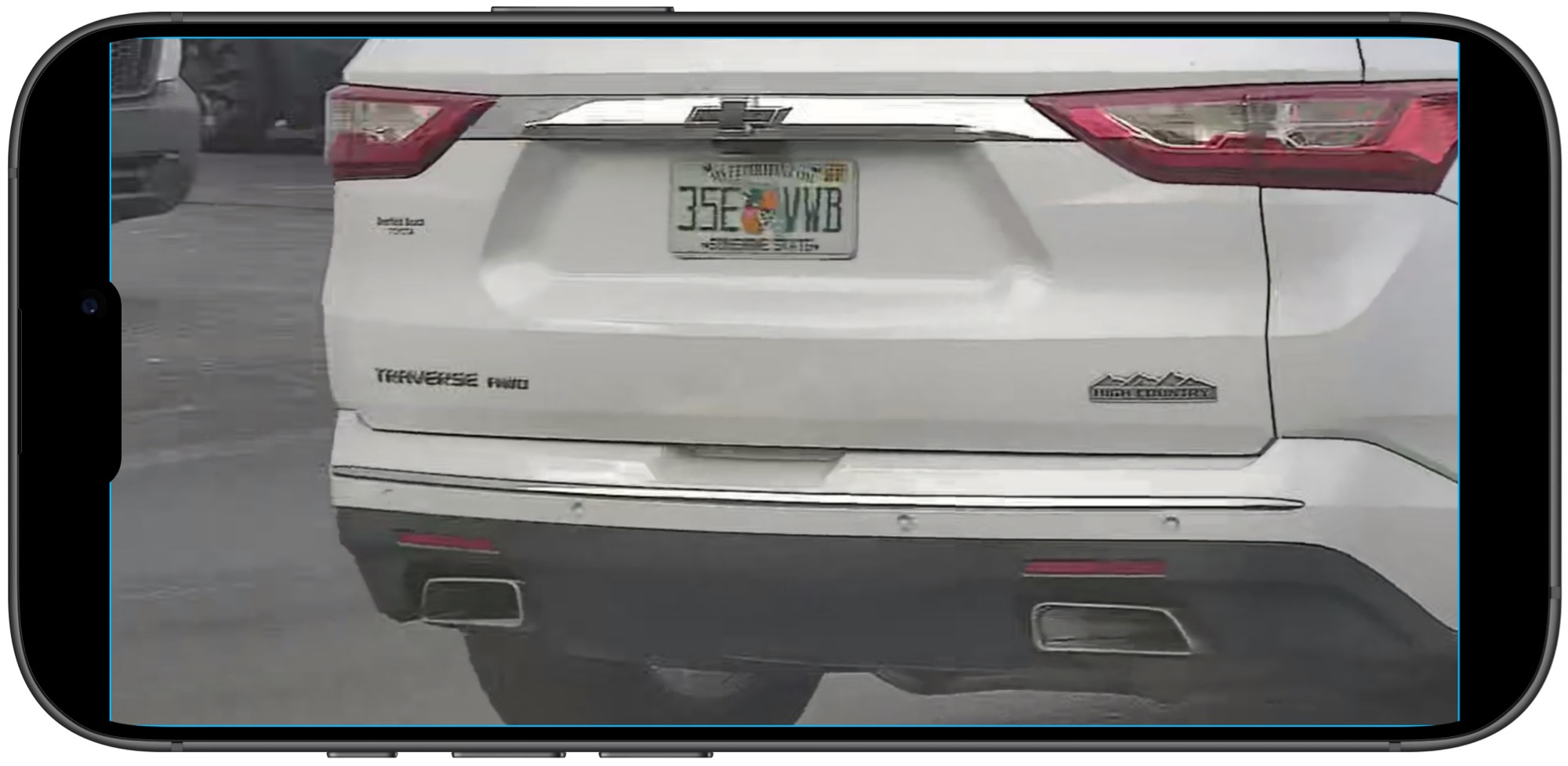
You can pinch and stretch the video player screen while the video is playing or paused to zoom in and out of the license plate view.
Backup Video Footage & Capture Snapshot Images
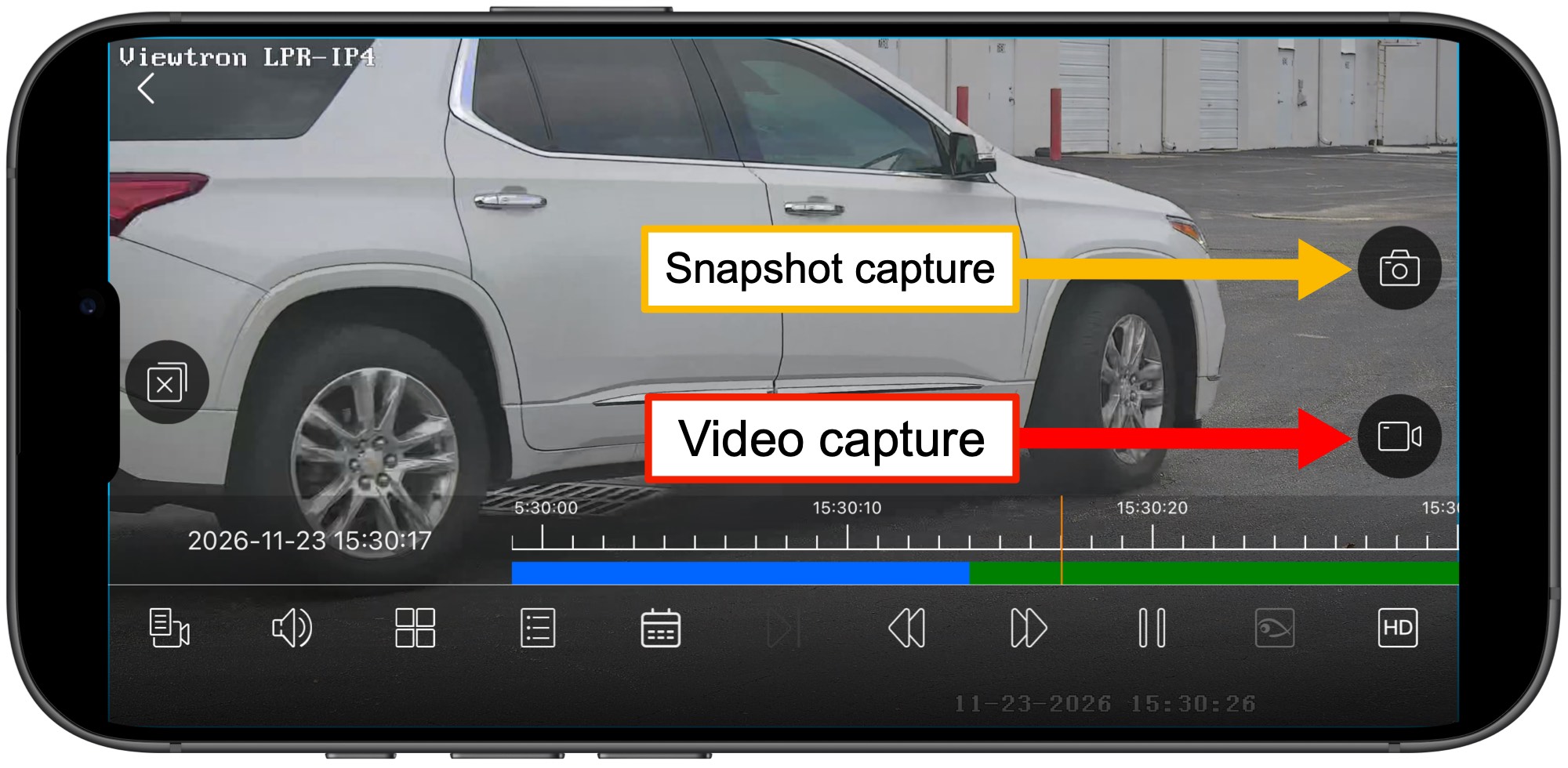
When you are playing back recorded video surveillance footage from a Viewtron DVR / NVR in the mobile app, you can tap on the camera icon to capture a snapshot image of the current scene. You can also tap on the video recorder icon to capture a video export of what is currently playing back in the player. Tap once to start the video backup and again to stop it.
Viewtron LPR Camera
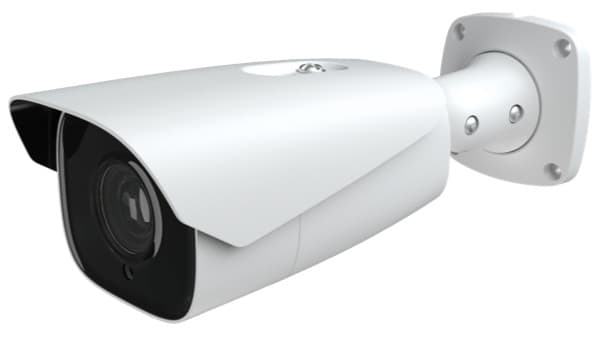
This is the Viewtron LPR-IP4 IP camera that CCTV Camera Pros has installed on the pole behind our warehouse.
Viewtron IP Camera NVR
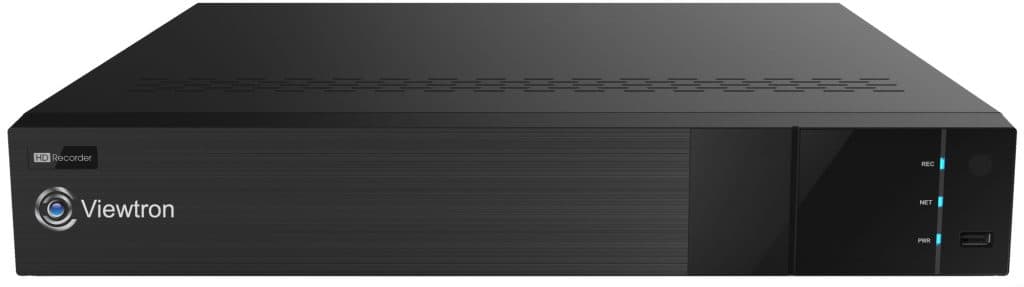
This is the 16 channel Viewtron NVR that the LPR camera and all other IP cameras at our warehouse record to. You can find all of our Viewtron NVRs here.
Viewtron LPR Camera Video Demos
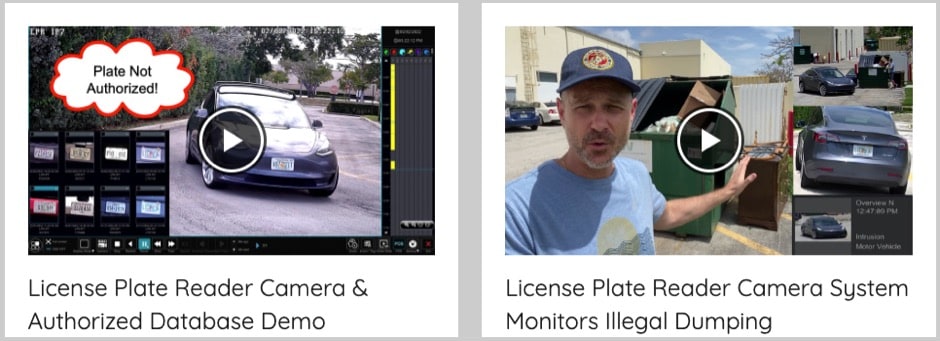
You can watch additional Viewtron license plate recognition camera video demos here.
Have Questions / Need Help?
If you have any questions about setting up an LPR camera system for home, business, or government, please email me anytime at mike@viewtron.com. I can help with all other security camera system types as well.