Analog to IP Video Converter: Upgrade Coax Cameras to AI
The Viewtron VT-VS5 is an analog to IP video converter that can upgrade any coax CCTV camera up to 5mp resolution to an IP camera. The IP camera video signal is ONVIF compliant and supports advanced AI software alarm events such as human detection, car detection, face detection / facial recognition. You can setup intrusion detection and line crossing detection alarms, just like any of our Viewtron AI security cameras.
This benefit should not be understated. Not only can you use your existing coax cable and leave analog cameras in place. You can also eliminate the false alarms on your system that are triggered by legacy video motion detection. AI human detection and vehicle detection eliminates 99% of false alarms.
Watch the above video to see how easy it is to convert a 2mp analog HD camera to IP so that it is automatically detected by a Viewtron IP camera NVR – just like any other Viewtron IP camera.
Upgrade CCTV Camera System to IP (use existing Coax Cable)
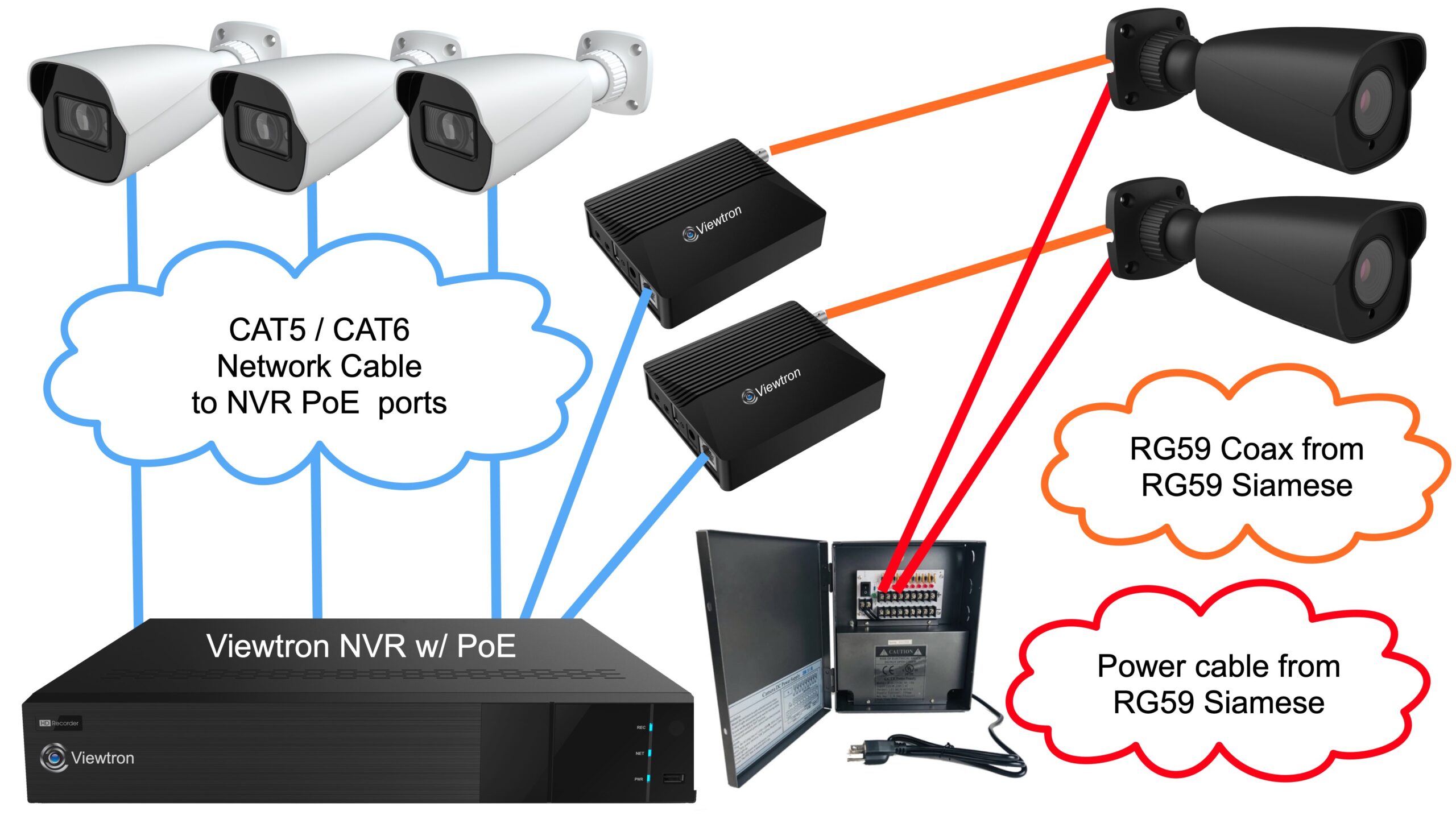
The Viewtron IP video encoder is a great solution if you want to upgrade your old coax camera system to a modern IP camera system, but you have a few coaxial cable runs that you are unable to replace with CAT5 / CAT6 network cable. The above diagram illustrates how to use the IP video encoder in this very typical situation.
This is how it works.
- There are two coax cable runs that the customer does not want to replace because they are very hard to get to. The existing coaxial cable is left in place for the two analog CCTV cameras on the right (gray cameras).
- The customer uses their existing power supply box to power the analog cameras
- The BNC connector ends of the two coax cable runs are plugged into the BNC input of a video encoder.
- The RJ-45 Ethernet connection of each the video converters is plugged into a PoE port on the Viewtron NVR.
- The Viewtron analog to IP converter is powered by the NVR’s Power over Ethernet port.
- The analog cameras are now seen as a Viewtron AI security camera on the NVR. All of the IP camera and AI functions work exactly the same as the native AI security cameras.
- All of the new camera locations and areas where the coax cable makes sense to replace use CAT5 / CAT6 cable, and the IP cameras are hard wired to the PoE ports on the NVR (white cameras on the left).
AI Software Functions
As mentioned, the Viewtron IP video server enables human detection and vehicle detection functions on your analog camera. You also have the option to enable face detection / facial recognition if you are using the converter with a Viewtron NVR.
Important Note! You must choose between human detection / vehicle detection or face detection modes when you are configuring your video server. Just like Viewtron AI cameras, the video server / encoder can not to face detection AND human / vehicle detection. The human detection / vehicle detection and face detection / facial recognition are two different AI models and modes.
Human Detection AI Software Video Demos
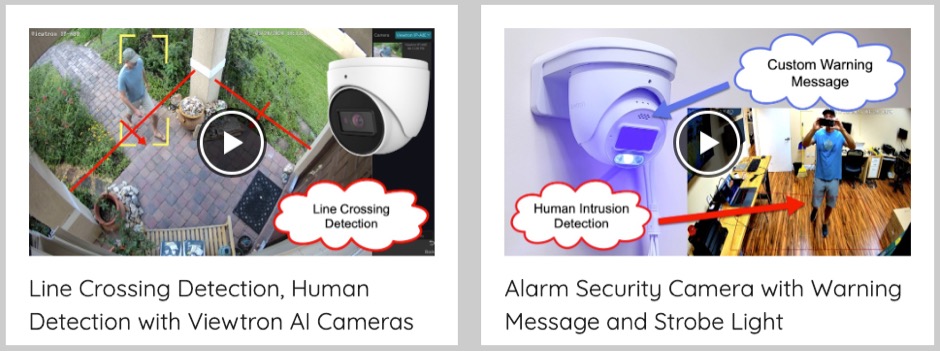
You can setup intrusion detection zones and line crossing detection with the Viewtron VT-VS5 coax camera to ip converter. Click here to watch human detection video demos using Viewtron AI cameras.
Car Detection AI Software Video Demos
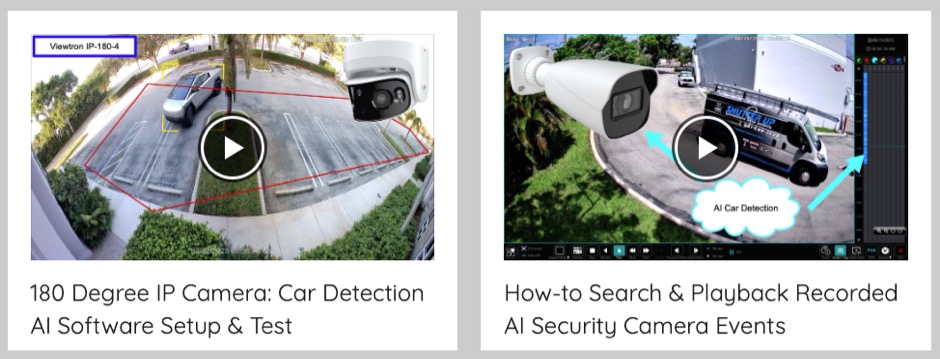
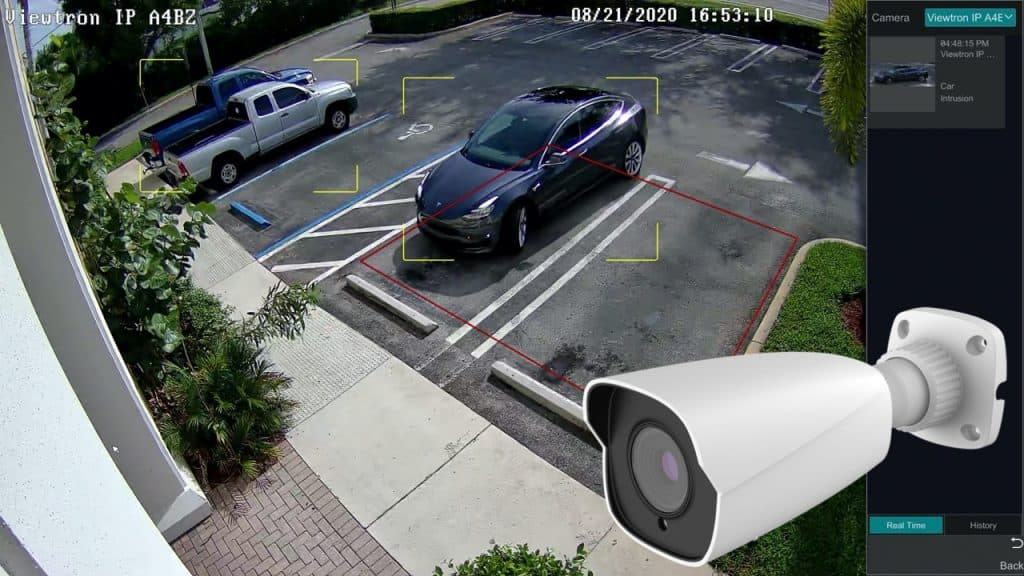
You can also setup intrusion zones and line crossing detection based on car / vehicle detection. Click here to watch car detection video demos using Viewtron AI cameras.
Face Detection / Facial Recognition Video Demos
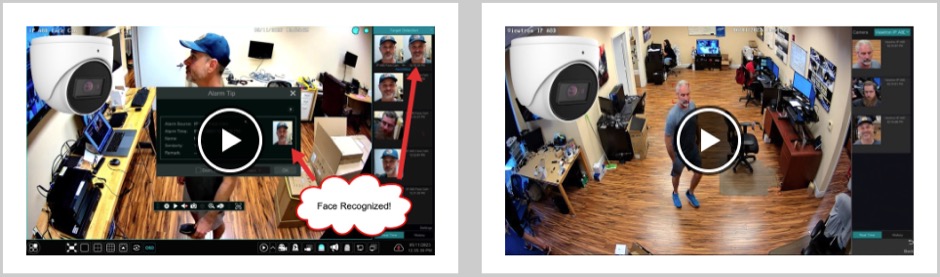
In order to setup face detection / facial recognition functions on the Viewtron VT-VS5, you must enable this AI mode, which in turn disables human and vehicle detection functions. You can watch video demos using Viewtron face recognition cameras here.
ONVIF Complaint Video
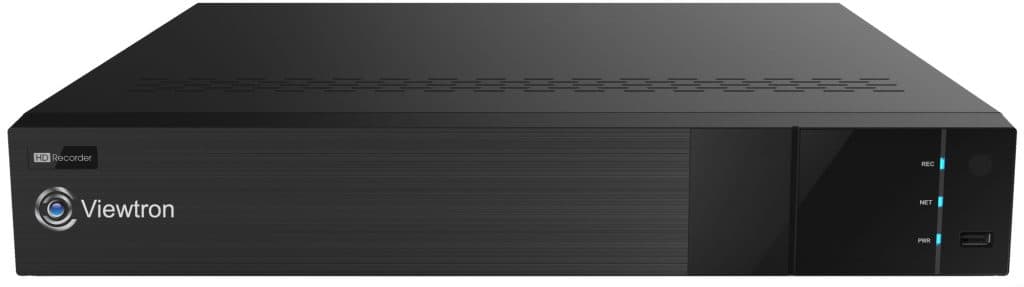
The IP video signal that the VT-VS5 produces is ONVIF compliant which means that you can now use any ONVIF compliant NVR or ONVIF compliant IP camera software with your coax camera. Please note that CCTV Camera Pros Highly recommends Viewtron NVRs so that you can take advantage of the deep integration with all of the AI software functions.
PoE for Analog Coax Cameras
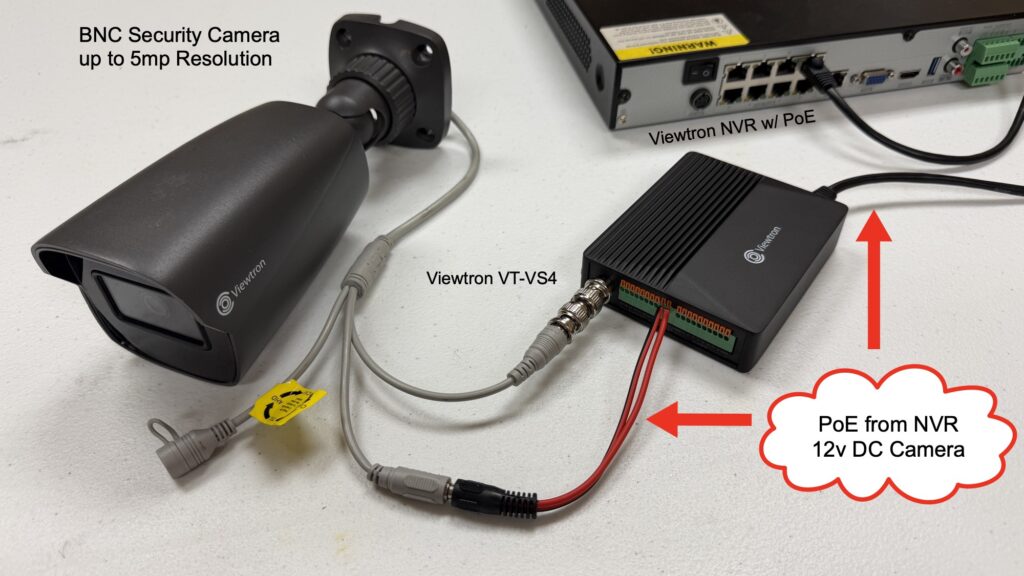
The Viewtron VT-VS5 can provide power to analog CCTV cameras via PoE (Power over Ethernet). This makes sense to use if you do not have Siamese cable run to your camera. You can run CAT5 or CAT6 to the camera and use the 12V DC power output of the VT-VS5 to power the camera. You are most likely wondering: why the customer would not just use an actual IP camera at that location if they are running network cable there anyway? There are some cases where you may need to use an analog camera with an NVR system for IP cameras. For example, you may only find certain specialty form factor cameras available in a coax format and you want to use them on your IP camera NVR.
Video Trasncript
Here is a text transcription of the video at the top of this page.
Hey guys, Mike from CCTV Camera Pros here. In this video, I’m going to introduce you to our new Viewtron IP video encoder. It’s a one-channel coax analog to IP video converter, and I have one here connected to a 2 megapixel BNC camera.
I’m going to plug this into one of the PoE ports on this Viewtron IP camera NVR over here and let that boot up while I’m explaining to you further what this thing does. So I just plug that into one of the PoE ports on the Viewtron NVR, and that’ll take 30 seconds or so to boot up.
So basically, this product provides an excellent upgrade path for people that have coax cable installed and have an existing CCTV camera system, and they want to upgrade to a more modern IP camera system like our Viewtron IP camera systems that support advanced AI functions like human detection, vehicle detection, license plate recognition, and facial recognition.
What this does is this can take any coax camera up to 5 megapixel and basically turn that analog coax signal into an ONVIF compliant IP camera signal, and it works with all of the major BNC video formats, including HD-TVI, AHD, which is analog high definition, HD-CVI, but it even works with old analog CVBS cameras up to 5 megapixel resolution. The only video format it doesn’t work with is HD-SDI, which is pretty rare. It was only used for a short period of time in the video surveillance industry, so this will pretty much work with any BNC camera up to 5 megapixel resolution.
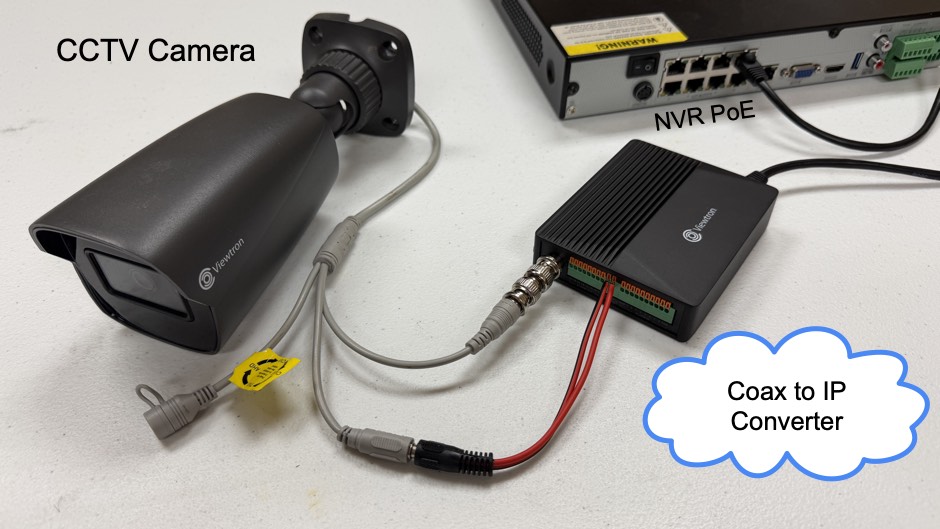
When you see it’s booted up now, plug and play with our Viewtron NVR. I just plugged it into one of the PoE ports like a Viewtron IP camera, and it just came up, so let me show you exactly how that works in this case. And this is one of two ways you can install this. So one way is you always have to plug the BNC cable into the video server, and then the Ethernet connection can simply go into one of the PoE ports on the Viewtron NVR. What’s optional and what I’m doing here is it can also provide power to the CCTV camera. So there is a 12 volt DC output port, so you’re basically turning that BNC camera into a PoE camera.
Now, a lot of customers have Siamese cable already run. That’s why they’re using the converter in the first place is they already invested a bunch of money and ran coax cable and power cable to the location, so they’re probably happy with using that existing power source for that camera. Using the 12 volt DC output is completely optional. You can continue to use that Siamese cable that you have in place, run that back to the NVR, and then just have the video server located near the NVR and just use a little RJ45, Cat5 or Cat6 jumper cable to plug into one of the PoE ports on the NVR. And then the significant advantage of this is now you can use a Viewtron NVR and you get all of the AI functions of our Viewtron AI cameras with your traditional BNC camera.
So I’m going to go into the menu system here and then go into the AI settings and then I can select a perimeter detection, for example. I have the Viewtron VS5 IP video encoder selected as my source, and then I can enable line crossing detection, regional intrusion detection for humans and or vehicles, just like I would any of our Viewtron AI security cameras. This is actually now seen as an IP camera with the built-in AI functions, just like our Viewtron AI security cameras. And what’s also super exciting is it supports the advanced facial recognition and facial detection features. So you can run the facial recognition AI and have a face database on the NVR and do facial recognition and face detection.
You have to choose between setting it up for an intrusion event or facial recognition. It cannot do both. So another thing that this provides, our solution that this provides is we carry some analog cameras, older style coax cameras in form factors that really were not made for IP cameras. For example, not many IP camera manufacturers made hidden cameras like sprinkler cameras or ones that look like motion sensors. Now you can use those specialized cameras on a Viewtron IP camera NVR by using one of these converters with those BNC style cameras. So it’s a solution to use like specialty niche BNC cameras that you can’t find in native IP format. You can just turn those into an IP camera like we did here.
Although we highly recommend using this product with our Viewtron IP camera NVRs so you can take advantage of that deep integration with the AI functions. This does turn your CCTV camera into a fully ONVIF compliant IP camera stream. So you can use the Viewtron IP encoder with any ONVIF compliant NVR or any ONVIF compliant IP camera software.
It’s a super flexible product. Guys, I’m really excited about the new upgrade path that this provides for our customers. We have a lot of customers that come to us with old analog CCTV camera systems. They have certain cable runs that they really just can’t replace, or it’s just too costly to replace that RG59 Siamese cable, and they want to take advantage of IP cameras and the AI functionality on the whole system but really can’t replace a few of those cameras. This is a fantastic solution for people in that situation. Just use the converter on those coax runs, leave your BNC camera in place, and then for all of your newer cameras and all the locations you can get to install or replace that coax camera with Cat5 or Cat6 and go with the native Viewtron AI cameras for all of those locations.
One other thing I want to mention before we wrap up: the analog IP video encoder does also have alarm input and output ports, so you can connect external sensors to this device and send those over the IP signal. For example, if you want to connect an external like magnetic door sensor or passive infrared motion sensor on the alarm inputs you can, and on the alarm relay output ports if you want to trigger like external sirens or external alarm lights you could do that as well. Extremely powerful device as you can tell. I’m super excited about this product.
Guys, if you have any questions on the Viewtron coax analog to IP video encoder you can email me anytime. I can be reached at mike@viewtron.com. If you want to learn more about this product please visit the webpage for it. You can get to it directly at www.viewtron.com/encoder.
Thank you for watching.