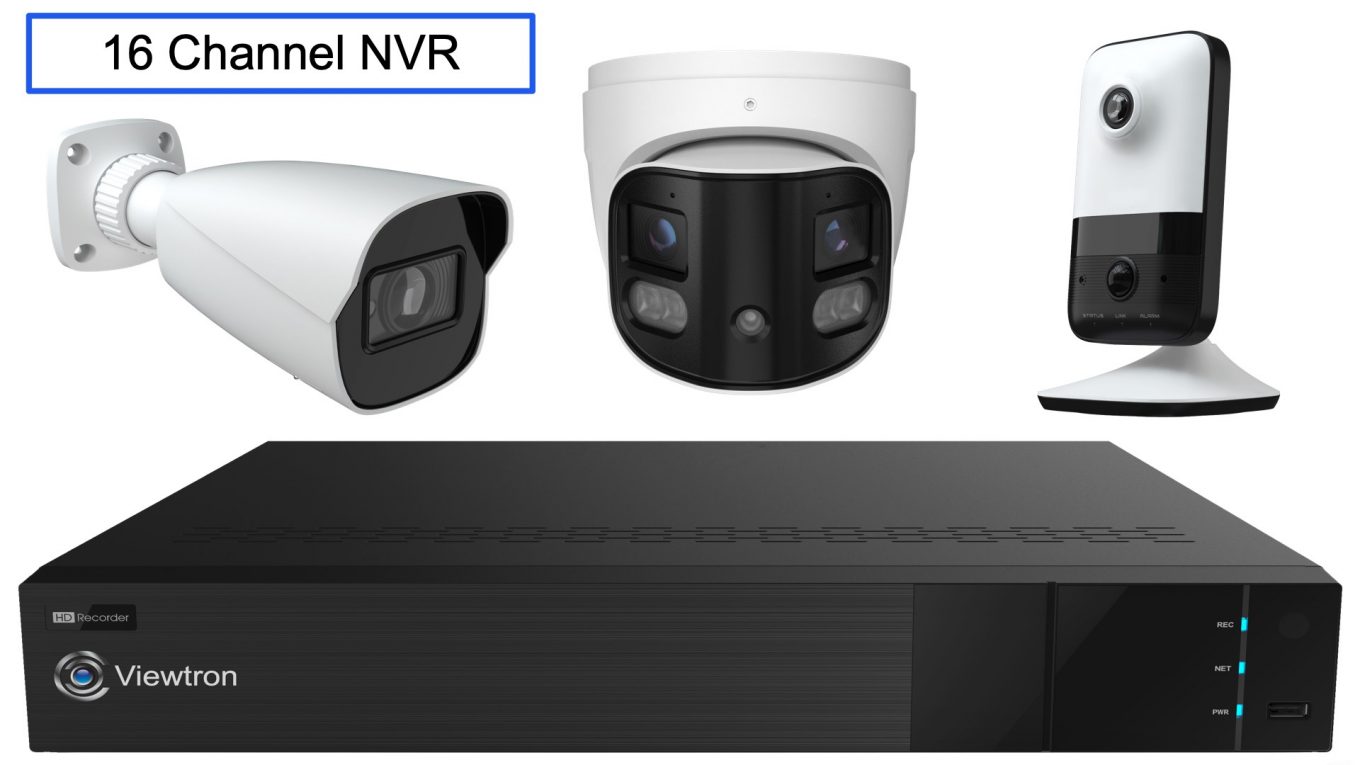
16 Channel NVR: Network Video Recorder with AI Camera Integration
The Viewtron 16 channel NVR has been one of our most popular products, and after 20+ years of personally testing and supplying surveillance equipment, I can honestly say it’s the best NVR we’ve ever carried.
What makes this NVR stand out isn’t just the hardware – it’s the easy to use software and deep integration with Viewtron AI security cameras that really make it special. Human detection, vehicle detection, license plate recognition, face recognition – all managed through one interface. And because Viewtron NVRs are ONVIF compliant, they also work as replacement NVRs for existing IP camera systems from Hikvision, Dahua, Reolink, and other brands.
In this guide, I’ll walk you through the key features and show you video demos of each. If you have questions, just call us – I’m happy to help you figure out the right setup for your situation.
Works with Any IP Camera
One of the biggest reasons customers choose Viewtron NVRs is compatibility. Viewtron is an ONVIF compatible NVR, which means it works with virtually any IP camera on the market – not just Viewtron cameras.
If you need a replacement IP camera NVR, Viewtron is an excellent choice. If your Hikvision, Dahua, Reolink, Lorex, or Amcrest NVR dies, you can swap in a Viewtron and keep your existing cameras. No rewiring, no replacing equipment that still works fine.
We get a lot of calls from customers who need to replace banned equipment for NDAA compliance. Our Hikvision NVR replacement page walks through that specific situation.
Of course, the full AI features require Viewtron AI cameras. But even with third-party cameras, you get reliable recording, easy remote viewing, and our support backing it up.
Have BNC/coax cameras instead of IP cameras? Check out our 16 channel DVR – it’s the hybrid version that works with analog, AHD, HD-TVI, and HD-CVI cameras.
Easy-to-Use Interface
The Viewtron NVR interface is designed to be intuitive. You can view all 16 cameras in a grid, or click any camera to view full screen. Playback, settings, and AI configuration are all accessible from the main menu.
Quick access to key functions:
- Switch between live view grid views for one camera, all 16 cameras, and everything between
- One-click video surveillance recording playback with AI alarm event annotations on timeline
- Simple AI camera configuration for human detection, car detection, face recognition, LPR
- Easy mobile app setup via QR code setup – no port forwarding network setup needed
Most customers are up and running within an hour of installation. This PoE NVR auto-detects cameras connected to its built-in ports. This is a simpl plug and play setup.
AI Human and Vehicle Detection
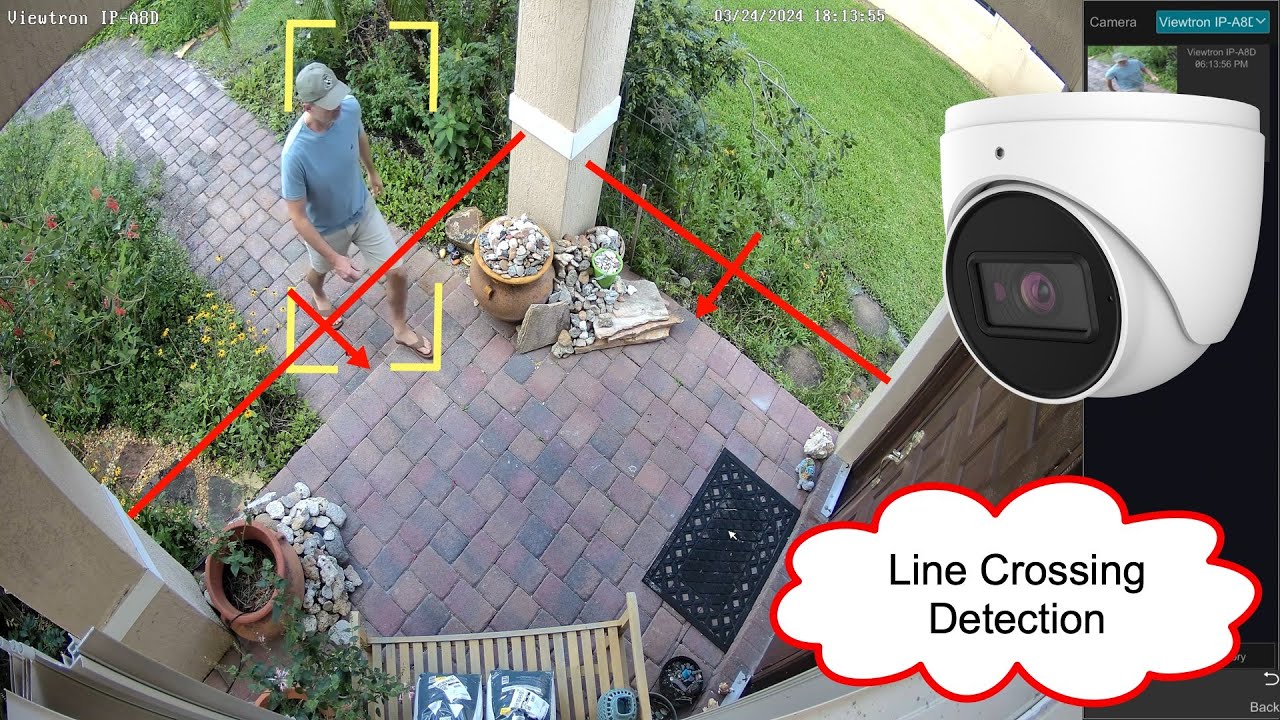
This is where Viewtron really separates itself from other NVRs I’ve tested over the years.
Traditional motion detection triggers on everything – a tree branch moves, you get an alert. Car headlights sweep across the camera, alert. After a few days of constant false alarms, most people just turn off notifications. That defeats the whole purpose of having alerts.
Viewtron AI cameras use deep learning to distinguish between people, vehicles, and other motion. The system ignores leaves, shadows, rain, and animals. You only get alerts when something actually matters. Our most popular model is the IP-A8D – an 8 megapixel dome with human and vehicle detection built in.
What you can configure:
- Intrusion zones – Draw areas on the camera view where people or vehicles trigger alerts
- Line crossing – Get alerted when someone crosses a virtual boundary
- People vs. vehicles – Choose to alert on one, the other, or both
- Schedules – Different detection settings for business hours vs. after hours
All AI software settings are managed through the NVR interface. Set up your intrusion detection zones, line crossing zones, schedules, etc. with the NVR’s simple user interface.
Watch more human detection AI camera videos to see this in action.
LPR Camera Integration
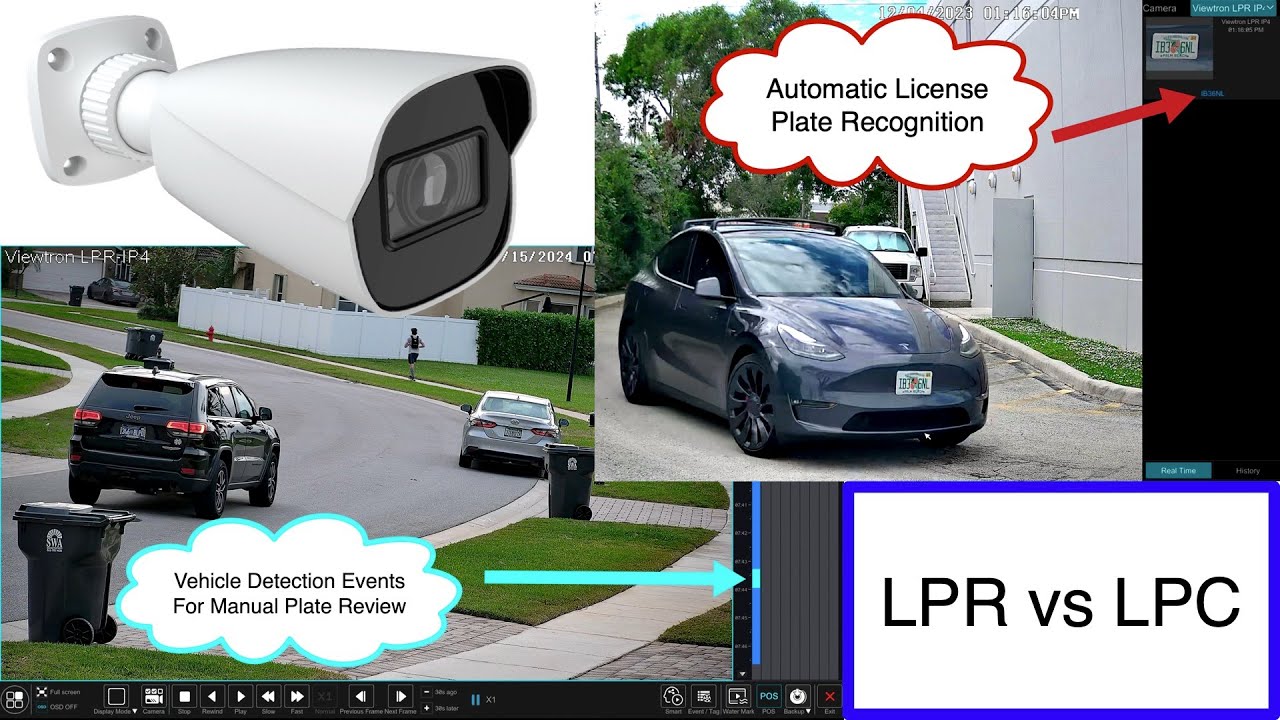
For customers who need to capture license plates – parking lots, HOA gates, business entrances – the Viewtron NVR integrates directly with our LPR cameras.
The LPR camera doesn’t just capture a clear image of plates – it reads the characters automatically using AI and logs them in a searchable database. You can look up any plate number and instantly find every time that vehicle entered or exited your property.
LPR features on the Viewtron NVR:
- Automatic plate character recognition (ALPR / ANPR software)
- Searchable license plate database
- Plate detection alerts
- Allowlist/blocklist for access control
- Works alongside regular AI cameras on the same NVR
You can mix LPR cameras with standard AI cameras on the same 16 channel NVR. Use a couple channels for license plate recognition at entrances, and the rest for general security coverage.
Watch more LPR camera videos to see installation examples and software demos.
Face Recognition Integration
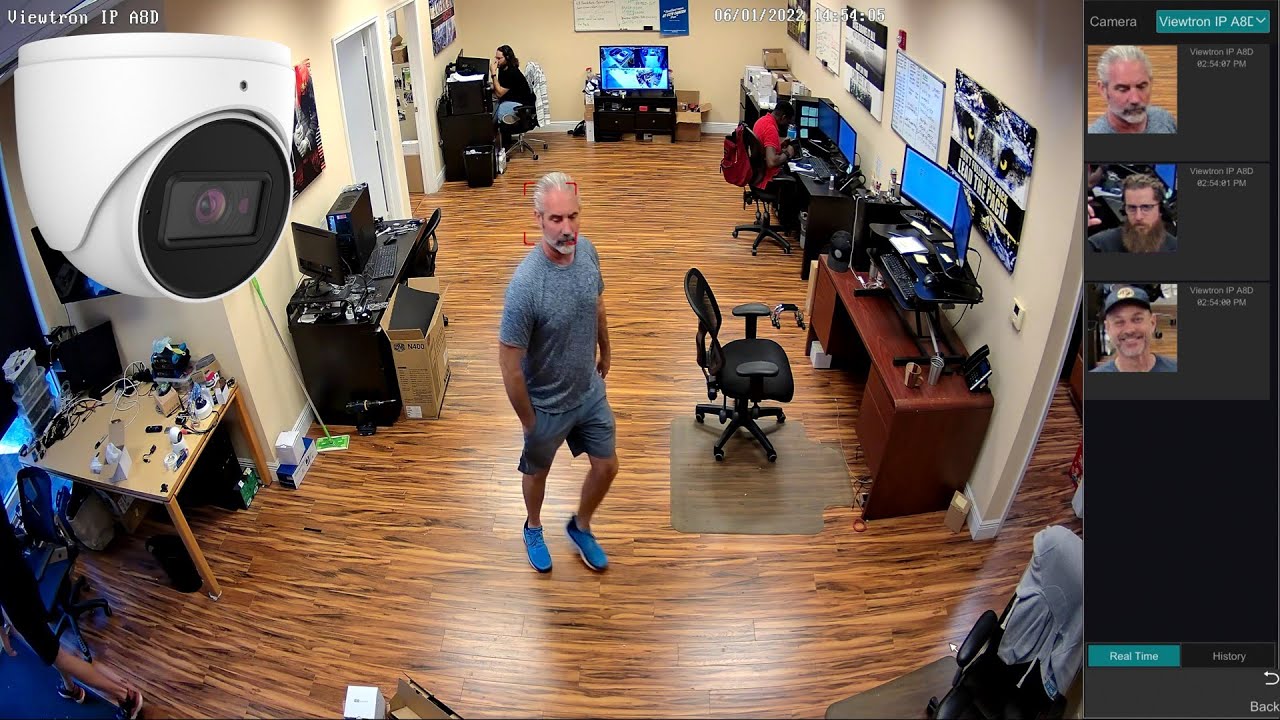
Viewtron AI cameras also support face recognition, and all the settings are managed through the NVR.
You can create a database of known faces – employees, family members, VIPs, persons of interest – and the system will alert you when those faces are detected. It’s useful for access control, time and attendance, or identifying specific individuals in recorded footage.
Face recognition capabilities:
- Build a database of known faces
- Alert when a specific person is detected
- Search recordings by face
- Works with Viewtron AI dome and bullet cameras
This is an advanced feature that not every customer needs, but for those who do, it’s built right into the NVR software at no extra cost.
Watch more face recognition camera videos for setup tutorials and demos.
Alarm Sensor Integration
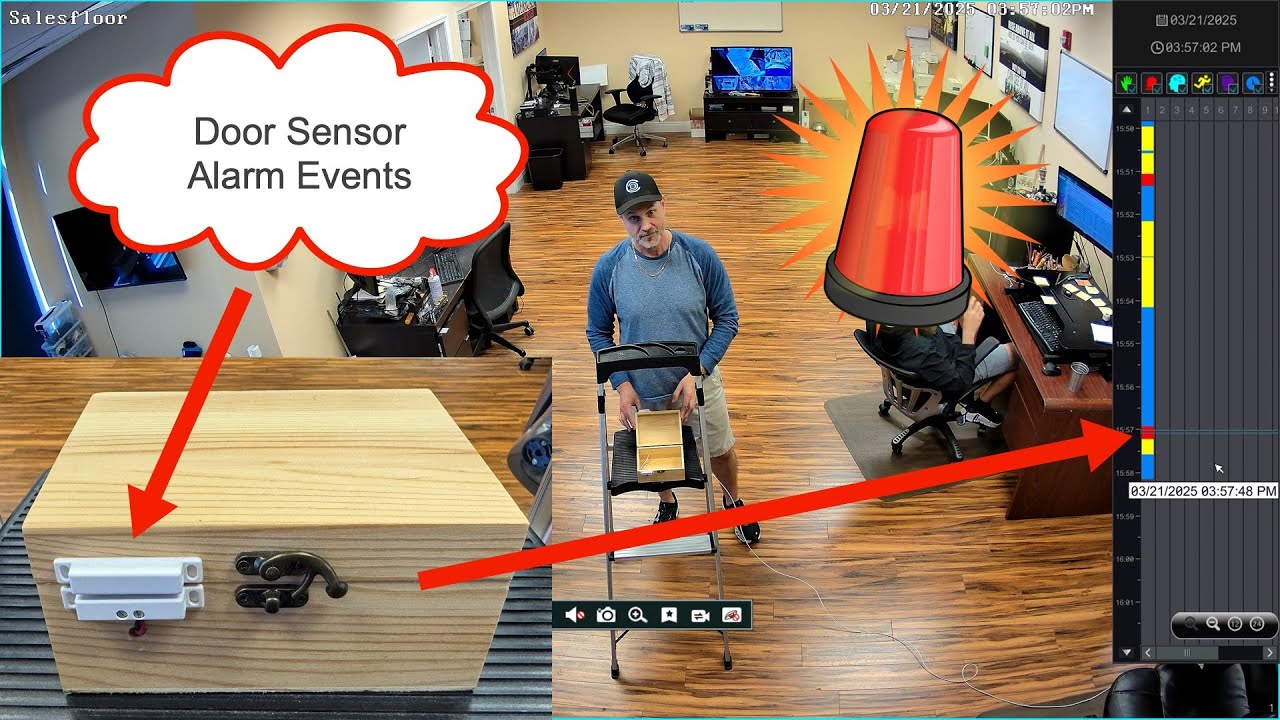
On the back of the Viewtron 16 channel NVR, you’ll find alarm input and alarm output ports. These let you integrate external sensors and devices directly with your surveillance system.
Alarm input examples:
- Magnetic door and window sensors
- PIR motion detectors
- Glass break sensors
- Panic buttons
When an alarm input is triggered, the NVR can automatically start recording on specific cameras, send push notifications, or trigger an alarm output.
Alarm output (relay) examples:
- Alarm lights and strobes
- Sirens and audible alerts
- Access control systems
- Gate and door controls
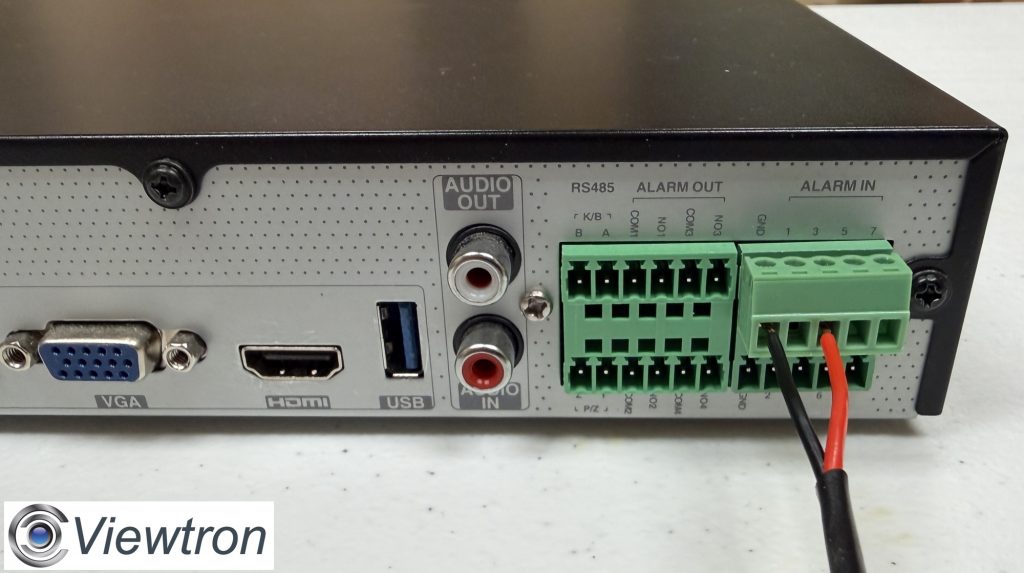
The alarm panel turns your NVR into the hub of a complete security system – not just recording video, but integrating with physical security devices. For example, you can set up a door sensor to trigger recording when a door opens after hours, then activate a strobe light through the alarm output.
Watch more alarm integration videos for wiring tutorials and setup examples.
Free Mobile App for iPhone and Android
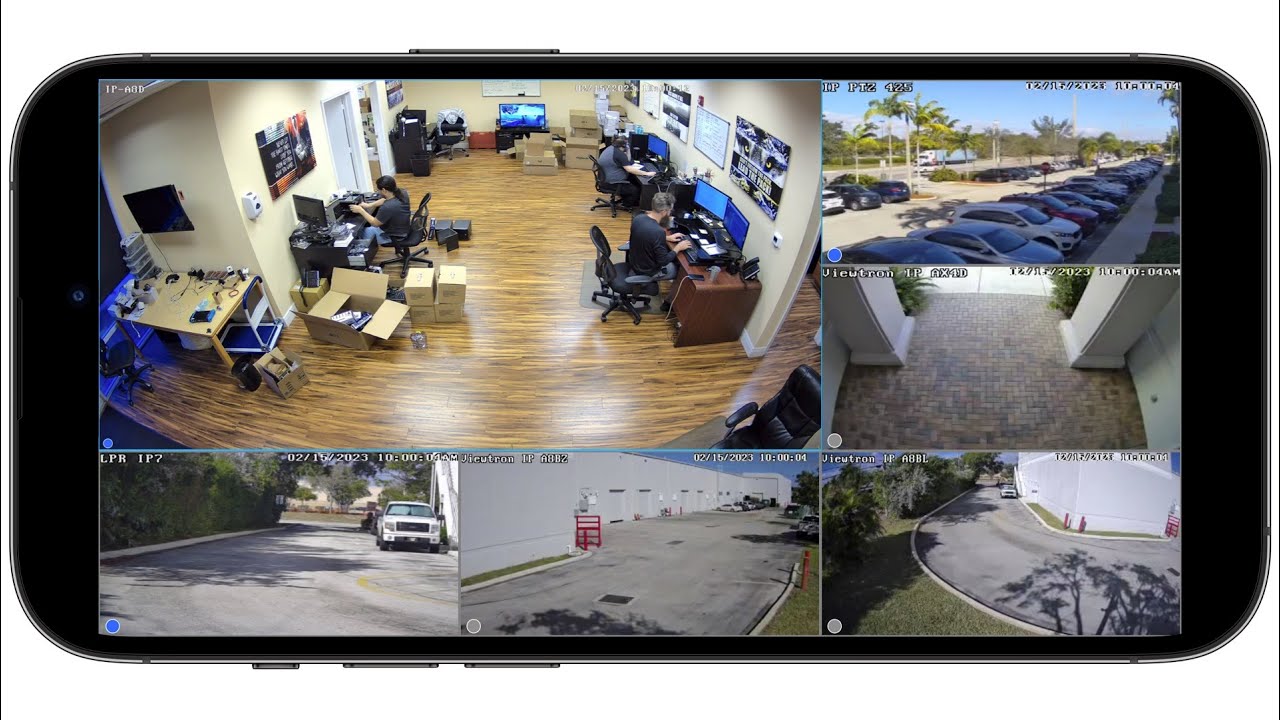
I hear from customers all the time who bought cheap NVRs on Amazon and can’t get remote viewing to work. The app crashes, setup requires complicated port forwarding, support is nonexistent. This is one area where quality really matters.
Viewtron includes free apps for iPhone and Android that actually work. Setup takes about two minutes using P2P technology – no port forwarding required.
How to connect:
- Go to network settings on your NVR
- Scan the QR code with your phone
- Enter your username and password
- You’re connected
What you can do from the app:
- View live video from all cameras
- Play back recorded footage
- Receive push notifications for AI alerts
- Control PTZ cameras
- View multiple locations from one app
Learn more about the security camera app and what it can do. You can also browse additional mobile app videos for detailed tutorials.
VMS Software for Mac and Windows
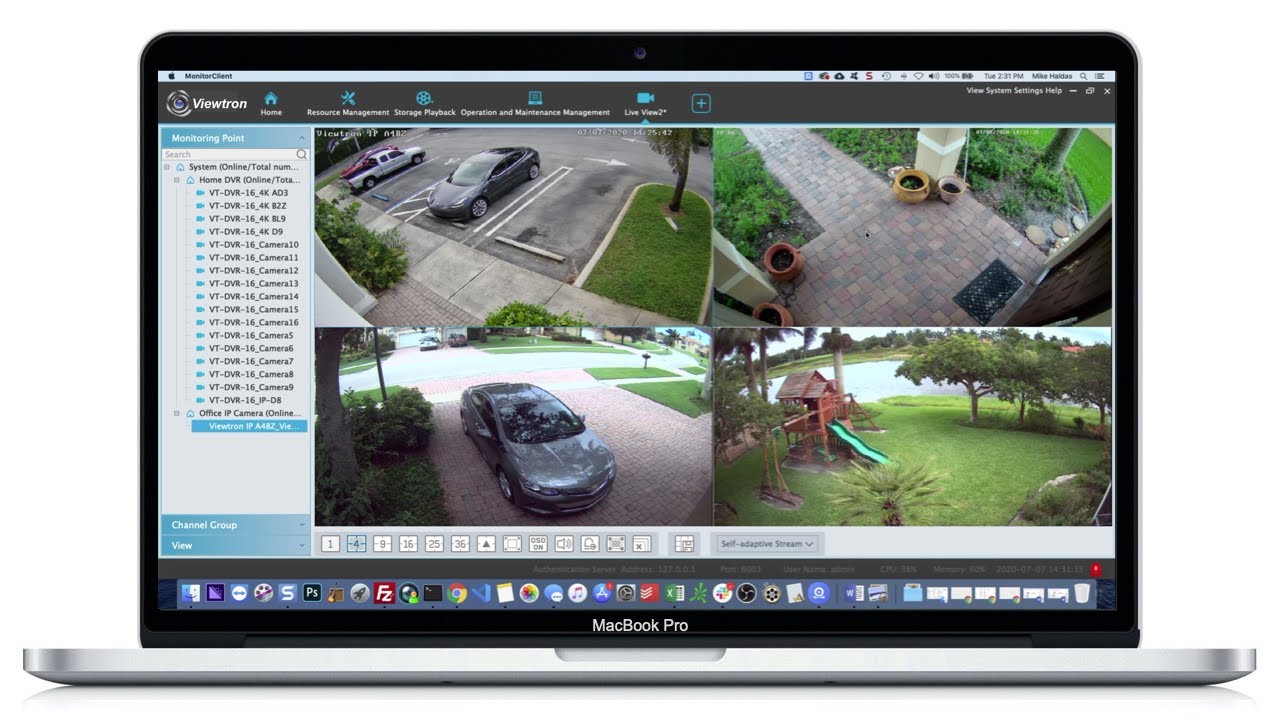
For customers who prefer a desktop interface or need to set up a professional monitoring station, we provide free VMS software for Windows and Mac.
What the VMS software offers:
- View multiple NVRs from different locations on one screen
- Create custom camera layouts
- Manage recordings and video exports
- Support for multiple monitors
- No ongoing software fees
This is especially useful for businesses with multiple locations, or security operations that need a dedicated monitoring workstation.
Learn more about VMS software for CCTV including setup and configuration.
No Monthly Fees!
There are never any monthly fees from CCTV Camera Pros for the remote viewing capabilities, AI software, or anytime else related to our 16 channel NVR. NO recurring fees for anything. This is a self monitored system that you own.
NDAA Compliant
If you’re installing cameras for government facilities, federal contractors, schools, or healthcare facilities, NDAA compliance matters.
Viewtron NVRs are NDAA compliant – manufactured in an NDAA-compliant facility with no components from banned manufacturers (Hikvision, Dahua, or their subsidiaries). We provide an NDAA compliance letter for customers who need documentation.
Browse all NDAA compliant NVRs if this is a requirement for your project.
Viewtron NVR Comparison
All Viewtron models are 4K NVRs – they support up to 8 megapixel camera resolution for ultra-sharp video.
| Model | Channels | PoE Ports | Best For |
|---|---|---|---|
| VT-NVR-8 | 8 | 8 | Small business, homes |
| VT-NVR-16 | 16 | 16 | Retail, warehouses, offices, large homes |
| VT-NVR-32 | 32 | 16 | Large facilities, multiple buildings |
| VT-NVR-64 | 64 | 0* | Enterprise, campuses |
*64 channel NVR requires external PoE switch
My advice: if you’re on the fence between 8 and 16, go with 16ch. The price difference isn’t huge, and I can’t tell you how many times customers have called wishing they’d bought more capacity upfront.
Technical Support and Customer Service
CCTV Camera pros has been in business since 2006 and have maintained an A+ BBB rating for 18 years. We have over 1,000 five-star online reviews, and we provide free lifetime technical support for everything we sell.
When you buy from CCTV Camera Pros, you’re not just getting equipment – you’re getting access to people who actually know how to use it. I can walk you through setup, help you configure AI detection zones, troubleshoot network issues, and answer questions that go beyond reading a manual.
Free Consultation

Have questions? Call us at 561-433-8488 or request a free consultation here. You’ll talk to me or one of the guys on our team – real people who actually know this equipment.
Ready to order? Check out the Viewtron 16 channel NVR product page for full specs and pricing. You can also browse our complete selection of IP camera NVRs, or check out our AI security cameras to pair with your NVR.




