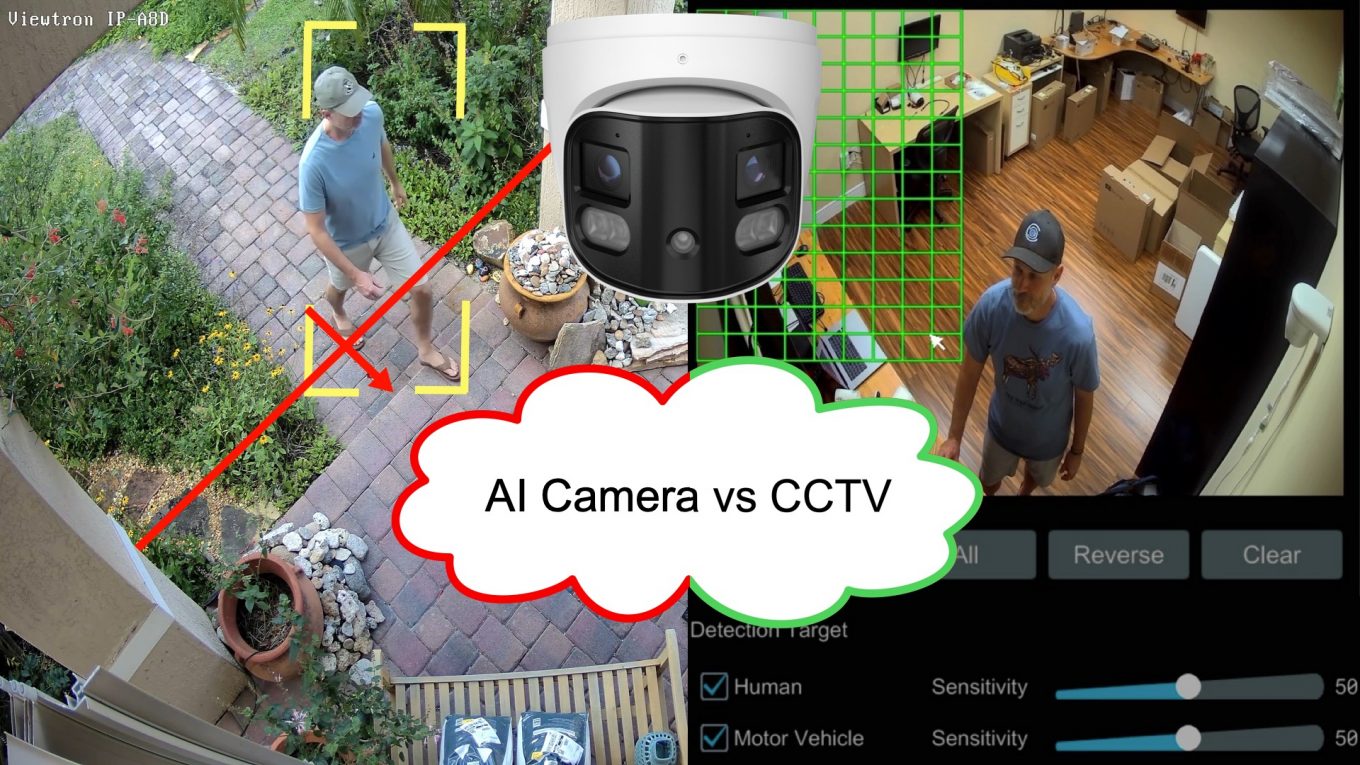
AI Security Camera vs Analog CCTV: Is It Worth Upgrading?
If you have an older CCTV camera system and are considering upgrading to an AI camera system, this article should help you decide. If you own an older CCTV system, probably experienced the frustration of constant false alarms from motion detection. Every shadow, swaying tree branch, or passing car triggers a motion alert. After a while, most people just turn off notifications entirely – which defeats one of their goals having the security camera system in the first place.
AI security cameras solve this problem by detecting humans and vehicles as objects instead of just general video motion. But if you have an existing CCTV DVR system, is upgrading worth it? In this guide, we’ll compare traditional CCTV cameras to AI security cameras and introduce a middle-ground option for those who want AI features without replacing their coax CCTV system.
Important Update! Since I originally wrote this article back in February 2026, we have released an exciting new product that offers another great option for customers looking for the best solution to upgrade their analog CCTV camera system to an IP camera system with AI software functions. Please be sure to check out the new Viewtron analog to IP video converter section of this article. The Viewtron VT-VS5 converts an analog CCTV camera up to 5mp resolution (run over coax cable) to a Viewtron AI security camera that is plug and play with Viewtron NVRs.
Why Analog Video Motion Detection Falls Short
Analog CCTV DVRs use pixel-based video motion detection. The camera sends a video stream to the DVR, and software on the DVR compares each frame to the previous one – if enough pixels change, it triggers an alarm. The problem? The motion detection software on the DVR can’t tell the difference between a person walking through your parking lot and a tree branch moving in the wind.
Common false alarm triggers:
- Shadows moving throughout the day
- Lighting changes (clouds, headlights, sunrise/sunset)
- Animals (birds, squirrels, stray cats)
- Weather (rain, snow, leaves blowing)
- Insects flying near the camera lens
- Spider webs on camera lens cover
- Camera changes to IR night vision mode
The result is what we call the “cry wolf” effect. After receiving dozens of useless notifications, users stop paying attention to alerts. When something actually happens, they miss it.
Most traditional analog systems also make reviewing recorded video footage painful. Looking for a specific event means manually looking through through hours or days of video recordings. There’s no way to search for “show me all people detected” or “show me all vehicles detected” – you just have to watch and hope you don’t miss anything. It is very time consuming.
What Makes AI Security Cameras Better?
AI security cameras use artificial intelligence to classify objects in the video. Instead of just detecting motion, they identify specific objects, such as a human or vehicle, and when those objects enter a detection zone or cross a line. You can see an example of a line crossing detection event using a Viewtron AI camera here.

You can also watch our “What is an AI Security Camera” video above to learn more.
Artificial Intelligence AI Detection
- Camera recognizes humans vs. vehicles vs. other motion
- Only triggers an alarm when relevant objects are detected
- Eliminates nearly 100% of false alarms from shadows, weather, and animals
Useful Mobile App Push Notifications
- Get alerts that actually matter
- Know immediately when a person or vehicle enters your property
- No more notification fatigue
Smart Search / Intelligent Analytics
- Search recorded video by object type
- “Show me all people detected today”
- “Show me all vehicles between 2pm and 6pm”
- Find events in seconds instead of hours
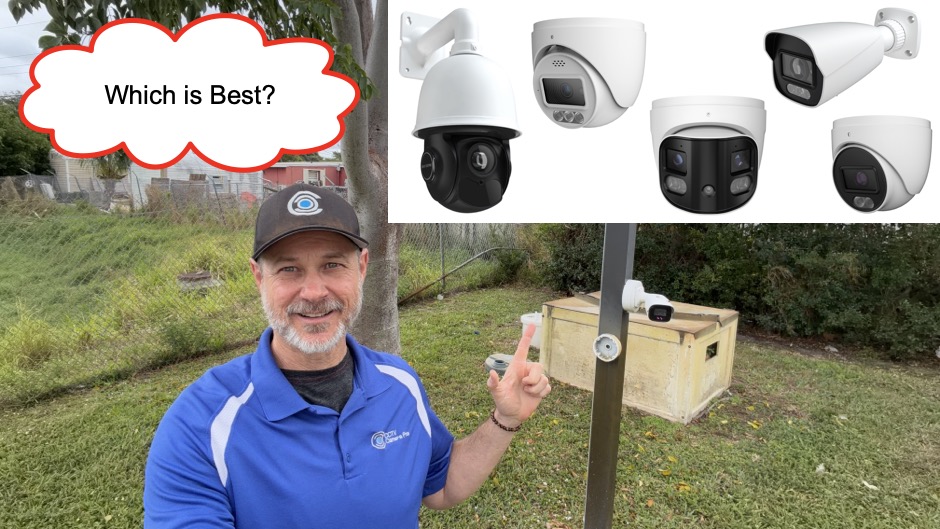
Types of AI Security Cameras
AI security cameras come in several types, each designed for specific applications:
- Human/Vehicle Detection – The most common type, detects people and vehicles with high accuracy. Define detection zones or line crossing zones.
- Face Recognition – Identifies specific individuals and can trigger alerts for VIPs or unknown persons. Setup a face database with white lists or black lists to trigger alarms or integrate access control applications.
- Active Deterrent Alarm Cameras – Has built-in alarm lights, and alarm speakers to actively deter intruders with alarm sounds or pre-recorded warning messages.
- License Plate Recognition (LPR) – Detects license plates and automatically reads the numbers and letters, logs all license plates. Supports a license plate database with white lists / black lists for gate access / access control integrations.
- Auto-Tracking PTZ – Pan-tilt-zoom cameras that automatically follow detected objects after they enter a detection zone or trigger a line crossing event. They can also manually be controlled from the DVR, mobile and desktop applications.
Learn about each type in our complete AI security camera guide.
The Easier Upgrade Path: Viewtron Hybrid DVR
Here’s something many people don’t realize: you don’t need to replace your cameras or rewire your building to get AI features.
If you have an existing coax-based CCTV system with an old DVR, sometimes the most cost-effective upgrade is replacing your DVR with a Viewtron Hybrid DVR. This gives you AI capabilities and many other benefits while keeping your existing coaxial cable infrastructure in place. This is a great option is you have good quality coaxial cable in place that you do not want to replace with network cable for IP based AI cameras. There are some trade-offs vs going with AI cameras and an NVR. And, having high quality cable in place is important to facilitate the upgrade to higher quality coax cameras.
What You Get with a Viewtron Hybrid DVR Upgrade
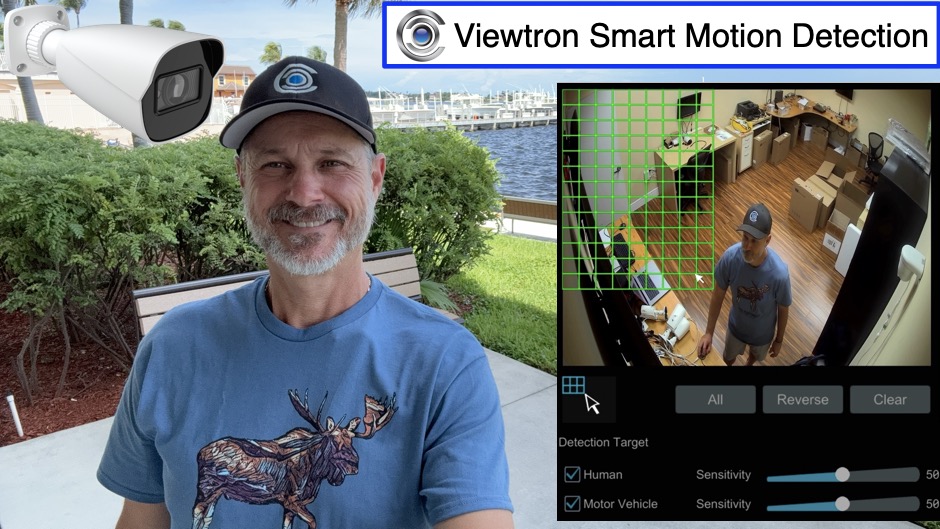
Smart Motion Detection
The Viewtron Hybrid DVR performs AI inference directly on the recorder. It analyzes the video feed from your existing cameras and detects humans and vehicles – no special AI cameras required. You get the same reduction in false alarms and the ability to search by smart motion detection event.
Modern Interface
Legacy DVRs often have outdated, clunky interfaces. The Viewtron Hybrid DVR has a modern, intuitive interface that makes setup and daily use much easier. You can watch a video demo here to see the DVR’s simple interface.
iPhone and Android Apps
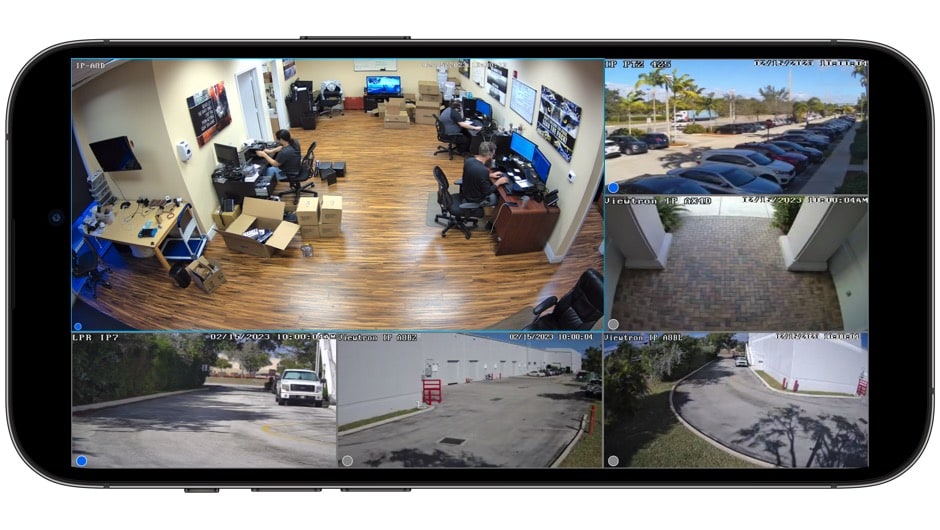
View your cameras remotely with modern mobile apps. Get push notifications for human and vehicle detection, search recordings by event type, and control your system from anywhere. You see our library of Viewtron mobile app video demos here.
Future-Proof Resolution Support
Viewtron Hybrid DVRs support all major CCTV video formats and resolutions from standard definition all the way up to 4K/8MP. This means you can upgrade your cameras to higher resolution models over time – and in most cases, your existing coax cable will work just fine. The only video format not supported by Viewtron DVRs is HD-SDI, which is fairly rare. If you have any questions about whether your existing cameras will work with a Viewtron DVR, you can contact us here for a free consultation.
For a detailed overview of features, see our 16 channel DVR guide. You can find the Viewtron 16ch DVR hybrid here.
Smart Motion Detection / AI Software with CCTV Cameras
The Viewtron Mobile App: Same App for DVR and NVR
One thing that sets Viewtron apart: the same mobile app works for both Hybrid DVRs and IP camera NVRs. Whether you choose the coax upgrade path or go with a full IP camera system, you get the same modern app experience.
Available on iPhone and Android, the Viewtron app includes:
- Live Remote Viewing – Watch cameras from anywhere on your phone or tablet
- AI Event Search – Jump directly to human and vehicle detection events
- Video Playback – Search and playback recorded footage from the DVR/NVR hard drive
- PTZ Camera Control – Pan, tilt, and zoom PTZ cameras with touch controls
- Multi-Camera Views – Switch between single camera and grid layouts
- Smart Resolution – Automatically adjusts video quality based on your connection speed
- Multi-Location Support – Connect multiple DVRs and NVRs to the same app, and configure customized viewed with camera feeds from multiple locations
Desktop software for Mac and Windows is also included.
Mobile App Demo
Upgrade Your Cameras Later (Use Your Existing Cable)
One of the biggest advantages of the Hybrid DVR approach is the phased upgrade path. You can:
- Start by upgrading just the DVR – Get smart motion detection / AI features, modern interface and apps immediately with your existing cameras
- Upgrade cameras over time – Replace older cameras with 4MP or 4K models as budget allows
- Keep your existing coax cable – Modern analog HD formats (AHD, HD-TVI, HD-CVI) run over the same RG59 coax cable
This approach spreads the cost over time and avoids the expense of running new cable. *Please note that that you MUST have high quality coax cables in place in order to upgrade your cameras from legacy analog CCTV to analog high definition (2mp, 4mp, 8mp / 4K). For a detailed walkthrough of upgrading older systems, see our guide on upgrading older security camera systems. The type of cable you have in place is very important and there are also some trade-offs that are worth considering.

New Solution! Viewtron Analog to IP Video Converter
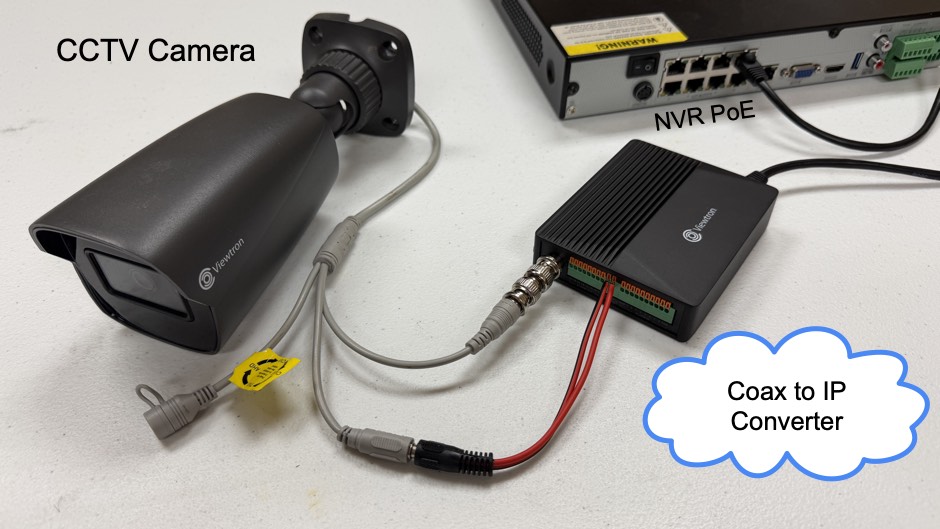
The Viewtron VT-VS5 analog to IP video converter enables a new and very exciting way to upgrade your analog CCTV camera system to an IP camera system with AI software functions. The VT-VS5 converts any CVBS or analog HD camera up to 5mp resolution into a Viewtron IP camera with human detection, car detection, face detection, and facial recognition AI capabilities.
Use Viewtron IP Cameras and Coax BNC Cameras with NVR
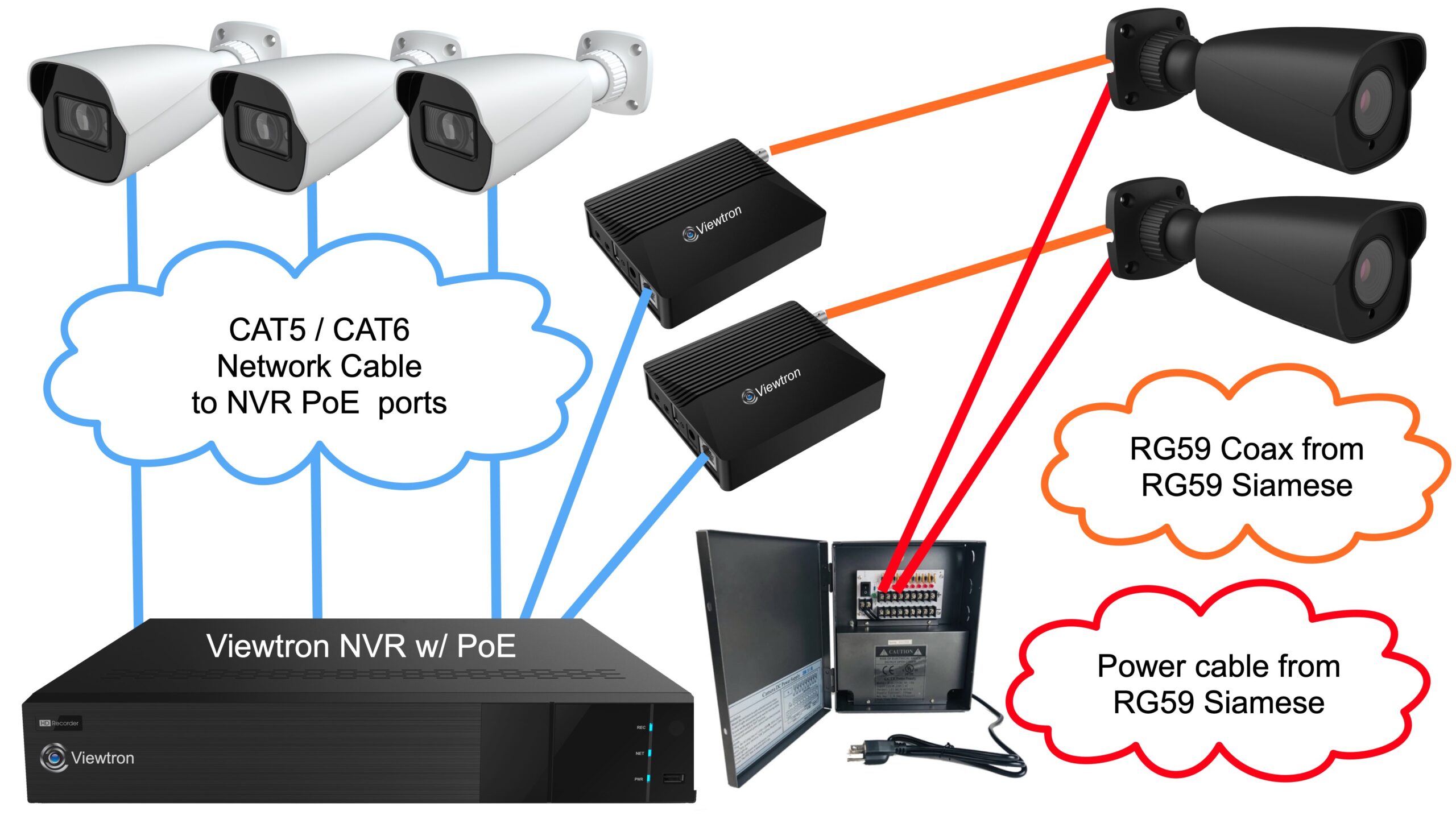
Here you can see 2 Viewtron IP video encoders being used to convert 2 existing analog cameras that use RG59 Siamese coax cable. The other 3 security cameras are native Viewtron IP cameras. The Viewtron IP cameras and the 2 IP video encoders plug into the PoE ports on a Viewtron NVR.
This is how it works.
- There are two coax cable runs that the customer does not want to replace because they are very hard to get to. The existing coaxial cable is left in place for the two analog CCTV cameras on the right (gray cameras).
- The customer uses their existing power supply box to power the analog cameras
- The BNC connector ends of the two coax cable runs are plugged into the BNC input of a video encoder.
- The RJ-45 Ethernet connection of each the video converters is plugged into a PoE port on the Viewtron NVR.
- The Viewtron analog to IP converter is powered by the NVR’s Power over Ethernet port.
- The analog cameras are now seen as a Viewtron AI security camera on the NVR. All of the IP camera and AI functions work exactly the same as the native AI security cameras.
- All of the new camera locations and areas where the coax cable makes sense to replace use CAT5 / CAT6 cable, and the Viewtron IP cameras are hard wired to the PoE ports on the NVR (white cameras on the left).
Side-by-Side Comparison
Here’s how the three options compare:
| Feature | Analog CCTV | Viewtron Hybrid DVR | IP AI Cameras + IP Video Encoder + NVR |
|---|---|---|---|
| False Alarm Reduction | Poor | Good | Excellent |
| Human/Vehicle Detection | No | Yes (DVR-based) | Yes (camera-based) |
| Cable Type | Coax | Coax (keep existing) | Network (CAT5/6), Coax (keep existing) |
| Modern Mobile App | Often outdated | Yes (iPhone/Android) | Yes (iPhone/Android) |
| Modern Interface | Often outdated | Yes | Yes |
| Max Resolution | D1, 960H (740 x 480, 960 x 480) | Up to 4K/8MP (8FPS frame rate) **must have high quality cable in place! | Up to 4K/8MP (full 30FPS frame rate) |
| Installation Cost | N/A | Low (reuse cable) | Higher (for new cable runs) |
| Search by Object Type | No | Yes (smart motion detection) | Yes (specific human and vehicle searches) |
| Face Recognition Integration | No | No | Yes (face recognition cameras) |
| LPR Integration | No | No | Yes (specialized LPR cameras) |
| Auto-Tracking PTZ Integration | No | No | Yes |
For a deeper technical comparison, see our DVR vs NVR comparison.
When to Choose Each Option
Keep Your Existing Analog CCTV DVR If:
- Budget is the only concern and you don’t need smart alerts
- The system is purely for archival recording (not active monitoring)
- You do not need an optimized way to review footage via events
- You do not rely on motion detection notifications
- You are happy with your existing DVRs interface and remote viewing apps
- You are happy with the tech support you receive from your existing DVR supplier
Upgrade to Viewtron Hybrid DVR If:
- You have good quality existing coax cable in place that you want to keep using
- You want to keep some or all of your existing CCTV cameras in place
- You want to eliminate false alarms using the Viewtron Hybrid DVR’s AI software
- You want a modern mobile app to view your cameras remotely and manage your system
- Budget is a concern but you need better motions detection reliability
- A phased upgrade makes sense (DVR now, cameras later)
- You want the option to upgrade to 4MP and 8mp / 4K cameras using your existing cable
- You need to replace your DVR with a DVR that is NDAA compliant
- Want to work with a company with outstanding technical support and customer service
Choose AI Cameras + NVR (optional IP Video Encoder) If:
- You are installing a new with no existing cameras or you already have CAT5 run
- You want to upgrade your entire analog CCTV system and do not mind running new network cable
- You need advanced features like face recognition, license plate recognition, or auto-tracking PTZ
- You want the best possible detection accuracy (AI processing at the camera)
- You want to record at a high frame rate with 4K resolution cameras (full 30 frames per second)
- You want the benefit of the PoE ports on the NVR for plug and play IP camera installation (you just run a single CAT5E or CAT6 network cable from each camera to the NVR
- You have a few coax camera locations that you will keep in place and convert them to IP using the Viewtron VT-VS5 video encoder
The Bottom Line: Is the Upgrade Worth It?
For most users, yes – upgrading to an AI-capable system is absolutely worth it. My top recommendation
The false alarm elimination alone justifies the investment. Instead of hundreds of useless notifications, you get alerts that actually mean something. Instead of spending hours reviewing footage, you search by object type and find what you need in seconds.
The good news is that upgrading doesn’t have to mean replacing everything. If you have an existing coax system, a Viewtron Hybrid DVR gives you AI features while keeping your cable infrastructure. You can upgrade over time to 4mp BNC cameras and 8mp BNC cameras as budget allows.
For new installations and / or for the best overall video surveillance system, a Viewtron IP camera NVR with Viewtron AI security cameras will 100% provide the best object detection accuracy and the most advanced features.
Either way, moving from traditional motion detection to AI-powered object detection transforms how you use your security system. Notifications become useful. Finding footage becomes easy. And your security cameras actually help keep your property secure.
Need Help Choosing AI Cameras?
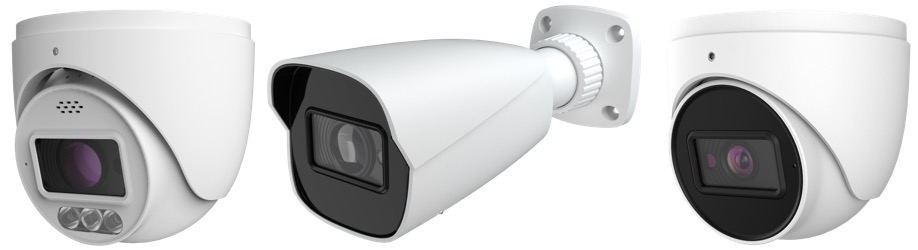
Not sure which model is right for your situation? Read our complete AI Security Camera Buyer’s Guide for detailed recommendations.
Have questions? Request a free consultation and we’ll help you choose the right system for your needs.





