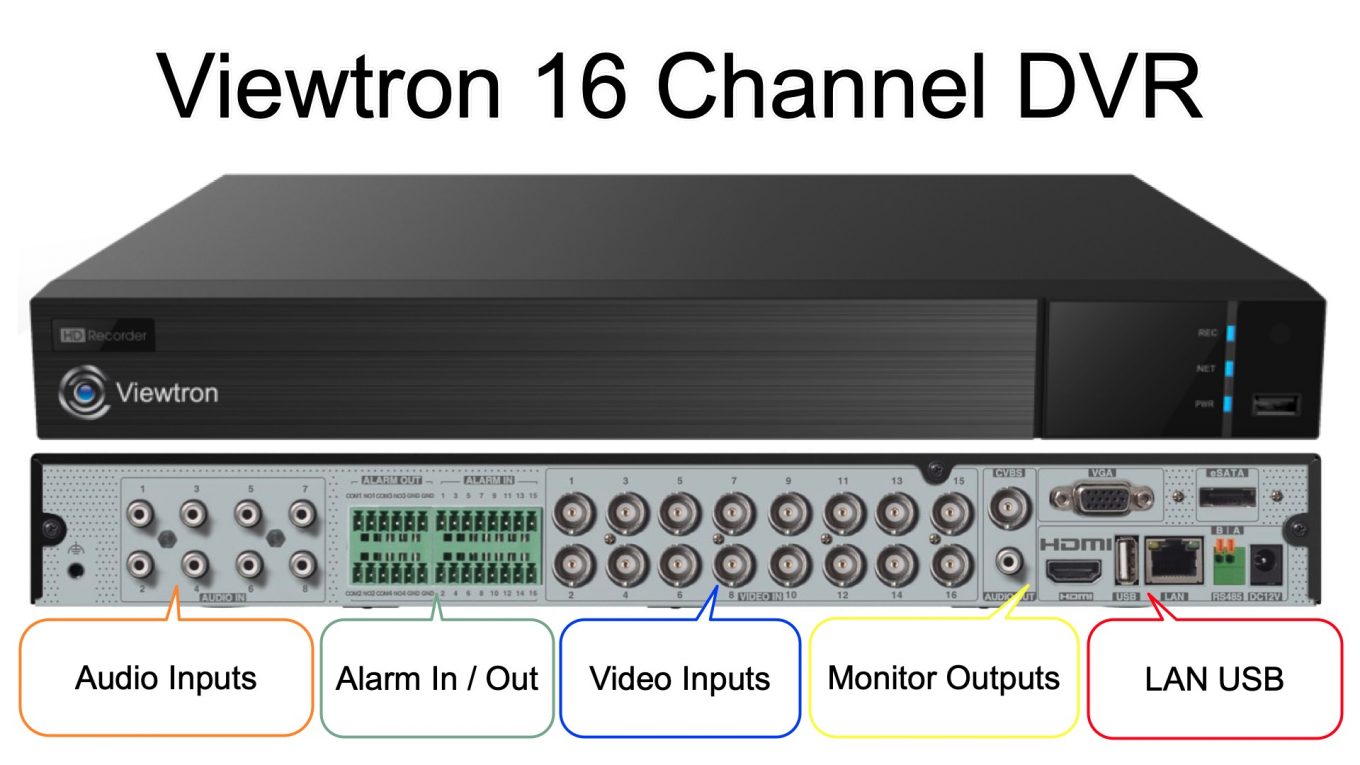
16 Channel DVR: Hybrid Security Camera DVR with Smart Motion Detection
The Viewtron 16 channel DVR has been one of our best-selling products for years, and for good reason. This hybrid DVR works with virtually every type of BNC security camera on the market – from 20-year-old analog CCTV cameras to the latest 4K ultra HD models. Combined with AI-powered smart motion detection, free mobile apps, and an easy-to-use interface, it’s the ideal choice whether you’re upgrading an old system, and need a replacement DVR, or building a new system with coax cable.
In this guide, we’ll cover everything you need to know about the Viewtron 16 channel DVR and why it might be the perfect solution for your security camera system.
The Perfect Replacement DVR
One of the biggest reasons customers choose Viewtron hybrid DVRs is compatibility. If your old DVR from Lorex, Swann, Hikvision, Samsung, Night Owl, or any other brand has failed, you don’t need to replace your entire system. The Viewtron 16 channel DVR works with your existing cameras and cables. Besides hardware failure, many customers are frustrated with the lack of technical support and customer service from other security brands. We are different!
Supported video formats:
- CVBS (legacy analog)
- AHD
- HD-TVI
- HD-CVI
Supported resolutions:
- 960H / D1
- 720p (1MP)
- 1080p (2MP)
- 3MP, 4MP, 5MP
- 4K / 8MP
Every BNC port on the back of the DVR automatically detects the video format and resolution of whatever camera you plug into it. It just works. You can even mix and match different camera types and resolutions on the same DVR.

Upgrade over time: Start by connecting your existing cameras, then gradually upgrade to higher resolution models as your budget allows. The same coax cables that work with your old 1080p cameras will work with new 4K cameras.
Easy-to-Use Interface
The Viewtron DVR features a modern, intuitive user interface that’s a significant upgrade from legacy DVR systems. Navigate through live view, playback, and settings with ease. The menu system is logically organized, and most customers are up and running within minutes of installation.
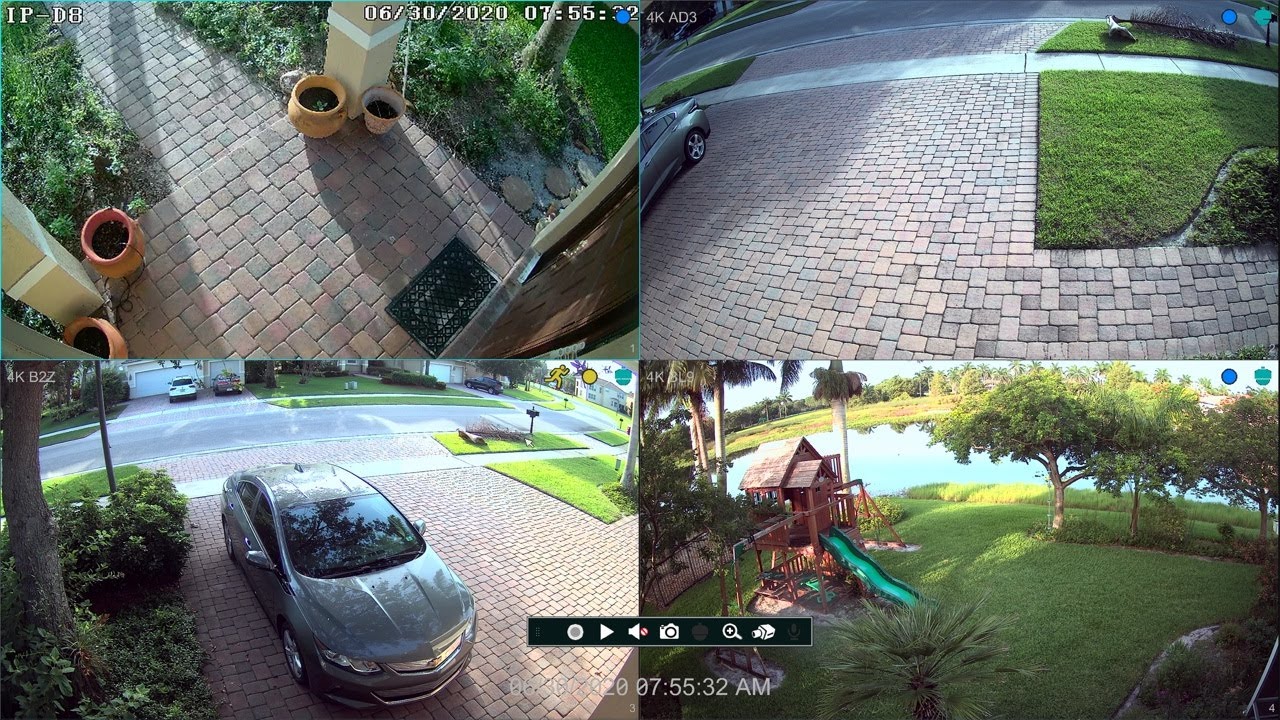
Key interface features:
- Grid view for monitoring all 16 cameras simultaneously
- Quick access to playback and video search
- Simple recording schedule configuration
- Easy network and user settings
Free Mobile Apps for iPhone and Android
Remote viewing is essential for modern security systems, and Viewtron makes it incredibly easy. The free mobile apps for iPhone and Android let you view your cameras from anywhere in the world.
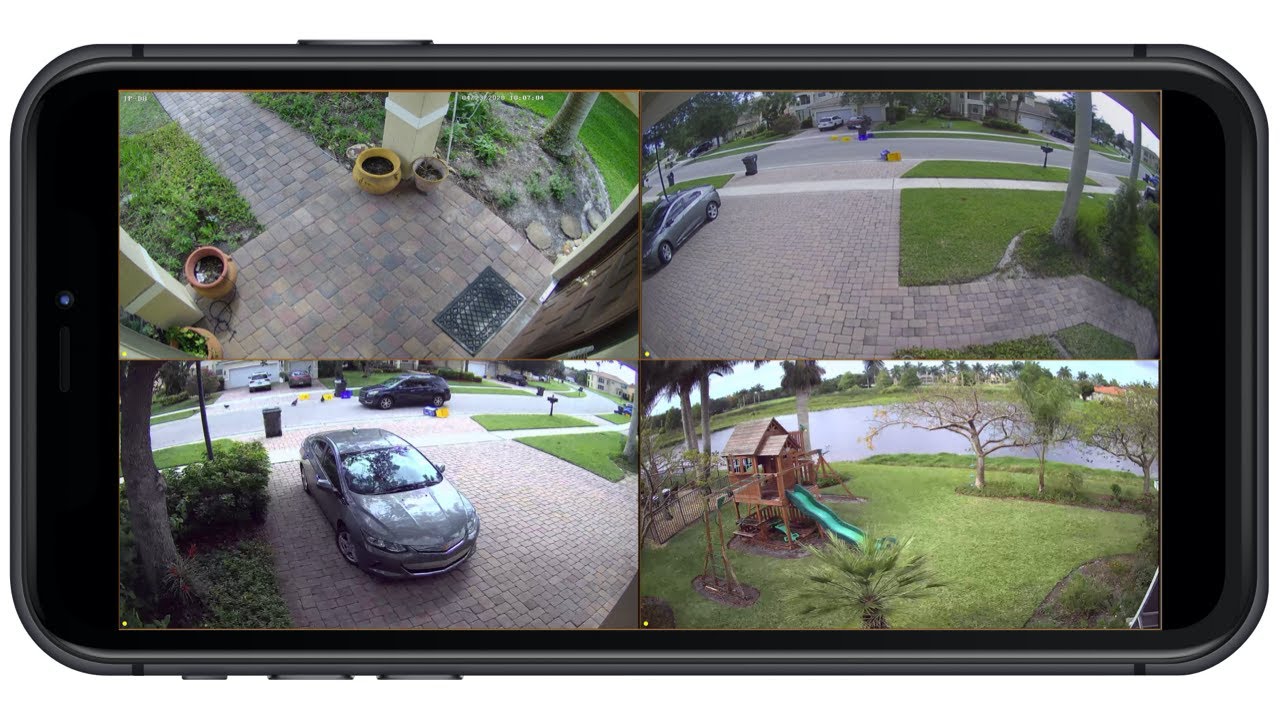
Setup is simple: Go to the network settings on your DVR, scan the QR code with your phone’s camera, enter your username and password, and you’re connected. There’s no complicated router configuration or port forwarding required – it uses P2P technology to establish a secure connection automatically.
What you can do from the app:
- View all cameras live (any resolution, any format)
- Play back recorded video from the DVR
- Receive push notifications for motion detection alerts
- Manage multiple DVRs from different locations
Desktop and VMS Software
For users who prefer to monitor their cameras from a computer, Viewtron provides free desktop software for both Windows and Mac.
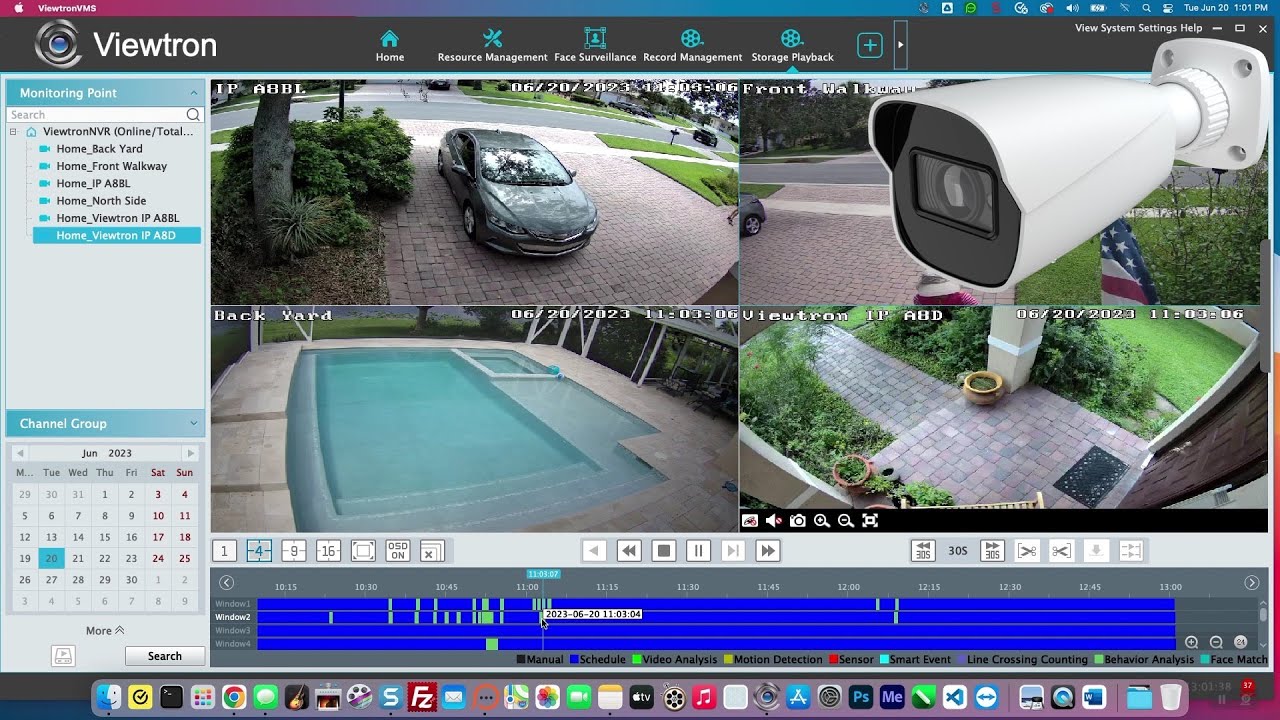
The CMS (Central Management Software) allows you to:
- View multiple DVRs on a single screen
- Create custom camera layouts
- Search and play back recorded video
- Export video clips to your computer
This is particularly useful for businesses that need to monitor multiple locations from a central office. Learn more in our security camera PC software tutorial.
Smart Motion Detection: AI-Powered Alerts
Traditional motion detection has always been problematic for outdoor cameras. Trees blowing in the wind, shadows moving across the frame, animals walking through – all of these trigger false alarms that eventually cause most people to disable motion alerts entirely.
Viewtron’s Smart Motion Detection solves this problem using AI software that specifically detects people and vehicles. Instead of triggering on any pixel change, the DVR analyzes the video to identify actual objects of interest.
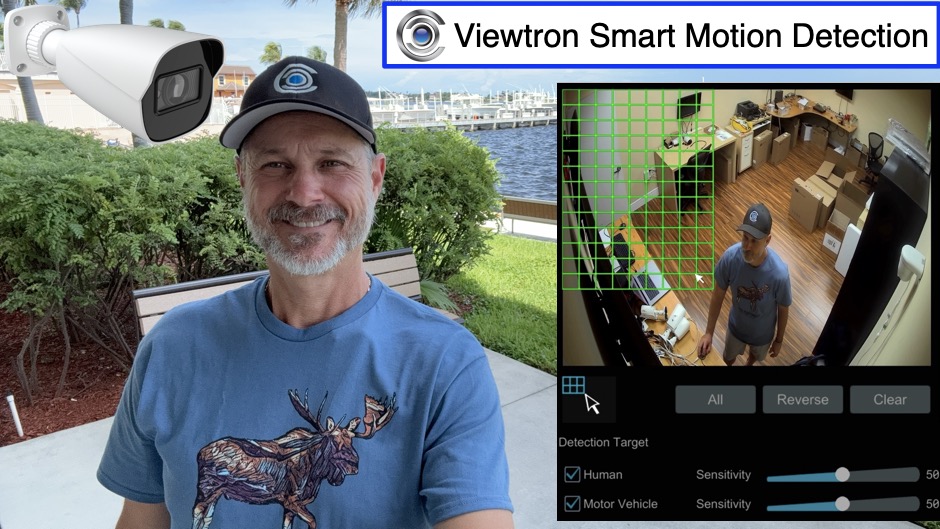
Why this matters for hybrid DVR users: The AI processing happens on the DVR itself, not on the cameras. This means Smart Motion Detection works with ANY BNC camera – you don’t need migrate to IP based AI cameras to get intelligent motion detection.
For customers who want to use their existing BNC security cameras or at least use their existing coax cable, this is actually a key advantage. You get powerful AI software based human detection and car detection using your existing CCTV cameras. The Viewtron DVR lets you configure AI smart motion detection for all of your cameras through the DVR’s unified interface. Learn more about the differences in our AI camera vs analog CCTV comparison.
Viewtron BNC Security Cameras
While the Viewtron 16 channel DVR works with virtually any BNC camera, our Viewtron BNC cameras are the ideal pairing. Like our DVRs, these cameras are also “hybrid” – they support CVBS, AHD, HD-TVI, and HD-CVI formats.

Available resolutions:
- 1080p / 2MP cameras – Great balance of quality and storage
- 4MP / 5MP cameras – Enhanced detail for identification
- 4K / 8MP cameras – Maximum resolution for critical areas
Important: Viewtron BNC cameras also work with third-party DVRs from Lorex, Swann, Hikvision, Samsung, Night Owl, and any other brand that supports these video formats. So even if you’re not ready to upgrade your DVR yet, you can start upgrading your cameras.
Available in 4, 8, 16, and 32 Channel Models
The Viewtron hybrid DVR line includes models for systems of all sizes:
| Model | Channels | Best For |
|---|---|---|
| VT-DVR-4 | 4 BNC + IP | Small homes, single offices |
| VT-DVR-8 | 8 BNC + IP | Larger homes, small businesses |
| VT-DVR-16 | 16 BNC + IP | Medium businesses, warehouses |
| VT-DVR-32 | 32 BNC + IP | Large properties, multi-building |
| VT-DVR-32-4K | 32 BNC + IP | Large properties needing 4K |
All models share the same user interface, mobile apps, and Smart Motion Detection features. Need 4K resolution on a 32-channel system? Check out our 32 channel 4K DVR.
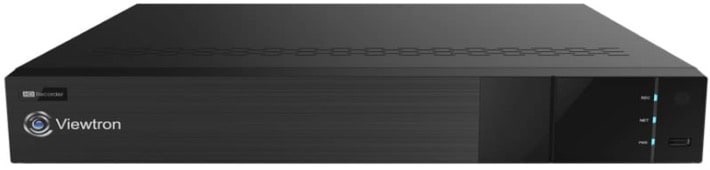
Not sure whether you need a DVR or an NVR? Our DVR vs NVR guide explains the differences and helps you choose the right recorder for your situation.
Technical Support and Customer Service
At CCTV Camera Pros, we take customer support seriously. We’re entering our 20th year of operations and have maintained an A+ rating with the Better Business Bureau for 18 years. We have over 1,000 five-star reviews from real customers.
When you call us during business hours, you’ll speak directly with a knowledgeable technician who can help you with:
- Pre-sale questions and system design
- Installation and configuration assistance
- Troubleshooting and technical support
Try calling one of our competitors and asking a technical question – sometimes just getting a person on the phone is a challenge. With CCTV Camera Pros, expert help is just a phone call away.
Have Questions? Need Help?
You can reach us by phone or email.
- Phone: 561-433-8488
- Email: mike@cctvcamerapros.com
More Hybrid DVR Videos
Want to learn more? Watch additional Viewtron hybrid DVR demo videos on our blog.
Request a Free Consultation
Have questions about which DVR is right for your project? Contact us for a free consultation. We’ll help you design a system that meets your needs and budget.

Video Transcript
Hey everyone. Mike from CCTV Camera Pros here in this video… (click to expand)
I’m going to give you an introduction to our Viewtron 16 channel DVR and tell you why it and our entire hybrid Viewtron DVR line has been one of our best selling products of all time. And the main reason why we sell so many of our Viewtron Hybrid DVRs is because they are hybrid and they work with pretty much every type of BNC security camera out there. From 20 year old analog CVBS cameras all the way through the latest ultra high definition 4K over coax cameras and everything in between, including 720p, 1080p, 3 megapixel, 4 megapixel, 5 megapixel. These Viewtron Hybrid DVRs work with all the video resolutions that are used with BNC cameras and all the different video formats. So over the years, manufacturers like Lorex, Swann, Hikvision, Samsung, Night Owl and everyone else have used different resolutions and different video formats. And the Viewtron Hybrid DVR works with all of them. So if you need a replacement DVR for an old Lorex system, for example, and, and you have some cameras that work still and you want to leave those in place, that’s fine.
It’s plug and play. You just hook them to the BNC connectors on the back of the DVR and they work. And then if you want to add high def cameras over time, or replace those legacy CCTV cameras over time with something more high def like the latest 4 megapixel or 8 megapixel cameras, it’ll work. Every one of the ports on the back of this DVR automatically detects the video format and the resolution of what you’re plugging into it, and it just works. You can mix and match different camera resolutions and formats on every channel if you need to. So we’ve helped thousands of customers over the years replace old Lorex DVR, Swann DVRs, Hikvision, Samsung and all the other major brands with Viewtron DVRs. So they can use their existing cameras, use their existing cables and upgrade over time to ultra high definition cameras. In addition to the BNC cameras, the 16 channel DVR also supports network IP cameras.
So if you want to start replacing or adding IP cameras that run over network cable to your system, it supports those as well. And everything is managed through the same exact user interface, same exact mobile apps. Actually, I have a video demo that shows you how easy it is to pull in IP cameras to this DVR. Okay, so the next reason why we sell. So many of our Viewtron Hybrid DVRs is the outstanding mobile apps that are included. So the iPhone and the Android app are super easy to use and super easy to set up on the DVR. You just go to the network screen, scan a QR code in the app, enter in the user ID and password and it works. There’s no complicated router configuration or port forwarding that you need to do.
It uses P2P. You just scan the QR code and it works. And you can manage all of your cameras again, whether they’re legacy analog CCTV or the latest HD over coax cameras or IP cameras, it’s all managed through the same app and you see all of your cameras live, regardless of resolution or format. In addition to the live video support, the remote playback for recorded video from the DVR on the app is excellent. And you can also set up push notifications for motion detection or any other alarms that you want to configure on the DVR. So next, another outstanding feature of these DVRs is they now have what’s called Smart motion detection. And Smart Motion detection uses AI software to let you detect people and vehicles. Those are the most popular things to use in security.
And this eliminates all the false positives that you may have experienced with legacy systems that use video motion. You have a camera mounted outside monitoring an area. A tree blows in the wind and it sets off the motion detection alarm. It drives most people crazy and they disable it. This smart motion detection feature eliminates pretty much all those false positives because it’s using AI software to detect objects. And I have a video demo that shows you how easy that is to set up. I’ll link to all these other videos down below in the description if you’re watching on YouTube. Guys, the last and probably most important reason why our 16 channel DVR is and all of our hybrid Viewtron DVRs have been so successful.
By the way, we have these in 4 channel, 8 channel, the 16 channel that I’m introducing you here to here and a 32 channel DVR. But the reason why we’ve been so successful with this product line and just in general is our outstanding technical support and customer service. We’re entering our 20th year of operations. We’ve had an A plus rating with the Better Business Bureau ever since we joined the BBB shortly after we incorporated. So we’ve been had an A plus rating with the BBB for 18 years. We have a five star rating online. And you can read all of those reviews I’ll link to them. Also, they’re all real.
We have over a thousand of them, and anyone that interacts with us knows we take this very serious. And customer support and tech support is key to our business. Just call us during business hours and talk to me or one of the guys and you’ll see. And call one of our competitors and ask them a technical question or see if you can even get someone on the phone. Sometimes just that is a challenge. Anyways, guys, I have a whole bunch of demo videos of the Viewtron 16 channel DVR. And actually it’s the same for all of the Viewtron DVRs. If you if you want to learn more about these more, please visit www.viewtron.com/DVR.
If you have any questions about this video or anything else related to security camera systems, you can reach me directly at mike@viewtron.com. Thank you for watching!




