Lorex Camera Compatibility Chart: DVR Replacement Options
If you own a Lorex security camera system with wired BNC cameras and your DVR died, got too old, or the mobile app no longer works, you do not need to throw away your cameras. I hear from Lorex owners all the time who want to keep their existing security cameras and cables and are just looking for a replacement for their old Lorex DVR. This guide lists the Lorex DVRs and cameras that I know about, organized by video format and resolution, so you can see exactly what works with your system.
Need help replacing an old Lorex DVR? Want to keep your Lorex BNC cameras and existing coax cable in place? Viewtron hybrid DVRs work with Lorex analog, HD-CVI and AHD-based BNC cameras. Lorex MPX cameras may not work; contact us to confirm before buying. The Viewtron VT-DVR-16 hybrid DVR takes up to 16 BNC cameras, and other Viewtron hybrid DVRs come in 4, 8 and 32 channel models. For help picking one, request a custom quote or call 1-561-433-8488.
I Can Confirm Compatibility for You
Send the make and model of your Lorex DVR or cameras to mike@viewtron.com, or call or text my team at 1-561-433-8488. I will check your exact models and tell you which DVR to use. My team and I help a lot of customers replace their old Lorex DVR and keep their existing cameras. We can also help you determine if replacing some of all of your cameras also makes sense.
Viewtron DVRs: Best Lorex Replacement DVR Option
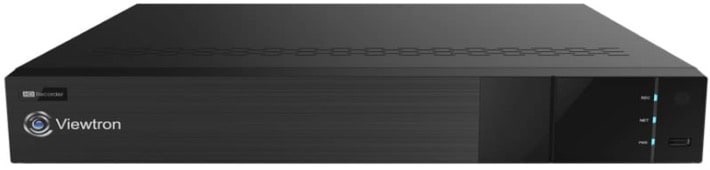
The short version: Viewtron hybrid DVRs accept analog CCTV, AHD, HD-TVI and HD-CVI cameras on every BNC input, from 960H up to 4K. Many Lorex HD cameras are based on HD-CVI, and the older ECO and EDGE systems are standard analog. Lorex MPX cameras are the uncertain group: Lorex may have used a proprietary modified HD-CVI format on these models instead of the open standard HD-CVI that is interoperable across manufacturers. MPX cameras may not work on a Viewtron DVR; contact us to confirm before buying. The exception is the Lorex LHD100 / LHD200 HD-SDI systems, which no hybrid DVR supports. Viewtron DVRs are NDAA compliant and include free lifetime tech support from my team.
Viewtron DVR Demo
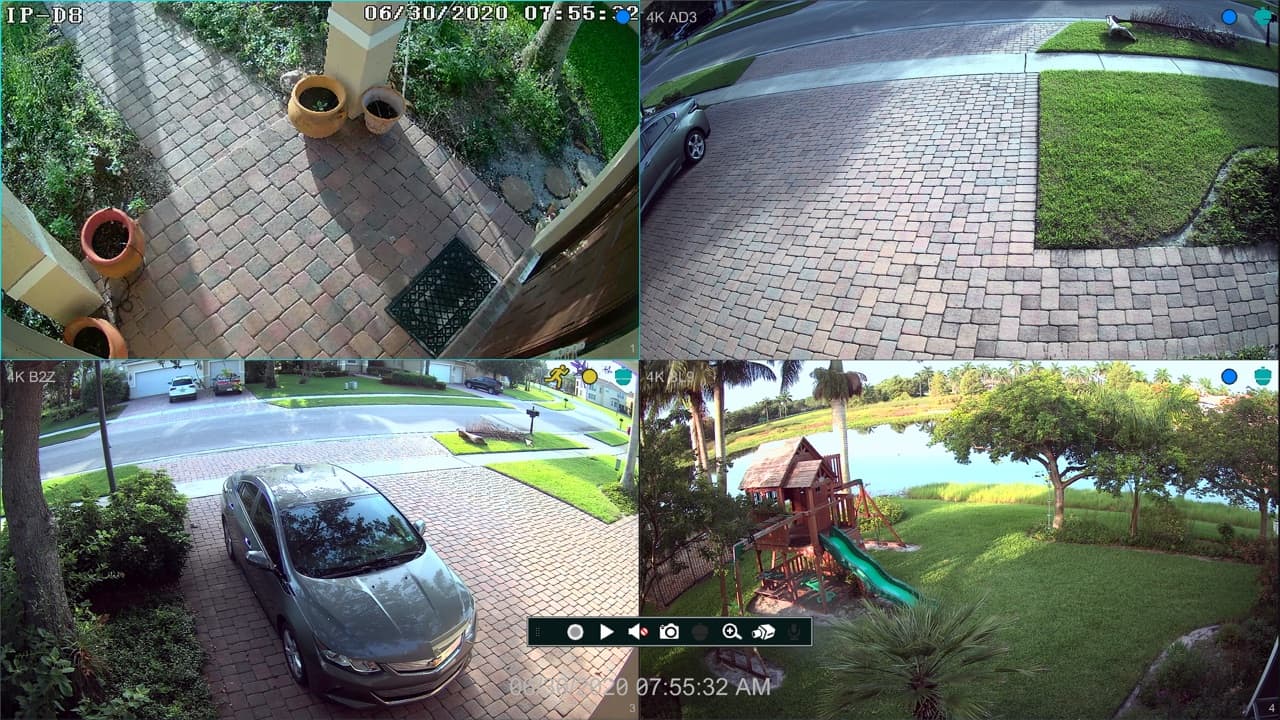
This video walks through the Viewtron hybrid DVR interface.
Jump to your resolution: Analog / 960H | 720p | 1080p | 3MP | 4MP | 5MP | 4K | Deterrence and audio cameras | Wi-Fi, wire-free and IP systems | How to replace your DVR | FAQ
Mobile Apps & Desktop Software to View Your Cameras
Lorex has changed apps many times. Depending on the recorder, a Lorex DVR may use FLIR Cloud, FLIR Secure, Lorex Cloud, the Lorex Classic app, Lorex Connect or Lorex Cirrus, and Lorex’s own compatibility chart ties each DVR series to a specific app. Lorex already discontinued the FLIR Secure, Lorex Secure and FLIR FX apps on August 15, 2019, which left owners of DVRs such as the LHV2000FS without the app their system was sold with. Lorex has not announced an end date for its current DVR apps as of this writing. If you are tired of juggling Lorex apps, a Viewtron hybrid DVR gets you one set of free mobile apps for iPhone and Android and free desktop software for Mac and Windows, using the cameras you already own.
Mobile App Video Demos
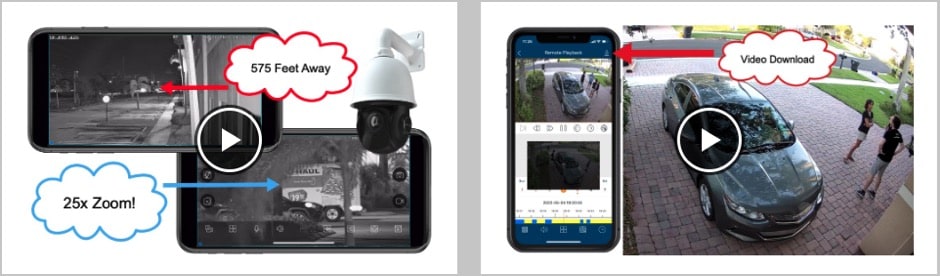
Watch demos of the Viewtron mobile app for iPhone and Android here.
Desktop PC Software for Mac and Windows
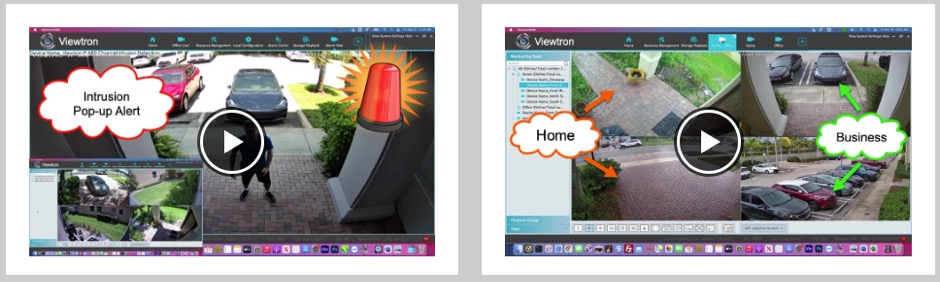
Watch demos of the Viewtron VMS software for Mac and Windows here.
Do You Have a Lorex DVR or NVR?
This chart covers Lorex DVRs with wired cameras that connect over coax with BNC connectors. Check the back of the recorder. Round twist-lock BNC camera inputs mean you have a DVR, and this page is for you. If the cameras plug into network (RJ45) jacks, you have a Lorex NVR with IP cameras, and my Lorex NVR compatible IP cameras guide is the page you want. Wi-Fi and wire-free Lorex systems are covered near the end of this page.
How to find your model number: Lorex prints the model number on a label on the bottom or back of the DVR and on the camera or its cable. Older DVR models start with LH, LHV, LHA or LHD (for example LHV21081TW). Newer ones start with DV, D or RD (for example DV9082 or D841A82B). Lorex camera models usually start with LBV, LEV, LAB, LAE, LZV, C or CA.
The Replacement DVR I Recommend: Viewtron Hybrid DVRs
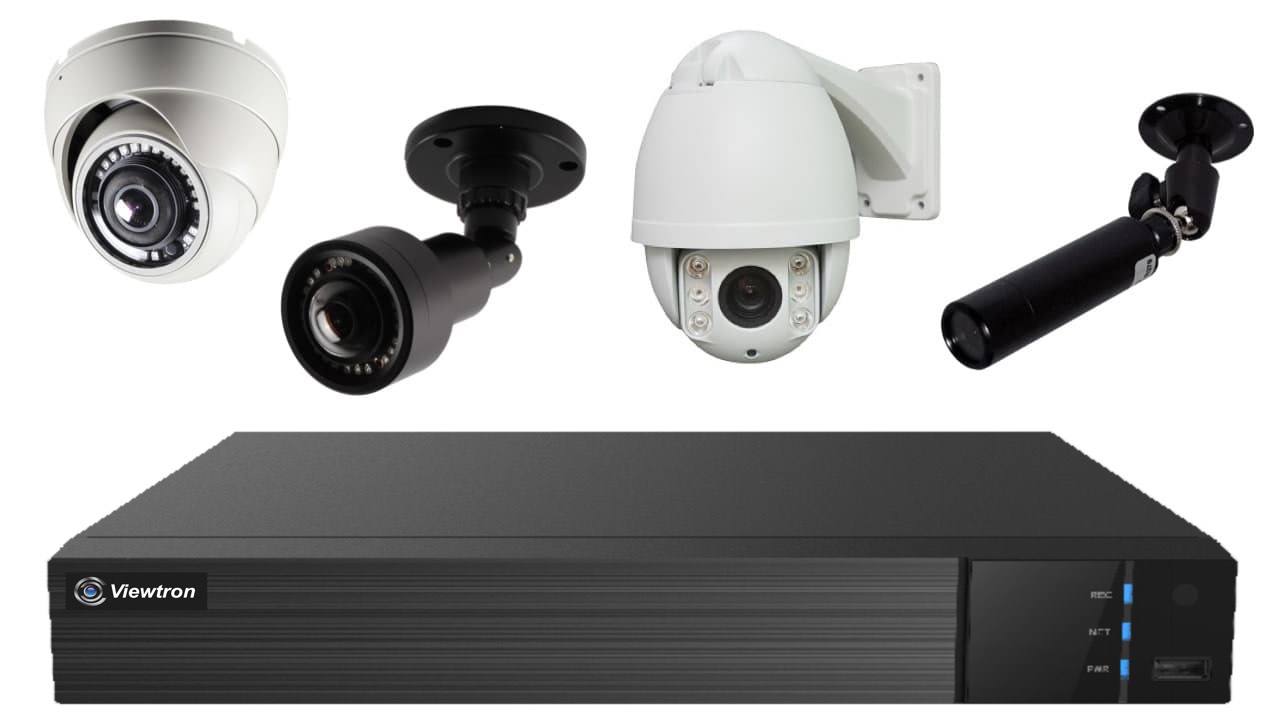
If you want to go straight to the answer, Viewtron hybrid DVRs are what I recommend to replace a Lorex BNC DVR. Each BNC input auto-detects AHD, HD-TVI, HD-CVI and analog CCTV cameras, so your Lorex cameras and any new cameras can share the same DVR. Viewtron DVRs also record IP cameras, they are NDAA compliant, and they include free iPhone and Android apps and Mac and Windows software.
| Viewtron DVR | BNC Cameras | IP Cameras | Max BNC Resolution | Best For |
|---|---|---|---|---|
| VT-DVR-4 | 4 | 2 | 4K | Lorex 4 channel systems |
| VT-DVR-8 | 8 | 8 | 4K | Lorex 8 channel systems (most common) |
| VT-DVR-16 | 16 | 8 | 4K | Lorex 12 and 16 channel systems |
| VT-DVR-32 | 32 | 8 | 5MP | Large 1080p to 5MP systems |
| VT-DVR-32-4K | 32 | 8 | 4K | Large 4K systems |
See all of the Viewtron hybrid DVRs with current prices here.
Lorex Video Formats Explained
Lorex rarely prints the video format in its model names, and it has used several of its own names over the years. Here is how they line up with the formats that Viewtron DVRs support:
- Analog CCTV (CVBS): the standard definition ECO, ECO Blackbox and EDGE DVRs (960H and D1). Works on every Viewtron hybrid DVR.
- MPX and Lorex “HD wired”: the LHV, DV700, DV800, DV900 and LHV5100 systems. Lorex describes MPX as powered by HD-CVI, but Lorex may have used a proprietary modified HD-CVI format on these models instead of the open standard HD-CVI that is interoperable across manufacturers. These may not work on a Viewtron DVR; contact us to confirm before buying.
- HD-CVI / “HD Analog”: the newer D-series DVRs (D231 through D881) and the C-series cameras. Lorex labels many of these cameras as CVI.
- A-MPX: the LAB and LAE cameras used with the LHA2000 and LHA4000 DVRs. Those DVRs list AHD, TVI and CVI camera types.
- Multi-format: the CA101 and CA501 cameras for the RD501 and RD701 DVRs output HD-TVI, AHD, HD-CVI or CVBS.
- HD-SDI: the LHD100 and LHD200 ECO-HD systems. HD-SDI is a different technology, and it does not work on Viewtron hybrid DVRs.
Many Lorex cameras work on more than one Lorex DVR generation, so you may see the same camera in more than one place below.
Analog CCTV Cameras and 960H / D1 DVRs
These are the older standard definition Lorex ECO, ECO Blackbox and EDGE systems. They record analog CCTV (CVBS) video, most of them at 960H. Every Viewtron hybrid DVR supports analog cameras, so all of your wired cameras and cables can stay. A few of these DVRs, like the LH041 through LH070, also paired with Lorex wireless cameras. Only the wired BNC cameras move to a Viewtron DVR.
| Lorex Series | DVR Models | Camera Models | Camera Format | Viewtron DVR |
|---|---|---|---|---|
| LH010 / LH020 / LH030 ECO Blackbox | LH014501, LH018501, LH016501, LH024501, LH028501, LH0261001, LH0281001, LH0262001 | – | Analog CCTV (960H) | Any Viewtron hybrid DVR |
| LH040 ECO | LH040 series | – | Analog CCTV (960H) | Any Viewtron hybrid DVR |
| LH110 / LH120 / LH130 / LH140 ECO | LH110, LH120, LH130, LH140 series* | – | Analog CCTV* | Any Viewtron hybrid DVR |
| LH150 / LH160 ECO4 / ECO6 | LH1581001BW, LH150 and LH160 series | – | Analog CCTV (960H) | Any Viewtron hybrid DVR |
| LH300 / LH310 / LH320 EDGE | LH300, LH310, LH320 series* | – | Analog CCTV* | Any Viewtron hybrid DVR |
| LH330 / LH340 EDGE2 / EDGE3 | LH330, LH340 series | – | Analog CCTV (960H) | Any Viewtron hybrid DVR |
| LH041 / LH050 / LH060 / LH070 wireless | LH041, LH050W, LH05045GW, LH060, LH070 | – | Analog CCTV wired inputs*; wireless cameras do not transfer | Any Viewtron hybrid DVR (wired cameras only) |
* Not fully confirmed from Lorex documentation yet. Email me your model number and I will confirm it for you.
720p Lorex HD Cameras and DVRs
The LHV0000 and LHV1000 were Lorex’s first 720p HD wired systems. Lorex called the format a proprietary analog HD standard, but the LHV1000 manual sets up PTZ cameras in HDCVI control mode, and Lorex later described its MPX cameras as powered by HD-CVI. Lorex may have used a proprietary modified HD-CVI format on these models instead of the open standard HD-CVI that is interoperable across manufacturers. These cameras may not work on a Viewtron hybrid DVR; contact us to confirm before buying.
| Lorex Series | DVR Models | Camera Models | Camera Format | Viewtron DVR |
|---|---|---|---|---|
| LHV0000 | LHV0008P, LHV0016T | LBV1511*, LBV1521B*, LEV1522*, LZV1722 PTZ* | Lorex 720p HD (HD-CVI based)* | Any Viewtron hybrid DVR |
| LHV1000 | LHV10081TW, LHV10162TW | LBV1511*, LBV1521B*, LEV1522*, LZV1722 PTZ* | Lorex 720p HD (HD-CVI based)* | Any Viewtron hybrid DVR |
| 720p MPX cameras | – | LEV1512* | MPX (HD-CVI based)* | Any Viewtron hybrid DVR |
* Not fully confirmed from Lorex documentation yet. Email me your model number and I will confirm it for you. MPX rows: Lorex may have used a proprietary modified HD-CVI format on these models instead of the open standard HD-CVI that is interoperable across manufacturers. MPX cameras may not work on a Viewtron DVR; contact us to confirm before buying.
1080p MPX, HD-CVI and AHD Cameras and DVRs
This is the largest group of Lorex BNC systems. The LHV2000, LHV2000FS and DV700FS use Lorex 1080p MPX cameras. The D231, D241, D242, D251 and D441 DVRs use HD-CVI cameras. The LHA2000 used A-MPX cameras and could detect AHD, TVI and CVI. Viewtron hybrid DVRs auto-detect AHD, HD-TVI, HD-CVI and analog, so the HD-CVI and A-MPX systems are likely to work. The MPX systems are uncertain: Lorex may have used a proprietary modified HD-CVI format on these models instead of the open standard HD-CVI that is interoperable across manufacturers. MPX cameras may not work; contact us to confirm before buying. The one 1080p group that does not work is the HD-SDI LHD100 / LHD200 ECO-HD.
| Lorex Series | DVR Models | Camera Models | Camera Format | Viewtron DVR |
|---|---|---|---|---|
| LHV2000 / LHV2000FS | LHV21081TW, LHV21082TW, LHV22162TW, LHV21041TFS, LHV21081TFS, LHV21082TFS, LHV21162TFS | LBV2521, LBV2531, LBV2561U, LBV2711, LBV2723, LEV2522, LEV2712S, LEV2724, LEV2750AB, LZV2622, LZV2722, LZV2925 | MPX (HD-CVI based)* | Any Viewtron hybrid DVR |
| DV700FS | DV7041, DV7082, DV7163, DV7041W, DV7082W, DV7163W | Same 1080p MPX cameras as LHV2000 | MPX (HD-CVI based)* | Any Viewtron hybrid DVR |
| LHA2000 | LHA21041T, LHA21081T, LHA21162T | LAB223, LAE221, LAE223 | A-MPX cameras; DVR accepts AHD, TVI and CVI* | Any Viewtron hybrid DVR |
| D231 / D241 / D242 / D251 / D441 | D231A41B, D241, D242A81B, D251A61B, D441 | C221NA, C221NC, C241DA-E, C241XC-E, LEV2712SB | HD-CVI | Any Viewtron hybrid DVR |
| RD501 / RD701 | – | CA101 | HD-TVI / AHD / HD-CVI / CVBS selectable | Any Viewtron hybrid DVR |
| LHD100 / LHD200 ECO-HD | LHD100 and LHD200 series | LBCHD2050, LBCHD2051 | HD-SDI | Not compatible |
* Not fully confirmed from Lorex documentation yet. Email me your model number and I will confirm it for you. MPX rows: Lorex may have used a proprietary modified HD-CVI format on these models instead of the open standard HD-CVI that is interoperable across manufacturers. MPX cameras may not work on a Viewtron DVR; contact us to confirm before buying.
3MP Cameras and DVRs
The Lorex DV900 and LHV5100 DVRs can record at 3MP, but I did not find any Lorex BNC camera sold as a 3MP model in Lorex’s compatibility data. If you have a 3MP Lorex camera, email me the model number. Viewtron hybrid DVRs support 3MP on AHD, HD-TVI and HD-CVI.
4MP (2K) MPX and A-MPX Cameras and DVRs
Lorex sold 4MP as “2K” or “Super HD”. The LHA4000 used the LAB243 and LAE243 A-MPX cameras, and the DV800 used the LBV4711 and LEV4712 2K MPX cameras. These cameras also work on the later Lorex 4K DVRs. Any Viewtron hybrid DVR supports 4MP over coax, but the DV800 MPX cameras may not work: Lorex may have used a proprietary modified HD-CVI format on these models instead of the open standard HD-CVI that is interoperable across manufacturers. Contact us to confirm before buying.
| Lorex Series | DVR Models | Camera Models | Camera Format | Viewtron DVR |
|---|---|---|---|---|
| LHA4000 | LHA41081T, LHA41082T, LHA42162T | LAB243, LAE243 | A-MPX (Lorex HD analog)* | Any Viewtron hybrid DVR |
| DV800 (2K MPX) | DV8041W, DV8082W, DV8163W | LBV4711, LEV4712, LAB243 | MPX (HD-CVI based)* | Any Viewtron hybrid DVR |
* Not fully confirmed from Lorex documentation yet. Email me your model number and I will confirm it for you. MPX rows: Lorex may have used a proprietary modified HD-CVI format on these models instead of the open standard HD-CVI that is interoperable across manufacturers. MPX cameras may not work on a Viewtron DVR; contact us to confirm before buying.
5MP HD-CVI Cameras and DVRs
Lorex’s 5MP BNC cameras are the C581 models, and Lorex only lists them as compatible with its 4K D-series DVRs. Every Viewtron hybrid DVR supports 5MP over coax, including the 32 channel VT-DVR-32.
| Lorex Series | DVR Models | Camera Models | Camera Format | Viewtron DVR |
|---|---|---|---|---|
| D841 / D861 / D862 / D871B / D863 / D881 | – | C581CB, C581CD, C581DA | HD-CVI* | Any Viewtron hybrid DVR |
* Not fully confirmed from Lorex documentation yet. Email me your model number and I will confirm it for you.
4K (8MP) MPX and HD-CVI Cameras and DVRs
The Lorex LHV5100, DV900, D841, D861, D862, D871B, Fusion D863 and D881, RD501 and RD701 all record 4K. For 4K cameras, use the VT-DVR-4, VT-DVR-8, VT-DVR-16 or VT-DVR-32-4K. The standard VT-DVR-32 tops out at 5MP on its BNC inputs, so it is not the right pick for 4K Lorex cameras.
| Lorex Series | DVR Models | Camera Models | Camera Format | Viewtron DVR |
|---|---|---|---|---|
| LHV5100 / LHV5100W | LHV51081T, LHV51082T, LHV51082TP, LHV51162T | LBV8531B, LEV8532B, LBV8541XB, LBV8543XB, LBV8721AB, C881DA, C882DA, C883DA | MPX (HD-CVI based)* | VT-DVR-4, 8, 16 or 32-4K |
| DV900 | DV9082, DV9162, DV9082W, DV9162W | LBV8531B, LEV8532B, LBV8721AB, C831CD, C841CA, C861CF, C861CH, C861MB, C861XC-E | MPX (HD-CVI based)* | VT-DVR-4, 8, 16 or 32-4K |
| D841 / D841B | D841A81B, D841A82B, D841A62B, D841A63B | C831CD, C841CA, C861CF, C861CH, C861MB, C861XC-E, C881DA, C881DAB, C882DA, C883DA | HD-CVI | VT-DVR-4, 8, 16 or 32-4K |
| D861 / D862 / D871B | D861A82, D862A81B, D862A82B, D871A82B | Same as D841, plus C884DA | HD-CVI | VT-DVR-4, 8, 16 or 32-4K |
| D863 / D881 Fusion | D863A81B, D863A62B, D881A82B | Same as D861 (wired cameras) | HD-CVI | VT-DVR-4, 8, 16 or 32-4K |
| RD501 / RD701 | RD501A-81B-AB1, RD701A-61B-AB1 | CA501 | HD-TVI / AHD / HD-CVI / CVBS selectable | VT-DVR-4, 8, 16 or 32-4K |
* Not fully confirmed from Lorex documentation yet. Email me your model number and I will confirm it for you. MPX rows: Lorex may have used a proprietary modified HD-CVI format on these models instead of the open standard HD-CVI that is interoperable across manufacturers. MPX cameras may not work on a Viewtron DVR; contact us to confirm before buying.
Lorex Active Deterrence and Audio Cameras
Several Lorex BNC cameras have features beyond video. The active deterrence and smart deterrence cameras (C241DA-E, C241XC-E, C581DA, C861XC-E, C881DA, C881DAB, C882DA, C883DA, C884DA, LBV8541XB and LBV8543XB) have a warning light and siren. The LEV2750AB, LBV8721AB and C861MB cameras have a built-in microphone for audio recording.
To be clear, I have not tested these Lorex cameras on a Viewtron DVR. The video should record normally, because the video is HD-CVI based. The warning light and siren are triggered by the Lorex recorder, so expect those features not to work on a Viewtron DVR. Audio from a camera with a built-in microphone may or may not come through, depending on how the camera sends it.
If the deterrence or audio features matter to you, email me your camera model numbers before you order and I will help you decide whether to keep those cameras or swap them for Viewtron cameras.
Lorex Wi-Fi, Wire-Free and IP Camera Systems
These Lorex products do not use BNC cameras, so they cannot connect to a hybrid DVR’s BNC inputs:
- Wired IP (NVR) systems: Lorex NVRs and PoE IP cameras. See my Lorex NVR compatible IP cameras guide.
- Wire-free systems: the LHWF1000, LHB800, LHB900, LHB926 and LHB927 recorders and their battery cameras.
- Wireless add-on cameras: the LWU3620 and LWU3720 cameras for the LH041 through LH070 DVRs.
- Lorex Wi-Fi cameras: the W-series, F-series and V-series Wi-Fi cameras and floodlights that pair with the Fusion D863 and D881.
The Fusion D863 and D881 take both wired BNC cameras and Lorex Wi-Fi cameras. The wired cameras move to a Viewtron DVR, but the Wi-Fi cameras do not. If you want to move to IP cameras, take a look at the Viewtron NVRs that I recommend.
How to Replace Your Lorex DVR
- Find your model numbers. Read the label on the Lorex DVR and, if you can reach one, a camera. Look them up in the tables above.
- Pick a Viewtron DVR with enough channels. Leave room to add cameras. If you have more than 16 4K Lorex cameras, use the VT-DVR-32-4K.
- Save any footage you need. Recordings on the Lorex hard drive do not transfer to the new DVR.
- Move the BNC connectors from the old DVR to the new one. The coax cables and camera power supplies stay where they are.
- Power up and install the app. The Viewtron DVR detects each camera’s format on its own. Then install the free Viewtron app for iPhone or Android for remote viewing.
Adding or Replacing Cameras
With a Viewtron DVR in place, you can add new cameras alongside your Lorex cameras on the same type of coax. These are the Viewtron BNC cameras that I recommend most often to Lorex owners as replacement cameras for Lorex DVR systems. You can use them with your existing Lorex DVR and, of course, with any of our Viewtron DVRs. if you decide to replace your Lorex.
- All Viewtron BNC security cameras
- Viewtron 4K BNC security cameras
All of our Viewtron BNC cameras are 4-in-1 hybrid BNC cameras that support HD-TVI, AHD, HD-CVI, and analog CVBS video formats. This makes them compatible with almost every Lorex security DVR that was ever made. We have 1080p, 4mp, 5mp, and 8mp /4K Viewtron BNC cameras available that will work with your Lorex DVR.
Lorex Compatibility FAQ
Is there a Lorex camera compatibility chart?
Yes. The tables on this page are my Lorex camera compatibility chart for BNC DVR systems. Find your DVR or camera in the section for its resolution to see the video format and which Viewtron hybrid DVR replaces it. If your model is missing, email me the model number and I will look it up.
What DVR is compatible with Lorex cameras?
Viewtron DVRs work with Lorex analog, HD-TVI, AHD, and HD-CVI BNC cameras, because every BNC input auto-detects AHD, HD-TVI, HD-CVI and analog CCTV. Lorex MPX cameras may not work; contact us to confirm before buying. Choose a DVR with enough channels. For 4K Lorex cameras, use the VT-DVR-4, VT-DVR-8, VT-DVR-16 or VT-DVR-32-4K. Lorex HD-SDI cameras from the LHD100 and LHD200 systems are the exception and will not work.
Can I use a different DVR with Lorex cameras?
In most cases, yes, as long as the cameras connect with coax and BNC connectors and are not HD-SDI. Lorex MPX cameras are the exception to watch. Lorex documentation says its MPX cameras only work with Lorex MPX DVRs. Lorex may have used a proprietary modified HD-CVI format on these models instead of the open standard HD-CVI that is interoperable across manufacturers. MPX cameras may not work on a Viewtron DVR; contact us to confirm before buying. Features triggered by the Lorex recorder, like the warning light and siren on active deterrence cameras, will likely not work on another brand of DVR.
Can I use other cameras on a Lorex DVR?
Sometimes. Lorex DVRs are built around Lorex cameras, and Lorex lists only its own cameras as compatible. The newer D-series DVRs can detect multiple HD analog formats, so a 4-in-1 HD over coax camera set to HD-CVI is worth trying, but I cannot promise it on every Lorex model. Replacing the DVR is the more reliable path. My forum topic on which CCTV cameras work with a Lorex DVR has more background.
My Lorex app stopped working. Do I need new cameras?
No. When an app goes away, the BNC cameras still work. Lorex discontinued the FLIR Secure, Lorex Secure and FLIR FX apps in 2019, and different Lorex DVRs depend on different apps today. Replace the DVR with a Viewtron hybrid DVR and you get the free Viewtron iPhone and Android app and desktop software while keeping your cameras and cables.
How do I extend a Lorex camera cable?
Most Lorex BNC cameras use a pre-made cable with a BNC video connector and a DC power plug. You can join a second pre-made cable with a BNC double female coupler and a DC power coupler, or run RG59 Siamese cable for longer runs. I cover this in my forum topic on using RG59 Siamese coax with Lorex CCTV systems.
How do I hook up a Lorex camera to a TV without a DVR?
You need a converter that matches the camera’s format. Lorex MPX and HD-CVI cameras need an HD-CVI to HDMI converter, and the HD-TVI / AHD to HDMI converter that I supply is for HD-TVI and AHD cameras, such as the multi-format CA101 and CA501. You will see live video only, with no recording.
Do Lorex active deterrence and audio cameras work on a Viewtron DVR?
I have not tested them. The video should record, because it is HD-CVI based. The warning light and siren are controlled by the Lorex recorder, so they likely will not work. If those features matter to you, email me before you buy and I will help you decide whether to keep those cameras.
Will my Lorex Wi-Fi, wire-free or IP cameras work with a Viewtron DVR?
No. They do not use BNC connectors, so they cannot connect to a hybrid DVR’s BNC inputs. Viewtron hybrid DVRs do have IP camera channels, and for a full IP system I recommend Viewtron NVRs and IP cameras.
Will my old recordings transfer to the new DVR?
No. Recordings stay on the Lorex DVR’s hard drive. If you need old footage, back it up to a USB drive from the Lorex DVR before you disconnect it.
Have a Lorex IP Camera System or NVR?
This chart is for Lorex DVRs with BNC cameras. If your cameras plug into network (RJ45) jacks, you have a Lorex NVR and IP cameras, and these pages will help you choose a replacement NVR or IP cameras.
- Lorex NVR Compatible IP Cameras
- Viewtron IP Camera NVRs
- ONVIF Compliant IP Cameras
- Are My IP Cameras ONVIF Compliant?
Other DVR Compatibility Guides
Have a different brand too? See my Night Owl camera compatibility chart, my Swann DVR Replacement and Camera Compatibility Guide and my article on what DVR is compatible with Swann cameras. For more Lorex questions, my forum topic on replacement CCTV cameras for a Lorex DVR has more detail.
Have Questions / Need Help?
This chart covers the Lorex DVRs and BNC cameras that I could document at the time of writing. If your model is not listed, or you are not sure which DVR fits your system, contact me. Email your Lorex model numbers to mike@viewtron.com or call 1-561-433-8488. You will talk to me or someone on my team, real people who work with this equipment every day. You can also request a free phone consultation.